
Top 6 ERP Challenges [And How to Successfully Overcome Them]


ERP systems offer AI, automation, and real-time analytics. But that power comes with complexity.
Teams resist change, data doesn’t migrate cleanly, budgets spiral, and integrations fail.
However, with the right strategy, you can prevent these challenges.
Read on to learn more about ERP challenges and the effective ways to overcome them.
Key Takeaways:
- ERP delays are usually caused by poor execution, not a lack of resources
Most projects fall behind due to weak governance, unclear ownership, and misaligned stakeholders rather than budget or talent gaps. Setting clear decision structures and enforcing disciplined program management early can prevent delays from compounding. - Bad data doesn’t get fixed in ERP, it gets amplified
Poor data quality affects up to 49% of projects and leads to inaccurate reporting, flawed forecasts, and bad decisions after go-live. The only way to avoid this is to audit, clean, and migrate data in phases so your ERP starts with a reliable foundation. - Scope creep is the main driver of budget overruns
Over 25% of ERP projects exceed budgets by 25–40% because teams underestimate complexity and keep adding requirements mid-project. Defining a clear MVP, planning realistically, and budgeting for the full ecosystem helps keep costs under control. - Integration complexity can quietly break your ERP effectiveness
Even if your ERP works well, poor integration with other systems can create delays, data inconsistencies, and workflow disruptions. Mapping data flows, using API-driven systems, and continuously testing integrations are critical to keeping everything connected and reliable. - ERP effectiveness depends on simplicity, adoption, and connected systems
Many challenges come from fragmented tools, manual work, and low user adoption. Knowlix solves this by unifying systems, embedding AI into workflows, and automating everyday tasks, helping teams save time, reduce errors, and actually use the system effectively from day one.
6 ERP challenges and the ways to overcome them
Before a more detailed look into the most common ERP challenges, here’s a quick overview.
1. Delays in deliverables
Recent industry data shows that 67% of business leaders identify delays in deliverables as a top ERP challenge.
What may be surprising is that lack of budget or talent rarely causes these delays. They are caused by something less obvious but quite damaging:
- Lack of clear governance structures: No defined decision-making hierarchy leads to bottlenecks and confusion
- Poor program management discipline: Without strong oversight, tasks pile up, and priorities shift constantly.
- Misalignment between stakeholders: IT, leadership, and business units often operate with different expectations.
- Underestimating interdependencies: One delayed integration or dataset can stall the entire project.
- Fragmented vendor ecosystem: Multiple partners working in silos leads to coordination breakdowns.
How to overcome the challenge?
The key is to execute smarter with structure and accountability.
1. Establish strong governance early
Start by clearly defining who makes decisions, who owns what, and how issues escalate before the project begins.
You should assign a steering committee with real authority, not just advisory power, and ensure it meets regularly to unblock decisions quickly.
If you don’t formalize governance early on, you may end up making critical decisions too late.
2. Implement disciplined program management
Choose a delivery approach, such as Agile, phased, or hybrid, and stick to it consistently across the entire program.
It’s good to break the project into measurable milestones and track progress weekly using clear KPIs, such as milestone completion rate, risk status, and dependency health.
Assign accountability to specific owners for each deliverable and address delays immediately.
3. Work with full-lifecycle partners
You should avoid splitting responsibility across too many disconnected vendors. Instead, you should select partners who can support multiple phases of the ERP lifecycle.
Before work begins, you need to align all partners on a single roadmap, shared timelines, and common success metrics.
4. Align around business outcomes
Define 3–5 clear business outcomes, such as faster month-end close, reduced manual processing, or real-time reporting, and tie every major deliverable to one of them.
When new requests or changes arise, evaluate them against these outcomes before adding them to the scope.
As a result, this prevents scope creep and keeps teams focused on what actually drives value. If a task doesn’t contribute to a measurable outcome, it shouldn’t be a priority.
2. Data quality and migration complexity
Did you know that poor data quality affects 38-49% of projects, with legacy duplicates and inaccuracies leading to bad post-launch decisions?
The real issue is that many organizations underestimate how deeply these problems are embedded across systems.
When inaccurate or inconsistent data migrates into a new ERP, it doesn’t get fixed. Instead, it is increased at scale.
As a consequence, it affects reporting, forecasting, and day-to-day operations.
With AI-driven ERP systems relying heavily on clean, structured data to generate insights and automate decisions, the challenge is more significant.
How to overcome the challenge?
Improving data quality requires a structured, proactive approach before, during, and after ERP implementation.
1. Conduct a full data audit before implementation
You must identify what data you actually have, where it lives, and how reliable it is. To do that, you must review all legacy systems, spreadsheets, and databases to find duplicates, inconsistencies, and outdated records.
A proper audit helps you understand which data is worth migrating and which you should archive or remove entirely.
Without this step, you risk carrying hidden issues into your new ERP, where they become harder and more expensive to fix.
2. Clean and standardize data across systems
Once you’ve audited your data, you should clean it by removing duplicates, correcting errors, and filling in missing values.
Standardization ensures consistent formats for customer names, addresses, product codes, and financial data.
This way, you’ll create a single base that your ERP can rely on for accurate reporting and automation.
3. Use phased migration
Instead of migrating all data in one large, high-risk move, break the process into manageable phases.
You can start with the most critical data for core operations, then gradually migrate additional datasets over time.
As a result, you’ll be able to test data quality, fix issues early, and reduce the risk of overwhelming the system or the team.
3. Budget overruns and timeline delays
Unexpected complexities, shifting requirements, and underestimated workloads often push projects above their original scope.
In many cases, teams underestimate the effort required for data migration, integrations, and change management, areas that tend to expand when work begins.
Consequently, timelines stretch, budgets follow, and pressure builds across the organization. Actually, over 25% of projects are overrun by 25-40%.
How to overcome the challenge?
To decrease budget overruns, you need to focus on intentional scoping, structured delivery, and realistic planning from the start.
Here are some ways to achieve that:
1. Define a clear Minimum Viable Product (MVP)
You should prioritize essential processes your business actually needs to operate effectively, such as finance, procurement, or inventory, while postponing lower-impact features for later phases.
A well-defined MVP can prevent scope creep by setting clear boundaries around what’s included in the initial rollout, and it also allows teams to go live faster.
2. Opt for SaaS models for capital expenditure (Capex) reduction
Traditional on-premise ERP systems require a large upfront investment for software licenses, servers, and infrastructure.
On the other hand, SaaS ERPs let companies pay a recurring subscription instead.
This converts big CapEx into predictable operational expenses, which makes budgeting easier and frees up cash for other priorities.
Businesses can often cut initial costs by 40–60% compared to on-premise deployments.
Updates, security patches, and feature enhancements happen automatically in the cloud, which eliminates the need for dedicated IT teams and reduces long-term maintenance fees.
SaaS platforms also scale seamlessly as your business grows, so you can add users, expand to new regions, or integrate new modules without costly hardware upgrades.
For scaling businesses, this approach can lower total ownership costs by around 15% compared to traditional setups, while accelerating ROI to just 12–18 months.
3. Budget for the full ecosystem
A comprehensive budget should include implementation services, data preparation, integration work, training, change management, and ongoing support.
Ignoring these elements often leads to unexpected expenses mid-project, which forces teams to either request additional funding or cut corners.
It’s also important to allocate resources for post-go-live optimization, as ERP systems require continuous improvement.
4. Integration with a complex tech stack
Businesses usually use CRMs, eCommerce platforms, HR tools, analytics software, and more, all of which need to work together seamlessly.
Your ERP is the core of operations, but integrating it with multiple systems can become complex.
Different platforms often have incompatible data formats, varying update schedules, and unique security protocols, which can lead to errors, delays, and duplicated work.
Without proper planning, these integration challenges can slow down reporting and disrupt workflows.
Even if the core ERP system is functioning well, integration problems can create a great obstacle.
How to overcome the challenge?
1. Choose modular, API-driven ERP systems
Their composable approach lets you pick and choose the modules you need, replace outdated components, and integrate third-party applications more easily.
These systems reduce manual coding and make it easier to maintain integrations over time. Using standardized APIs also ensures that future updates or module changes don’t break existing connections.
2. Map all systems and data flows
You need to document every system that needs to connect with your ERP, including CRMs, HR platforms, eCommerce tools, and analytics solutions.
You should identify how data flows between systems, which fields are critical, and where inconsistencies or duplicates exist.
3. Test, validate, and monitor continuously
Don’t wait until go-live to test integrations.
Instead, run incremental testing for each connection during the implementation phase and validate that data flows correctly, triggers work as intended, and reporting outputs are accurate.
After go-live, set up ongoing monitoring to detect issues early and maintain reliability.
5. Low user adoption
Many employees are comfortable with existing processes, even inefficient ones, and see ERP as a disruption instead of an improvement.
Automation and AI can also create fear around job security or loss of control, which doesn’t help the ERP cause.
Teams may avoid using the system properly, which leads to inconsistent data, broken workflows, and reduced ROI.
Without strong adoption, ERP may never deliver its full value.
How to overcome this challenge?
1. Communicate the “Why” early and clearly
Explain why the ERP will be used and how it benefits employees directly.
Be transparent about changes to workflows, roles, and expectations so there are no surprises later.
When employees understand how the system will reduce manual work, improve accuracy, or make their jobs easier, they’re more likely to support it.
2. Invest in continuous training
Training needs to be ongoing and role-specific. You should provide hands-on sessions, real-life scenarios, and easily accessible learning resources so employees can build confidence over time and use the ERP system effectively.
3. Measure and reinforce adoption
Track how employees are actually using the system through usage metrics, feedback surveys, and performance indicators.
This way, you can identify areas with low adoption and address them proactively with additional support or training.
Also, you should recognize and reward teams that adopt new processes to reinforce positive behavior.
6. Legacy systems and technical debt
Legacy systems often lack capabilities such as real-time analytics, AI-driven insights, and seamless integrations, which makes it harder to run more effective operations.
Over time, they also become expensive to maintain, and require specialized support, frequent patches, and workarounds to keep them running.
Perhaps the biggest issue is their inability to integrate with newer technologies, so you have to rely on manual processes or disconnected tools.
This causes inefficiencies, data silos, and inconsistent reporting across the organization.
As these limitations build up, they create technical debt, a hidden cost that slows innovation, increases risk, and makes future upgrades more difficult and expensive.
How to overcome the challenge?
1. Adopt a cloud-first strategy
Cloud platforms provide greater flexibility, automatic updates, and access to capabilities, such as AI and advanced analytics. They reduce reliance on physical infrastructure and lower long-term maintenance overhead.
2. Gradually phase out legacy systems
Prioritize which systems, modules, or processes should be replaced first based on business impact and risk level.
Start with areas that deliver the most value or cause the most friction, such as finance, reporting, or integrations.
As you implement new systems, retire legacy components step by step instead of all at once.
How can you overcome ERP challenges with Knowlix?
One of the biggest reasons ERP projects struggle is complexity: too many tools, too much manual work, and not enough alignment between data, systems, and people.
Knowlix tackles this head-on by replacing fragmented software stacks with a single, unified business platform.
It combines AI note-taking with more than 50 other business tools and AI teammates, bringing CRM, sales, invoicing, projects, and communication into a centralized, easy-to-use platform.
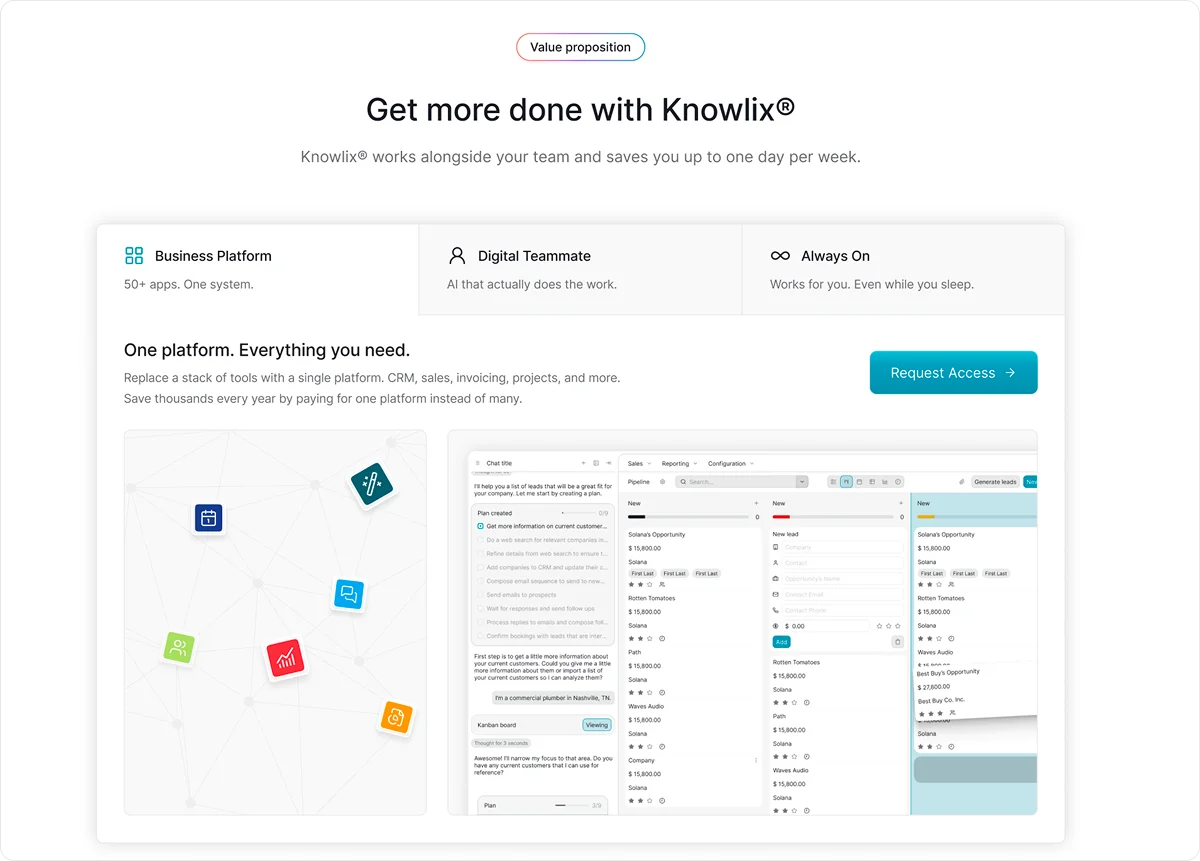
Knowlix embeds AI into core workflows, and it automatically captures, structures, and stores information in the right apps.
Instead of spending hours switching between tools or chasing information, your team works from a shared source of truth, which reduces errors, improves adoption, and eliminates integration problems.
What makes Knowlix different is the built-in AI digital teammate that:
- Creates leads
- Drafts quotes
- Writes invoices
- Schedules meetings
- Summarizes conversations, using your company’s data as context.
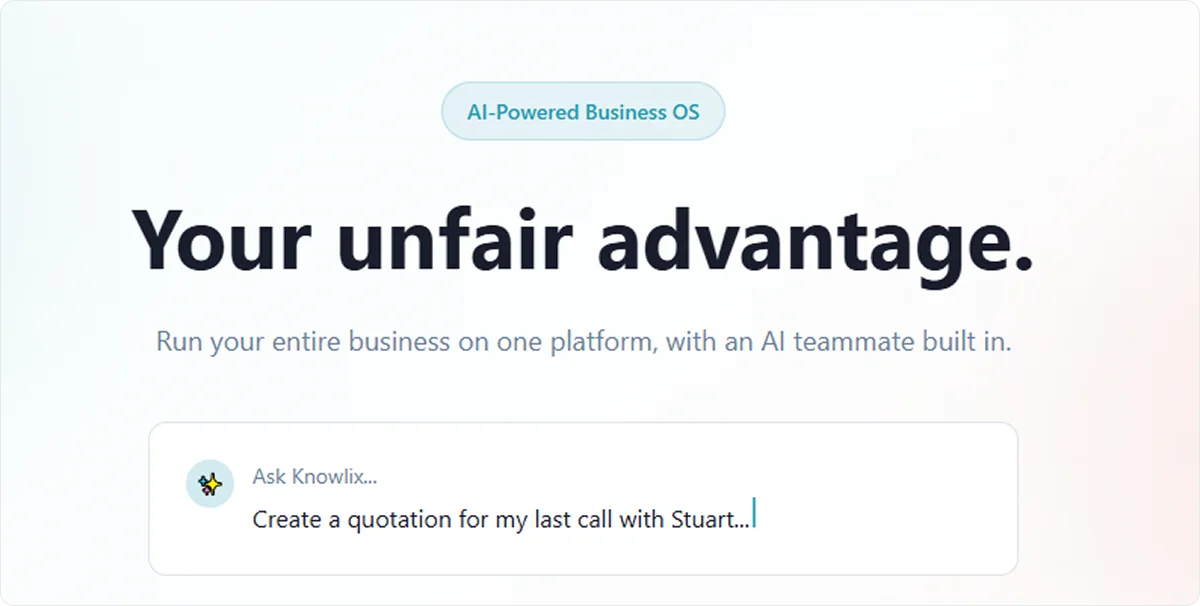
Knowlix offers robust features, but it remains easy to use.
Teams can get started immediately without lengthy setup processes or steep learning curves, which significantly reduces resistance and speeds up adoption.
They can activate or deactivate apps with a single click for more flexibility.
Curious to know more?
Learn more about Knowlix to see how you can replace fragmented tools with one intelligent system to scale faster with less effort.
FAQ:
1. Which phase is the most difficult in ERP implementation?
The most difficult phase in ERP implementation is the change management and adoption phase.
Businesses struggle to align people, processes, and new workflows, which often reveals resistance, training gaps, and low user engagement.
2. What is the common barrier to ERP effectiveness?
Delays in deliverables because of poor data quality are among the biggest obstacles.
When inaccurate, inconsistent, or duplicate data flows into the new system, it leads to reporting errors, broken processes, and poor decision-making.
3. What are the main benefits of ERP?
The main benefits of ERP are improved efficiency, better data visibility, and streamlined processes across the organization.
By centralizing data in one system, ERP enables real-time insights, reduces manual work, and supports faster, more informed decision-making.


Subscribe for Our Newsletter
Book your call below.


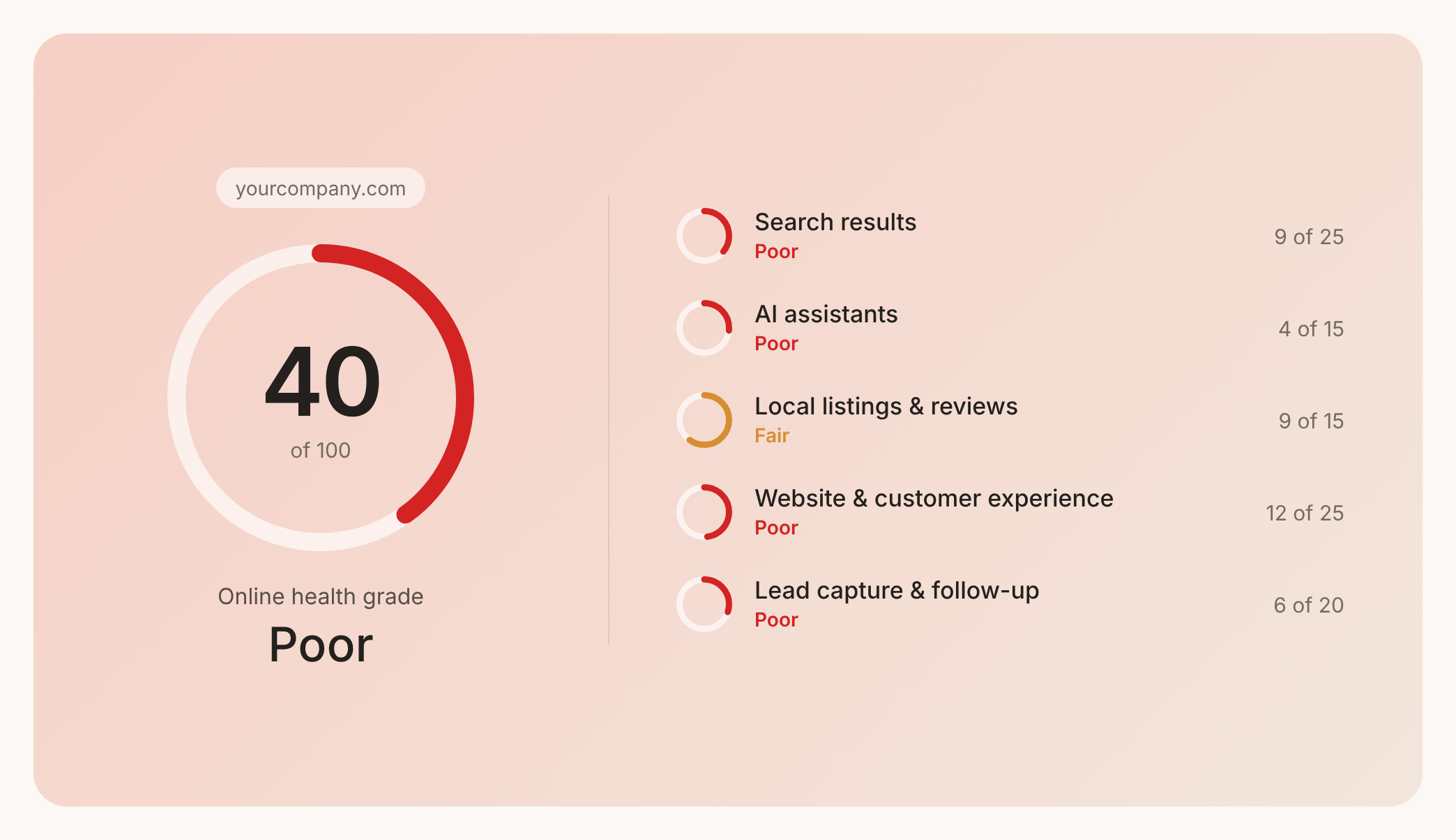

Prüfen Sie Ihren Website-Health-Score
Scannen Sie Ihre Website in Sekunden und stellen Sie sicher, dass Sie Ihrer Konkurrenz voraus sind.
