
How to Choose the Best AI Sales Agent Tool [Buyer’s Guide]

When you run a small business, you have to manage sales, operations, customer support, and growth all at once.
What starts as manageable quickly becomes fragmented, hard to track, and hard to follow.
AI sales agents can give smaller teams the operational capabilities of much larger organisations, but only if you pick the right one for your business needs and goals.
But how do you choose the best AI sales agent tool?
Read on to learn how to evaluate these tools to find the one that can help you drive measurable results without adding complexity.
Key Takeaways
- Prioritize tools that improve real sales outcomes, not just demos
The best AI sales agent improves measurable KPIs like meeting bookings, response time, and lead progression. Test whether it handles real conversations, qualifies leads intelligently, and moves deals through your pipeline without constant supervision. - Integration and pipeline automation matter more than extra features
If your AI can’t read from and write to your CRM in real time, your team will duplicate work, and reporting will break. Look for native integrations, automatic lead capture, structured stage movement, and bidirectional sync so conversations actually turn into pipeline progress. - Ease of use determines adoption and ROI
Choose a system with short onboarding, no-code configuration, a clear interface, and responsive support. You need tools that are implemented in days and fit into existing workflows without technical friction. - Define ROI before you buy and track it in phases
Understand the pricing model, hidden costs, and scalability before committing. Without baseline metrics, you can’t clearly measure impact. - An embedded, all-in-one system reduces fragmentation and manual work
Knowlix combines CRM, sales, communication, invoicing, and an AI teammate into a single connected platform. Instead of acting as a separate chatbot, the AI captures leads, updates your pipeline, prepares quotes, books meetings, and executes follow-ups directly inside your workflow. The unified approach addresses both automation and integration.
How to choose the best AI sales agent tool: 8 key aspects to pay attention to
There are many AI sales agents. While some are impressive in demos, they aren’t that great in real workflows.
Others are powerful but too complex for a small team to manage.
If you are running a small business, your priority should be to find a tool that drives revenue and is easy to operate.
Here are the most important aspects to pay attention to when choosing the best AI sales agent tool for your business.
1. Conversational intelligence
Since buyers interact across multiple channels, it means that your sales AI should handle:
- Website chat
- SMS or messaging apps
- Voice or call transcription
In addition, it must keep context across conversations.
For example, if a prospect asks about pricing on Monday and features on Wednesday, the AI shouldn’t respond as if it’s the first time it’s interacting with prospects.
Important aspects that you should look for include:
- Context retention across threads and sessions
- Intent recognition besides keyword matching
- Smart qualification questions based on answers received
- Escalation rules for high-value or sensitive conversations
Quick tip: During a demo or trial, simulate a real conversation. Ask layered questions, change topics mid-thread, introduce objections, and see if the AI adapts or resets.
2. Sales pipeline automation
Sales pipeline automation ensures that conversations trigger structured progress inside your pipeline.
For example, it can automatically capture inbound leads, enrich contact data when possible, score and qualify prospects based on defined criteria, trigger structured multi-step follow-up sequences, and more.
If you run a small business, you’ll probably find an intelligent qualification to be the most valuable capability.
Instead of sending every lead to a sales rep, the AI should filter based on budget, company size, timeline, and product fit.
Quick tip: Map your current pipeline stages before choosing a tool. You should check how a potential AI agent moves leads through the stages.
If the system can’t align with your existing pipeline logic, it won’t be efficient.
Worth knowing
Did you know that Knowlix’s AI Teammate works directly inside your daily sales workflow, before, during, and after meetings without requiring manual coordination between tools?
During a sales call or meeting, the Knowlix AI Note Taker captures the conversation, structures it, and merges it with your notes into one clean, organized record.
Once the meeting ends, it automatically:
- Updates the lead status in the pipeline
- Enriches or adds structured notes to the CRM record
- Creates follow-up tasks
- Prepares a quotation draft for the sales rep to review
- Schedules next steps if discussed
3. CRM and tool integrations
If your AI agent operates in isolation, your team will duplicate work manually.
That’s why you should look for an AI agent that is integrated within CRM, email, and calendar platforms, as well as with marketing automation systems.
The AI should both read from and write to your CRM, reference past deal activity before replying, automatically update deal stages after key actions, and log conversations without manual copy-pasting.
Quick tip: Check whether integrations are native or require third-party connectors. Native integrations are usually more stable and require less maintenance.
Don't overlook sync speed.
Real-time sync matters more than you'd think. Even a short delay in updates can throw off your reporting and lead to decisions based on outdated data
Worth knowing:
Knowlix combines AI note-taking with more than 50 built-in business and AI tools inside a single platform.
Instead of processing meeting data through external connectors, insights go directly into your CRM, calendar, task management, and customer service modules.
As a result, captured information becomes structured data that immediately informs pipeline updates, follow-ups, and internal collaboration.
Because everything operates within one connected system, your team can skip the manual data transfers, redundant syncing, and duplicate data entry.
4. Customization capabilities
The sales AI you choose must be customizable to reflect your business's tone.
You should look for an AI sales agent tool that enables you to define your tone guidelines and create approved messaging templates.
Also, you should be able to segment messaging by audience type and add guardrails for compliance or legal constraints.
Quick tip: Upload real examples of your best-performing sales emails during setup and evaluate how closely the AI mirrors that tone.
If you need to do heavy editing every time, the system probably won’t scale efficiently.
5. Analytics
In order to see how well your agent performs, you should track the following key metrics:
- Lead-to-meeting conversion rate
- Response time improvements
- Follow-up consistency
- Engagement rates
- Revenue influenced or generated
- Advanced tools may also provide:
- Conversation sentiment analysis
- Objection tracking trends
- Qualification pattern insights
Quick tip: Before you buy the tool, define success metrics.
For example, increase meeting booking rate by 20 percent or reduce average response time to under 10 minutes.
This way, you can check whether the tool can directly measure your desired outcomes.
6. Ease of use
Ease of use directly affects adoption and ROI. When choosing the AI sales agent tool, pay attention to the following capabilities:
- Onboarding time: How long does setup take? Is data migration required? Are workflows pre-built or built from scratch? For a small business, deployment should take days, not months.
- No-code or low-code configuration: You should be able to adjust workflows, edit prompts, create new automation sequences, and more without reaching out to a developer for every change.
- User interface clarity: If the interface feels overwhelming, adoption will most likely drop.
- Support and documentation: Since small teams don’t have internal IT departments, the AI tool should offer customer support, knowledge bases, and onboarding sessions
Quick tip: During your trial period, contact support with a technical question to evaluate response time and quality.
With Knowlix, getting started is easy and takes only 3 steps.
1. You can create your account with a fully self-serve onboarding experience in only a few minutes
2. You can connect your email or your IMAP mailbox, with everything staying GDPR and CCPA compliant
3. Your digital teammate prepares contracts, follow-up tasks and deal updates, so you only need to review and conform them.
7. Cost and ROI considerations
AI sales agents can generate strong returns, but only if you grasp the full financial overview before committing.
The first step is to understand the pricing model.
AI sales tools generally fall into one of three pricing structures, each with a different impact on your ability to scale.
- Subscription-based pricing: You pay a flat monthly or annual fee for access to a feature tier. This model is more predictable and easier to budget for. However, advanced features are often locked behind higher tiers.
- Per-seat pricing: You pay per user, which works well for small teams but can become expensive as you grow. If your AI agent reduces the need for additional hires, per-seat pricing can still be a good option.
- Usage-based pricing: You pay based on activity, such as number of conversations, email volume, AI token usage, etc. This model can be efficient at low volumes but risky if you scale quickly.
Besides pricing models, you also need to take subscription fees into account.
Common hidden costs include onboarding fees, custom workflow setup, integration costs, training time, and support upgrades.
Quick tip: AI sales tools improve with refinement. In the first month, performance may be average.
By month three, after optimization and prompt adjustments, results often improve noticeably.
Instead of judging ROI in the first few weeks, set 30-, 60-, and 90-day benchmarks to track response-time improvements, measure meeting-booking increases, and monitor lead progression speed.
Also, document baseline metrics before implementation, since without baseline data, it’s hard to notice improvement.
8. Data privacy and security
Since AI sales tools process sensitive information, such as customer names, emails, phone numbers, conversation data, and purchase history, you should know the answers to the following:
- Where is the data stored?
- Is data encrypted in transit and at rest?
- Is customer data used to train external models?
- What certifications does the company hold?
Regarding regulatory considerations, depending on your market, you may need to comply with the GDPR, the CCPA, or other regional privacy laws.
Therefore, the provider should offer data processing agreements (DPA), clear privacy policies, and role-based access control.
Worth knowing:
Knowlix is built on a GDPR-compliant, security- and privacy-first architecture.
How to choose the right AI sales agent strategy by business type?
Not every small business can or should implement AI sales automation the same way.
Your business model will determine what areas you should focus on to achieve the most measurable impact.
Where to start: Phased vs. full rollout
Instead of implementing AI across every sales channel, you should begin with a controlled test.
Choose one customer segment, one primary channel, and one clearly defined objective.
For example, you might focus only on inbound website leads and aim to reduce response time.
Or you might apply AI to demo booking and measure whether scheduled meetings increase.
By narrowing the scope, you make it easier to measure impact.
You can track improvements in response speed, booking rates, or follow-up completion without other variables interfering.
As a result, you can refine prompts, adjust qualification logic, and optimize workflows before scaling.
When you get more stable, measurable results, you can start thinking about expanding automation into deeper pipeline management, supported by proven results from the previous phase.
On the other hand, a full rollout across all channels and teams can work, but only under certain conditions:
- Your sales processes are already clearly defined.
- Your CRM integrations are working smoothly.
- Your team understands how the AI works and knows how to supervise it.
Even with a broader rollout, the first 90 days require close monitoring: you’ll need to review performance weekly, audit conversations, track pipeline movement, and make adjustments quickly.
3 common mistakes to avoid when choosing an AI sales agent tool
Although AI sales agents offer multiple benefits for small businesses, poor selection and rushed implementation can turn them into operational problems.
Below you can find the three common mistakes you should avoid.
1. Buying based on hype or pricing alone
When you buy based on hype, you overestimate what the AI can realistically automate and underestimate the need for oversight and optimization.
When you buy based only on price, you may select tools that lack core capabilities and integration quality.
Consequently, you end up adding additional tools to compensate for the gaps.
Quick tip: If a tool looks impressive but can’t clearly improve one measurable KPI in your business, it’s most likely not the right fit.
2. Choosing tools that don’t integrate with your tech stack
An AI sales agent tool may perform well on its own interface.
However, if it can’t properly read from and write to your CRM, email, and calendar systems, it creates fragmentation.
How to recognize the symptoms of poor integration?
- Your system fails to automatically update deals.
- Your team logs conversations manually.
- Your tools create duplicate contact records.
- Your platforms generate inconsistent reports.
- Your team switches constantly between multiple dashboards.
Quick tip: The right AI sales agent should feel embedded in your existing workflow.
3. Skipping piloting and testing phases
Without a pilot phase, you can’t properly evaluate response accuracy, qualification logic, impact on meeting bookings, tone alignment with your brand, and workflow reliability.
A structured pilot phase reduces the risks of configuration mistakes.
Quick tip: During the testing phase, refine the messaging tone, escalation triggers, lead scoring thresholds, calendar booking rules, and the KPIs you measure to see if you can expand into additional channels or segments.
Why should you choose Knowlix as your AI sales agent tool?
Knowlix is an all-in-one business platform with a built-in AI teammate that runs CRM, sales, invoicing, projects, communication, and much more in one place.
It caters to small and growing businesses that want fewer tools, less manual work, and more leverage from AI without enterprise complexity.
Our solution combines business software and standalone AI products in a single platform.
How can we help?
Knowlix can:
- Capture leads automatically from interactions and add them to your visual pipeline.
- Answer calls
- Take structured notes
- Prepare invoices
- Book meetings as part of the same workflow.
If you need something done, just chat with your designated AI teammate and consider it done
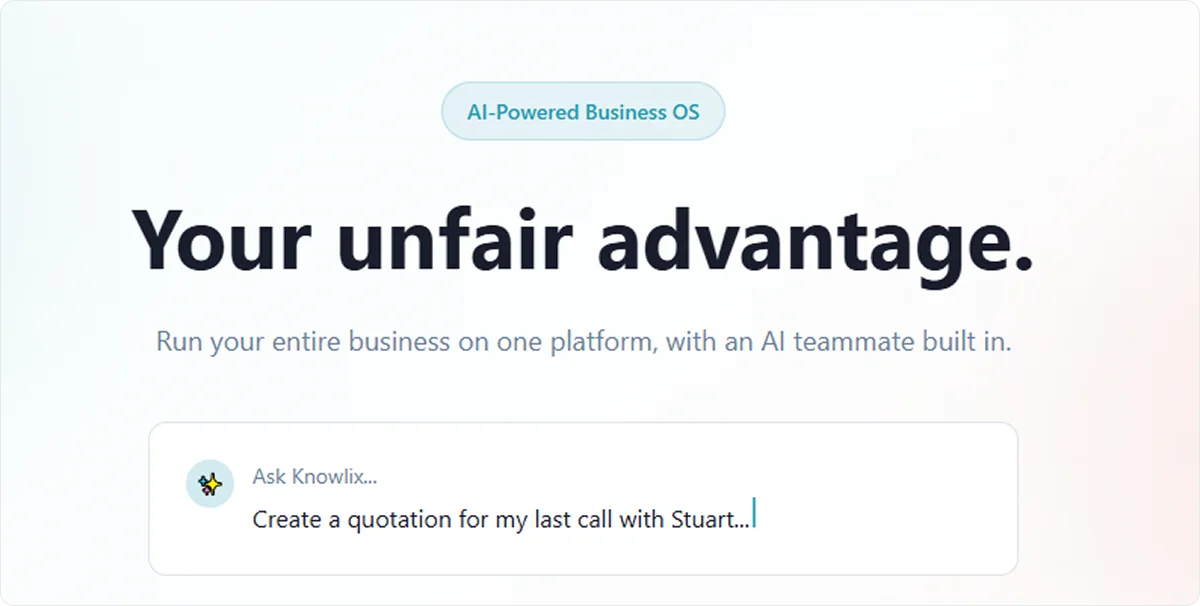
Instead of acting as a separate chatbot, Knowlix AI operates as an embedded system across your operations, which reduces manual work while keeping your data consistent and connected.
Intrigued to know more?
Meet a Knowlix advisor today to learn how much smoother your operations can run when your CRM, projects, sales, and AI work as one.
FAQ:
1. Do AI sales agents replace human sales reps?
AI sales agents don’t replace strong sales professionals.
They automate repetitive tasks such as follow-ups, qualification, scheduling, and data entry so your reps can focus on high-value conversations and closing.
2. Is a CRM required?
In most cases, yes. AI sales agents rely on structured customer data to personalize conversations, update deal stages, and track performance.
If you don’t have a CRM in place, you'll need to either implement one or choose a platform that includes built-in CRM functionality.
3. What’s the typical learning curve?
Most AI sales tools are designed for non-technical teams, but there’s still a short adjustment period.
You can expect 2 to 4 weeks to configure workflows, refine prompts, and align the system with your sales process.
The more clearly you define your pipeline and messaging, the faster adoption will happen.


Subscribe for Our Newsletter
Book your call below.


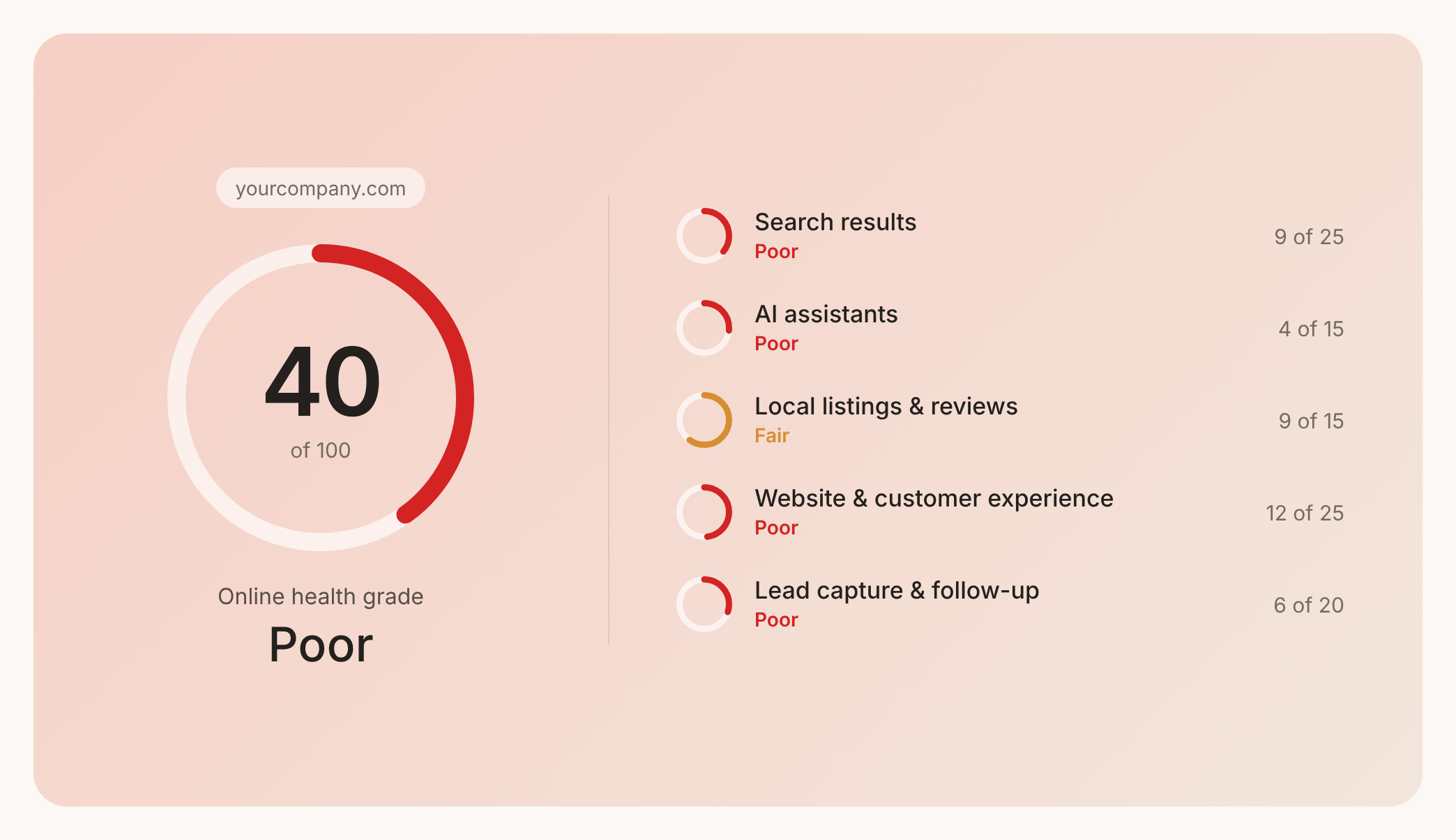

Prüfen Sie Ihren Website-Health-Score
Scannen Sie Ihre Website in Sekunden und stellen Sie sicher, dass Sie Ihrer Konkurrenz voraus sind.
