
Odoo AI Review: Features, Pros & Cons for Growing Businesses


Odoo AI improves project management and business operations by embedding AI agents, natural language tools, and automation across CRM, documents, communication, and workflows.
Core features include AI agents for task execution, “Ask AI” for instant insights, document automation, live chat support, and CRM optimization.
However, while powerful, Odoo AI is best suited for teams already embedded in the Odoo ecosystem and may require setup, configuration, and a steeper learning curve.
Knowlix, an all-in-one AI Business Platform, is a worthy alternative that functions as an autonomous AI Teammate, actively running workflows across your entire business, making it a better fit for teams that want hands-off execution, not just AI-assisted tasks.
Read on to learn more about Odoo AI to see how it can impact your business as it scales and how it compares to Knowlix.
Key Takeaways
- AI Agents streamline tasks across Odoo apps
Odoo AI agents understand natural language, follow instructions, and use tools to retrieve information, helping teams automate routine work and generate leads without constant manual input. - Ask AI boosts productivity and decision-making
This feature answers questions, improves content, and opens pages directly in Odoo. It reduces repetitive tasks and helps staff draft, summarize, or translate content quickly. - Document Automation saves time and ensures accuracy
AI automatically sorts, classifies, and processes documents like invoices and contracts. This speeds up workflows for high-volume tasks while maintaining consistency and traceability. - AI enhances communication with live chat, email, and voice tools
From automatic customer replies and personalized email templates to voice transcription and summaries, Odoo AI helps teams communicate efficiently and capture key information without extra effort. - Sales & CRM capabilities optimize growth
AI prioritizes leads, assigns tasks, detects customer sentiment, generates drafts, and enriches company data, enabling small and scaling businesses to make smarter, faster decisions and focus on high-value opportunities.
What is Odoo AI: Overview
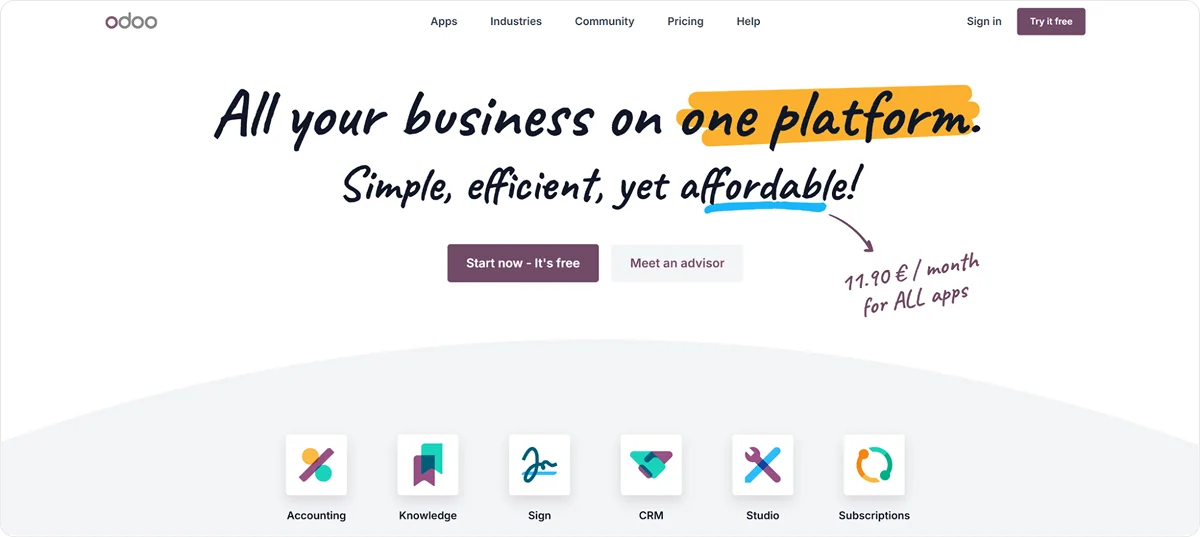
Odoo AI enhances productivity across all apps by providing intelligent, context-aware assistance with dedicated agents, natural language processing, and no-code automation.
It helps you work faster, make better decisions, and automate routine tasks, while staying within the Odoo interface.
Odoo’s AI settings let you choose which AI service to use, add your API keys, and set up default instructions for how the AI should respond. It currently works with Gemini and ChatGPT.
You can use some AI features even without installing the AI app. But if you want to use your own API keys or change which AI service is used for specific tasks, you’ll need to install it.
Good to know:
If you’re using Odoo.sh or an on-premise setup, you must provide your own API keys to use AI features.
For Odoo Online users, adding your own API keys is optional.
However, some prefer to use their own keys to have more control over permissions, updates, or internal policies.
Odoo AI: Key features that scaling businesses can benefit from
Odoo AI’s capabilities adapt to workflows across Odoo apps. Here’s a quick overview of the key Odoo AI features.
| AI capability | What it does | Benefits for small & scaling businesses |
|---|---|---|
| AI agents | Understands natural language, follows instructions, uses tools, and retrieves information from topics and sources | Helps teams work faster by automating tasks, retrieving information, and generating leads without manual searching |
| Ask AI | Answers questions, opens pages, and improves content | Reduces repetitive tasks, speeds up decision-making, and assists staff with drafting, summarizing, or translating content |
| AI document automation | Automatically sorts, classifies, and processes documents. Extracts key info and triggers actions. | Saves time on repetitive paperwork, ensures accuracy, and supports scalability for high-volume document workflows |
| AI Live Chat | Responds to customer messages automatically, asks for details, creates leads, and escalates complex cases | Improves customer support efficiency, shortens response times, and captures more sales opportunities without adding staff |
| AI in email templates | Embeds AI prompts to generate dynamic, personalized emails automatically based on context and records | Enables scalable, personalized communication for sales, HR, or project updates and reduces manual email drafting |
| AI voice transcription & summarization | Converts audio into text and highlights key points, decisions, and action items | Streamlines note-taking, ensures key information is captured, and saves time for teams managing multiple meetings or calls |
| Sales & CRM AI | Prioritizes leads, assigns tasks automatically, detects sentiment, generates drafts, and enriches company info | Optimizes sales workflows, improves lead management, speeds up communication, and supports data-driven decision-making |
1. AI agents
An AI agent in Odoo is a smart assistant that understands everyday language, helps with tasks, and works with Odoo’s tools.
Each agent has a specific “job”, along with instructions and tools that guide how it behaves.
Agents are made up of two main parts: Topics and Sources.
Topics define what the agent is supposed to do. They include instructions and assign tools the agent can use to complete tasks. The AI app already comes with some ready-to-use topics:
- Natural Language Search: Lets you type what you’re looking for in plain language, and Odoo will open the right page and help you find it.
- Information retrieval: Helps the AI find and show information from your data.
- Leads creation: Helps automatically create new leads and is only available if you have the CRM app installed.
Sources give the agent the information it needs to do those tasks properly. They can be in the following formats: PDFs, weblinks, documents, and Knowledge app articles.
Before using an agent, you should understand AI prompts.
A prompt is a set of instructions that tells the AI how to respond or what role to take.
Prompts can guide the AI’s tone, style, personality, the scope of what it can do, and the type of output expected.
In Odoo, each agent has a System Prompt, which defines the agent’s overall role, purpose, and behavior.
Each Topic also includes Instructions, which are topic-specific rules that refine how the agent behaves in that context. Instructions usually cover:
- What the topic is about
- Rules the agent should follow
- Step-by-step guidance for tasks
- Any technical details to complete actions
System Prompts, Topics, Instructions, and Sources define how an AI agent works and ensures it can assist you effectively within Odoo.
2. Ask AI
The Ask AI feature lets you get help anywhere in the Odoo database.
You can type questions or instructions in plain language, and it can answer questions, open pages, and help improve your content.

After the AI gives a response, you can:
- Send as Message: Opens an email draft with the AI’s response, which you can edit before sending.
- Log as Note: Opens a note in the chatter with the response. You can make changes before saving it.
- Copy: Copies the response so you can paste it.
Some common ways Ask AI can help include translation, summarizing, text generation, draft improvement, and suggestions.
Also, you can use the AI button, which allows you to choose from suggested conversation prompts.

Good to know: The standard Ask AI agent can’t change your data. It can open pages and show reports, but it can’t create leads or modify records.
3. AI document sort
Odoo AI Document Automation helps you handle documents automatically. It can sort, classify, and process files, such as invoices, contracts, NDAs, or insurance documents.
The AI can also extract important information and trigger related business actions.
This capability is useful for large volumes of repetitive documents where speed, accuracy, and tracking are important.
You don’t need the AI app installed to use document automation.
However, the actions the AI can take depend on which other apps are installed. For example, to automatically create invoices, you must install the Accounting app.
Another important thing to know is that AI Auto-Sort works at the folder level in the Documents app.
Each folder can have its own automation rules, so you can set up flows that match your internal processes.
Instead of one rule for everything, the AI looks at each folder individually: it checks documents, follows the folder’s instructions, and performs the right action.
4. AI live chat
Odoo’s AI for Live Chat can help your team respond to customer messages automatically.
It can answer common questions, ask for more details, and create leads when needed.
If a situation is too complex, the AI knows when to pass the conversation to a human agent.
AI responses happen in real time and follow the instructions set for the agent and its topics. The Livechat AI Agent also has a defined communication style and conversation goals, and its main focus is to give accurate answers.
Instead of replying to each message one by one, the AI looks at the conversation as a whole and decides how to respond based on priorities and rules.
5. AI in email templates
Odoo lets you add AI prompts directly into email templates.
When you send an email, the AI uses the prompt to create content automatically and inserts it into the message.
As a result, it’s easy to send personalized emails at scale while keeping templates simple and reusable.
An AI-enabled email template can have one or more AI prompts, which:
- Adjust the message to fit the current record
- Use context like customer info, documents, or related records
- Automatically generate natural, readable text
When you create an email from a template with an AI prompt, the AI looks at the current record to complete the prompt.
If you send emails in bulk, AI will personalize each one, so a single template can produce unique messages for multiple recipients.
The capability comes in handy with:
- Sales follow-ups: Create tailored emails based on opportunity stage, customer activity, or recent messages.
- HR communication: Generate personalized onboarding or interview emails using applicant or employee data.
- Project updates: Summarize progress automatically using task details and recent activity.
6. AI voice transcription
Odoo AI can turn spoken audio into text and create summaries from it.
This works for both recorded meetings and live dictation, so you can capture notes, decisions, and action items without typing everything manually.
The AI enables:
- Voice Transcription: Converts spoken audio into a written transcript.
- Summarization: Highlights the most important information, such as key discussion points, decisions, action items, and next steps.
You can use the tool for meetings, calls, quick dictations, or internal notes.

During transcription, the audio is temporarily recorded to create the transcript, then immediately deleted and not stored or made accessible afterward. This way, your data remains private.
7. Sales & CRM AI capabilities
Odoo AI's Sales & CRM capabilities use Gemini and ChatGPT to summarize meetings, draft emails, prioritize leads, and optimize sales pipelines.
Here are some of the AI capabilities:
- Lead prioritization: Identify the most promising leads and guide which ones to focus on first
- Automatic assignments: Distribute leads and tasks based on team members’ skills, workload, and track record
- Sentiment insights: Detect customer interest or risk of losing a client and get recommendations for next steps right in CRM
- Quick drafts: Instantly create proposals, follow-up emails, and CRM notes
- Company details: Enrich company profiles with key information, such as industry, website, and buying signals
Odoo AI: Pricing
Odoo’s new pricing rolled out in January 2026 with 30% increase.
Odoo AI is available only in an Enterprise-level plan. In the US, the price is $61.10 (€51.98) per user per month, and in Europe, it is $43.41 (€36.91) per user per month.
These prices don’t include additional implementation costs, Odoo.sh hosting, or In-App-Purchase credits.
Odoo AI review: Final thoughts
Odoo AI helps small and growing businesses work faster and smarter.
It can automate lead management, document processing, customer responses, and content creation.
As a result, it can reduce repetitive tasks and free teams to focus on higher-value work.
While it requires some initial setup to match your workflows and may have a steeper learning curve, its flexibility allows you to scale efficiently.
How does Knowlix compare to Odoo AI?
Both Knowlix and Odoo AI aim at the same goal: Small businesses running on one system instead of ten. However, the main difference is how the AI is built in.
Odoo AI is integrated into each Odoo app as an assistant. For example, if you ask a question, it answers, and if you write a prompt, it drafts. Still, it’s the user who does the work while the AI makes it faster.
Knowlix is an all-in-one AI Business Platform that replaces 50+ business apps with a single system for sales, projects, marketing, operations, and more. It’s built around an AI Teammate that works across the platform on autopilot.
It watches what's happening in sales, projects, operations, and finance, and then acts by:
- Updating records
- Sending follow-ups
- Scheduling tasks
- Spotting leads worth attention
Every action runs through approval, so you keep control.
Here are other key aspects that highlight the differences between Odoo AI and Knowlix:
- Access model: Odoo AI is behind the Enterprise plan ($61.10 per user per month in the US) while Knowlix includes the AI Teammate as part of the platform, not as a paid tier.
- App scope: Knowlix replaces 50+ business apps under one roof. You can switch any of them on or off with one click.
- Setup pattern: Odoo positions AI as a feature within each module, configured per app. Knowlix bundles 50+ apps with the AI Teammate already wired in, so teams skip the per-module setup work that Odoo requires.
- AI reach: Odoo's AI lives module by module, whereas the Knowlix AI Teammate works across modules: a customer call summary updates the CRM, creates the follow-up task, and drafts the next-step email in one go.
Which works better for your business?
If your team already runs on Odoo and wants AI inside the tools you have, Odoo AI does the job.
If you're starting fresh or migrating off a tool stack and want an AI that runs operations next to you instead of just answering questions, Knowlix is the closer fit.
Sign up for Knowlix and get AI-powered operational support in a fast-to-adopt format.


Frequently asked questions


No, it doesn’t. If you want Odoo's native AI features, such as predictive lead scoring, AI email writing, OCR, forecasting, and AI agents, you need Enterprise.
Additional AI features are available only through third-party AI modules at an extra cost.
With Knowlix, that’s not the case. The AI Teammate comes as part of the platform, not as a paid tier.
Yes, because it automates repetitive tasks, helps teams find information faster, and supports smarter communication and customer interactions without needing a large staff.
Even with a basic setup, small teams can save time, stay organized, and scale more effectively.
Odoo AI Help is a set of smart tools that can answer questions in plain language, help create or improve content, automate tasks, and support communication and customer interactions.
Subscribe for Our Newsletter
Book your call below.



Check your website health score
Scan your site in seconds and make sure you're beating your competitors.
