
6 Best Odoo Alternatives for Growing Businesses in 2026

.webp)
Odoo is an open-source enterprise resource planning (ERP) platform used by 16 million people worldwide. Unlike many other tools in its niche, Odoo is highly flexible, cost-effective, and intuitive to use.
Still, comparing your options before committing to one is always a smart move. Depending on your priorities, industry, and workflows, a different tool might be a better fit.
To help you make an informed choice, we’ve covered the 6 best Odoo alternatives worth considering in 2026, along with their pricing, pros, and cons.
Pro Tip: If you don’t want to part ways with Odoo but want a simpler setup, consider Knowlix. Built for small businesses, the platform offers all of Odoo’s apps and augments them with an AI teammate that listens, understands, and remembers.
Knowlix AI turns unstructured data into revenue-generating decisions. With Knowlix handling repetitive tasks such as capturing leads and writing follow-ups, your team benefits from step-function productivity gains and effortless growth.
Knowlix is also an official Odoo partner and can help you implement and get the most out of Odoo.
Best Odoo Alternatives at a Glance
Discover our top picks and their main characteristics:
*Check vendors’ official websites for up-to-date, location-specific pricing.
Top 6 Odoo Alternatives: Features, Pricing, and More
For this list of Odoo alternatives, we’ve paid most attention to the range of features, customization options, affordability, and ease of use and implementation. We’ve also included some downsides that reviewers have commonly mentioned online.
The list covers both open-source and proprietary ERPs and includes options for businesses of every size and budget.
1. ERPNext
ERPNext is Odoo's closest open-source competitor, and it serves over 30,000 organizations worldwide. It covers the same core functions, such as accounting, human resources (HR), inventory, and customer relationship management (CRM). Still, its Frappe-based low-code workflow builder and clean interface make ERPNext straightforward to use.

The biggest difference is in the cost and pricing structure. Odoo’s free plan includes only one app and limited features, while ERPNext includes them all for free. ERPNext’s paid plans are also more affordable and don’t entail a per-user licensing model.
The tradeoff is ecosystem size. While Odoo has thousands of community modules, ERPNext has around 100. If a feature isn't in the core, you'll likely need to build it yourself. While simpler than Odoo, ERPNext’s initial setup can still be demanding for teams with limited technical experience, and heavy customizations sometimes break during updates.
ERPNext Pricing
- Free for self-hosting
- For Small Businesses (shared hosting): from $5 per month
- For Medium and Large Enterprises (dedicated servers): from $200/month
2. NetSuite
Oracle’s NetSuite is a comprehensive cloud-based system spanning business areas such as accounting, CRM, and e-commerce. NetSuite is a robust solution that can accommodate a wide range of business operations and support fast growth, though it’s not as flexible as Odoo.

While Odoo is better suited for mid-sized companies, NetSuite caters to medium to large enterprises with a global reach, especially with its OneWorld module. It offers multi-book accounting, real-time currency conversion, built-in tax compliance across jurisdictions, and detailed financial management controls.
As a powerful proprietary software, NetSuite is significantly more expensive than Odoo. It also entails a steep learning curve and could be difficult to implement and customize, requiring admin involvement even for minor changes.
NetSuite Pricing
Contact Oracle for a custom quote. The annual license fee depends on the core platform, the modules you choose, and the number of users.
3. SAP Business One
SAP Business One is an ERP ideal for small businesses that have high logistics demands but aren’t ready for a full enterprise solution.
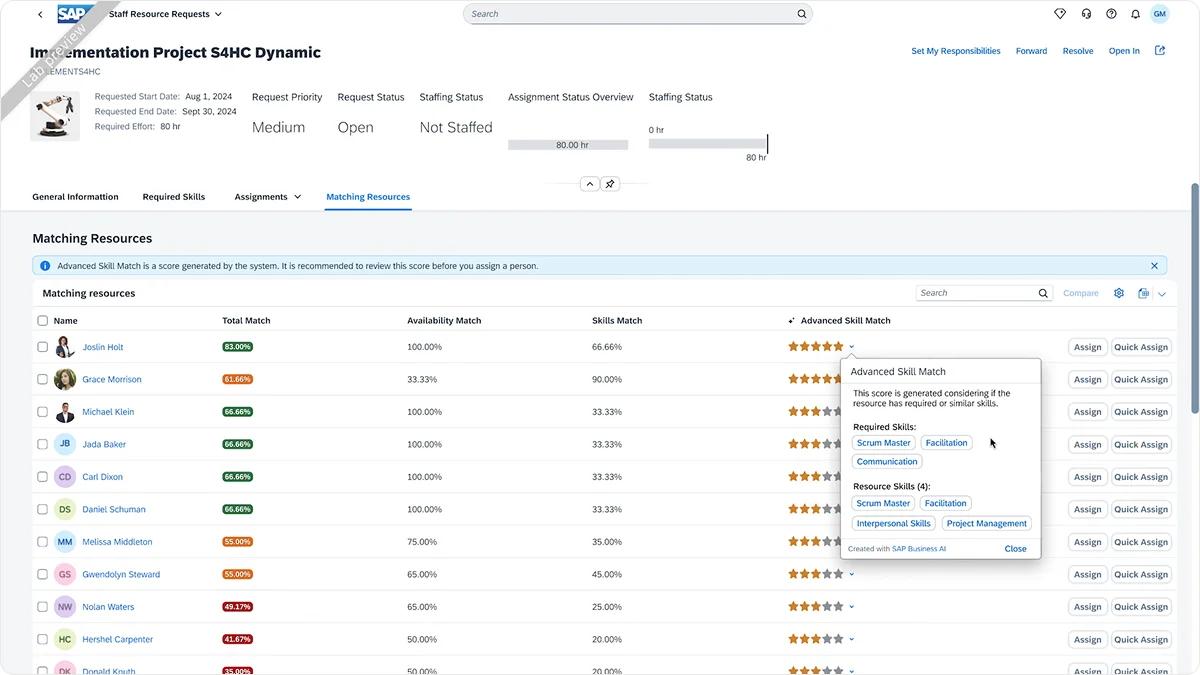
This ERP supports a wide range of use cases, including finance, HR, and customer service. Still, it's especially popular among manufacturing businesses due to its rich feature offering for supply chain management and quality control. Odoo has a manufacturing module, but SAP is much more powerful in this regard.
Unlike Odoo, SAP Business One is standardized and comes fully prebuilt, but it could still be overwhelming to implement and adopt. It’s expensive, yet lacks flexibility and polish, with many users finding its interface outdated.
SAP Business One Pricing
Contact SAP for a custom quote.
4. Zoho
Zoho is one of the best-known names in the industry. It’s a highly comprehensive software suite offering over 50 business apps and serving businesses of all sizes. Zoho One gives you access to the full set of features, but you can also purchase separate apps and suites for CRM, finance, marketing, and other business areas.
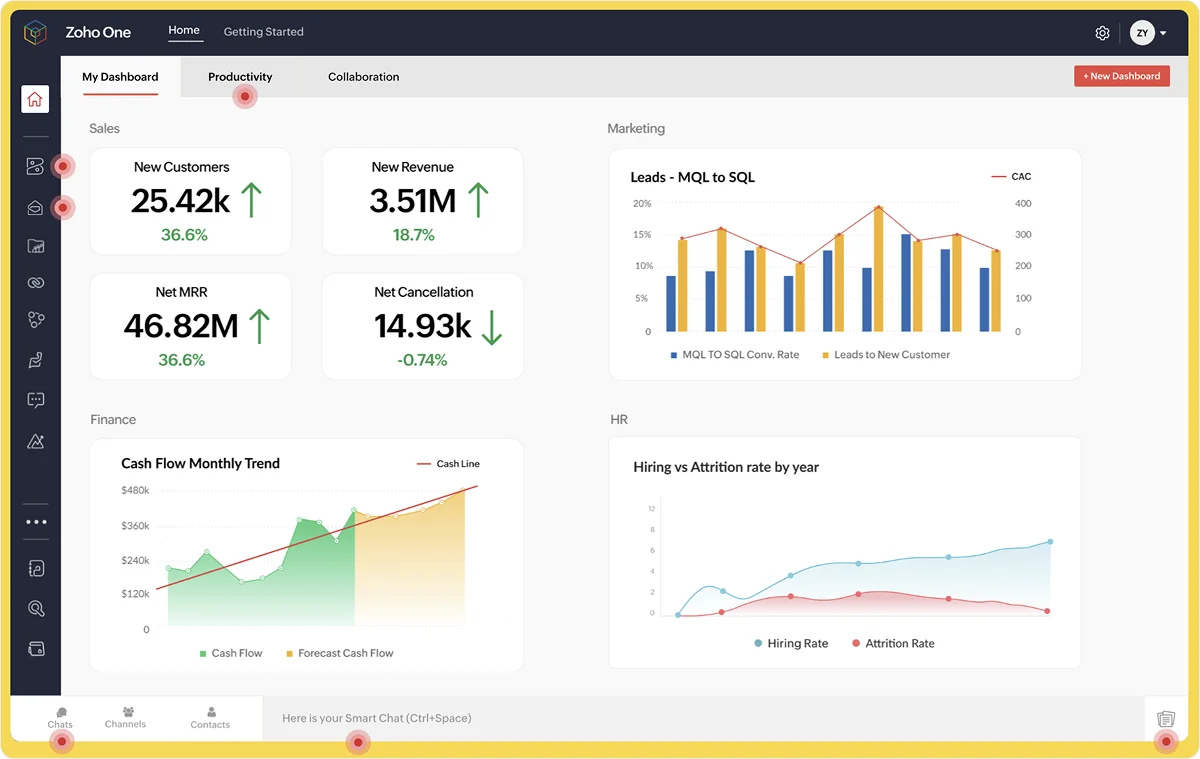
When it comes to customization, Odoo is far superior with its scalable architecture and thousands of modules. Still, while Zoho has a reportedly cluttered interface that can be difficult for new users to learn, it’s easier to implement than Odoo.
Zoho Pricing
Zoho One:
- For all employees: €37 (~$43.7) per user/month*
- Flexible number of users: €90 (~$106.4) per user/month*
Individual suites range from €0.90 (Workplace, Mail Lite) per user/month to € 199 per 10 users/month (Finance Plus), and many have free tiers
*All prices refer to the annual billing model.
5. Microsoft Dynamics 365
Microsoft Dynamics 365 is a premium Odoo alternative suitable for businesses used to the Microsoft ecosystem. The integration with Microsoft apps like Outlook and Excel is unbeatable and enables smooth collaboration and data sharing across all operations.

The Dynamics 365 platform is an enterprise-grade solution, but Microsoft also offers Business Central, an all-in-one ERP platform for small to mid-sized businesses. Business Central has a small feature set focused on finance, inventory, and basic CRM.
While Dynamics 365 shares Odoo’s modular philosophy that lets you add apps as needed, Odoo is overall more flexible and easier to use. Microsoft’s solution requires training and time, and entails a complex setup that may lead you to seek admin support, consulting, or implementation services.
It’s also worth noting that Dynamics 365 is more expensive and has a complex licensing model, so careful consideration is necessary to select the right tier and avoid overbuying.
Microsoft Dynamics 365 Pricing
Business Central:
- Essentials: $80 per user/month*
- Premium: $110 per user/month
Specific apps:
- Customer Insights: $1,700 per user/month
- Customer Service: $50–195 per user/month
- Supply Chain Management: $210–300 per user/month
- Finance: $210–300 per user/month
*All prices refer to the annual billing model.
6. Dolibarr
The most lightweight solution on this list, Dolibarr is an open-source CRM and ERP solution ideal for freelancers, SMBs, and nonprofits. The software is highly affordable, even with hosting services, and covers the business essentials: sales, inventory, HR, marketing, and finances.
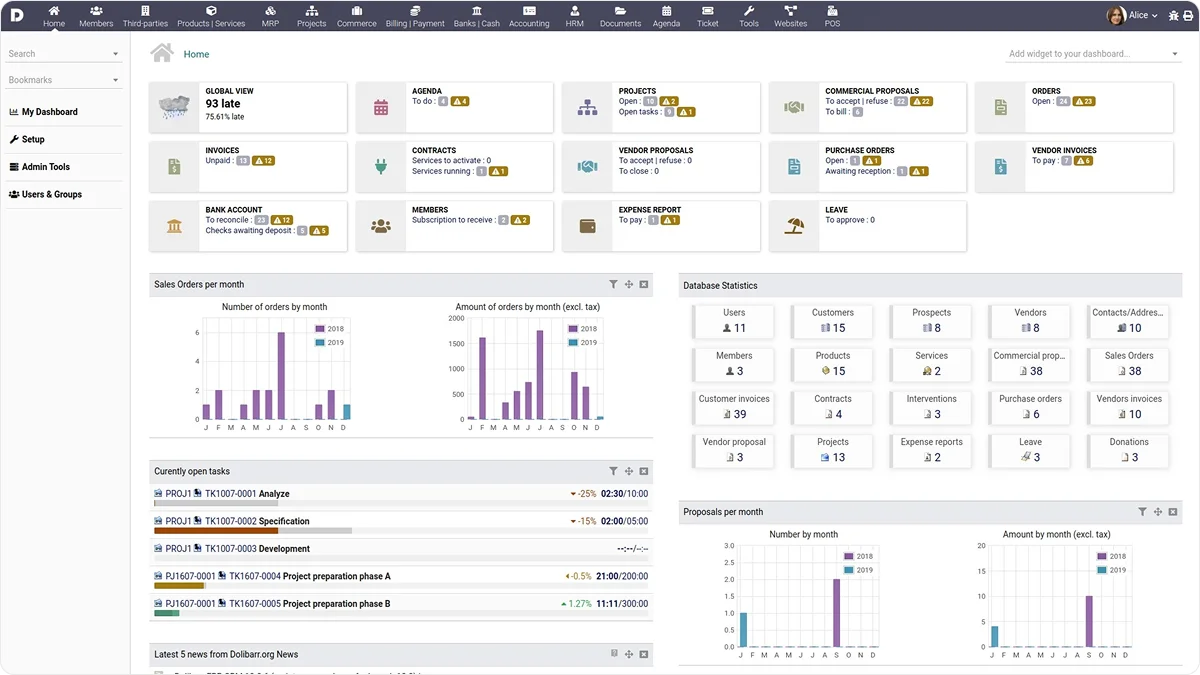
Dolibarr can’t compare to Odoo in terms of feature scope, automations, and customization ability. Users also point out that its interface design is outdated and unappealing. Still, Dolibarr makes up for these shortcomings by being intuitive and offering out-of-the-box modules that let you get started quickly.
Dolibarr Pricing
- Free for self-hosting
DoliCloud hosting:
- Basic: €14 (~$16.5) per user/month
- Premium: €30 (~$35.4) per month + €15 (~$17.7) per user/month
Final Thoughts on the Best Odoo Alternatives
Choosing the right Odoo alternative requires careful consideration of all factors, mainly your company size, specific business needs and workflows, and your team’s technical expertise.
Still, note that Odoo is a completely unique solution in today’s market. No open-source ERP platform can match its range of features, and even the most customizable proprietary software can’t beat its community-supported modularity.
If you want to take advantage of Odoo’s breadth and flexibility, but don’t want the complexity and overhead that come with it, opt for Knowlix.
Knowlix is built on Odoo and, when combined with an Odoo Enterprise license, unifies over 50 business apps, allowing you to set it up and start using it in minutes. Customization is also simple because you can activate and deactivate apps on the platform with one click. There’s no need to invest in implementation or integrate external tools, as everything is pre-built and readily available.
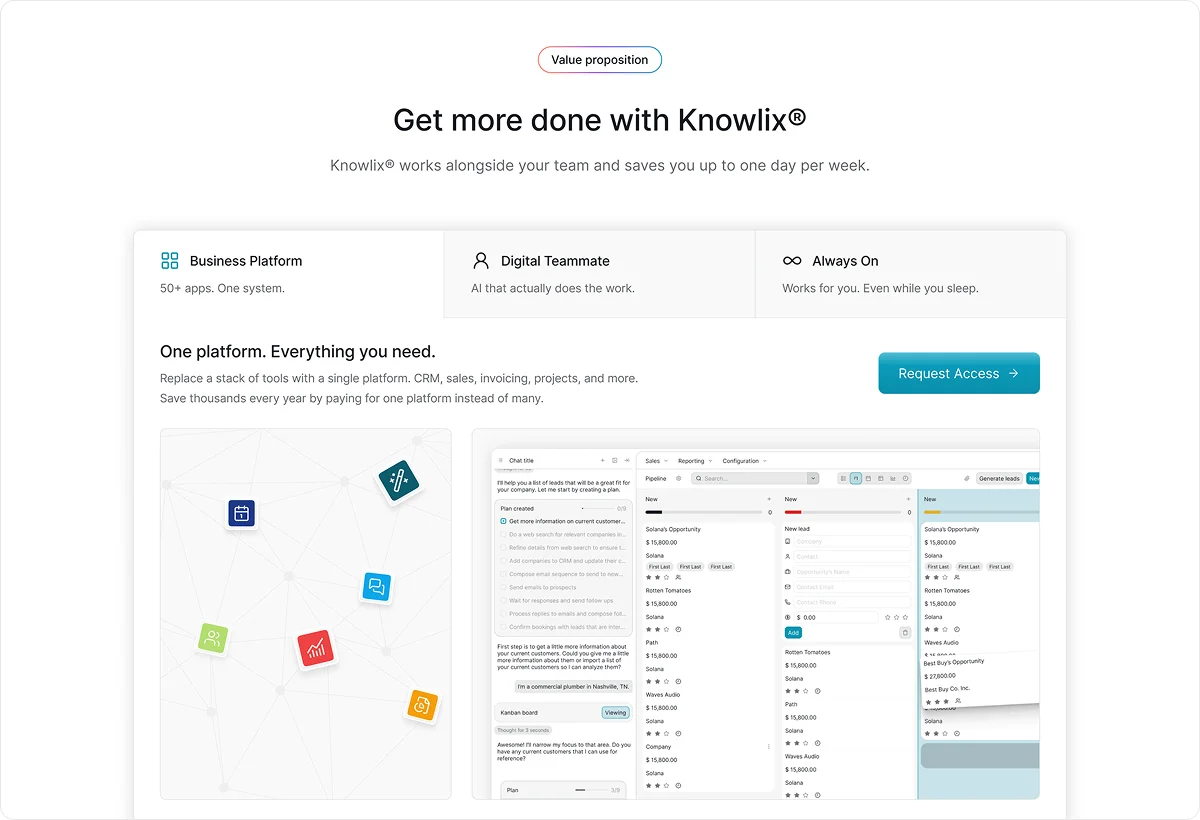
In addition to business apps, Knowlix offers a suite of AI features that help you work more efficiently. Your AI teammate has access to all your company and client knowledge, so it can answer all your questions and independently handle various tasks, such as:
- Answering calls
- Taking notes
- Capturing client data
- Enriching leads
- Creating quotes
- Creating invoices
- Triaging emails
Get started with Knowlix and achieve enterprise-level productivity with the resources of a startup. The free tier lets you see if Knowlix is the right fit without committing.
Frequently Asked Questions
Should I choose an open-source or proprietary solution?
The table below can offer some guidance:
What’s the best open-source Odoo alternative for self-hosting?
Based on our research, ERPNext and Dolibarr are the best open-source alternatives, but they’re vastly different. ERPNext is superior to Dolibarr in terms of functionality, but implementing it requires technical expertise and resources. Dolibarr is better suited for freelancers and small businesses that need a simple, low-cost solution with an easy setup.
How long does it take to implement an open-source ERP?
The timeline will depend on many factors, including the apps and level of customization you need, your team’s technical expertise, and your available resources. For a small business, the process may take anywhere from 1 to 3 months, while enterprises may need to wait over a year to launch.
With Knowlix, you can significantly accelerate the Odoo implementation process and get valuable advice for using the platform’s features. Start with Odoo’s open-source version and upgrade to Enterprise at any time.
Contact Knowlix and launch with Odoo in only a few days.


Subscribe for Our Newsletter
Book your call below.


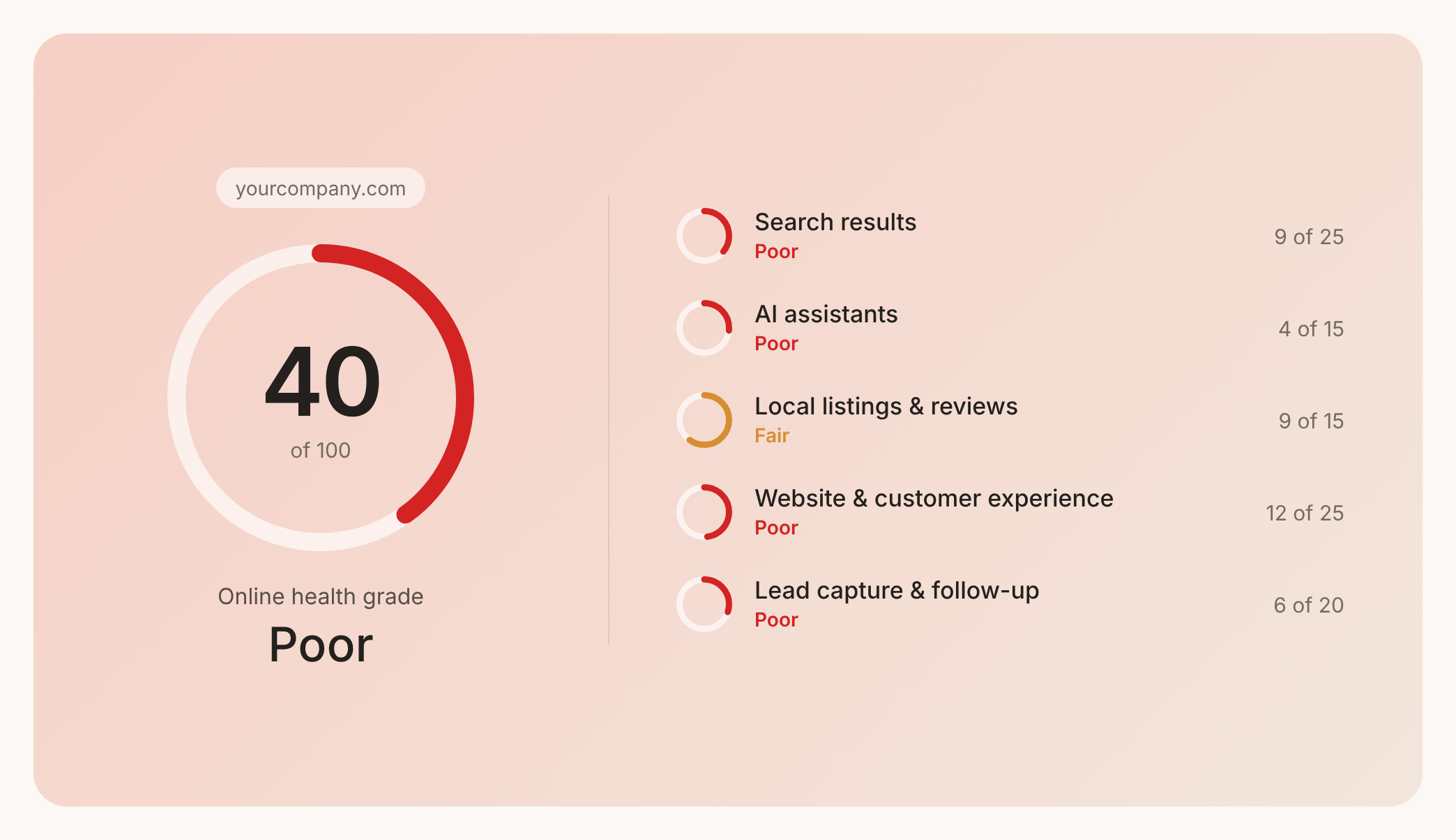

Prüfen Sie Ihren Website-Health-Score
Scannen Sie Ihre Website in Sekunden und stellen Sie sicher, dass Sie Ihrer Konkurrenz voraus sind.
