
HubSpot vs. Monday: Complete Comparison Guide for 2026

The 8 best Zoho alternatives in 2026 are Knowlix, HubSpot, Salesforce, Freshworks, Pipedrive, Microsoft Dynamics 365, ClickUp, and Monday. For SMBs replacing a multi-tool stack, Knowlix is the closest direct Zoho One replacement: one workspace covers CRM, projects, invoicing, and helpdesk, with an AI Teammate that runs work on autopilot, starting at $24.90 per user per month with a 7-day free trial. For sales-only teams under 20 people, Pipedrive or HubSpot ship faster. For Microsoft-ecosystem enterprises with 200+ people, Dynamics 365 is the better fit. Knowlix is the right pick when the goal is consolidation without the cross-app setup tax Zoho's 40+ apps require.
HubSpot is a growth-focused CRM platform that combines marketing, sales, and customer service, with strong automation and analytics across the full customer journey.
Monday is a flexible work management platform with visual, customizable boards and general-purpose workflows, which added CRM modules on top of its project-management core.
Although both platforms handle CRM and project management tasks, their focus is different.
HubSpot prioritizes CRM, marketing, and sales automation, with some project management capabilities. On the other hand, Monday’s core focus is project management with some CRM capabilities.
HubSpot vs. Monday: A quick comparison
Here are the highlights of both options:
| Features/capabilities | HubSpot | monday.com |
|---|---|---|
| Core focus | Full CRM platform with marketing, sales, and customer service | Work and project management platform with lightweight CRM modules |
| Pipelines & CRM | Native deals, sequences, lead scoring, and forecasting | Custom boards as pipelines that are very flexible but less CRM-specialized |
| Marketing tools | Strong email marketing, automation, campaigns, analytics, SEO, and ad tracking | Limited native marketing that relies on integrations and automations |
| Project management | Basic project management and Gantt capabilities within the CRM | Deep project management capabilities including Gantt, Kanban, dashboards, dependencies, and workload views |
| Automation and AI | Workflow automation and AI for content, prospecting, and scoring | Board-level and task/workflow automations |
| Pricing | Depends on the modules and services used, with multiple add-ons | Depends on the modules used and the number of users |
| Best for | Growing teams wanting one platform for marketing, sales, and customer service | Businesses prioritizing visual customization, real-time collaboration, and no-code workflows |
| May not be optimal for | Teams only needing a simple CRM or businesses wanting to keep sales and marketing separate from project management and operations | Businesses needing sales and invoicing built in |
What is HubSpot: Overview

HubSpot is a CRM platform that unifies marketing, sales, and customer service while providing automation and AI capabilities.
It helps businesses track leads and customers, automate follow-ups, run marketing campaigns, and manage sales pipelines from a single place.
The platform also has AI capabilities for generating and summarizing content.
HubSpot offers a rich app marketplace that lets you connect your business to tools such as Gmail, Outlook, Google Calendar, WordPress, Slack, Salesforce, Zoom, Zapier, and more.
HubSpot: Key features for small businesses
Here are the features and capabilities that small businesses may find valuable:
1. Marketing Hub
The Marketing Hub platform provides tools to help businesses:
- Attract visitors
- Generate leads
- Automate campaigns
- Track customer engagement
The platform enables social media publishing and monitoring, PPC and digital ad management, and omnichannel campaign management to better attract visitors.
In addition, lead generation features help convert visitors into qualified leads through smart forms, dynamic CTAs, audience segmentation, live chat, AI customer agents, and more.
The platform also includes workflow automation tools that enable businesses to send automated emails, build customer journeys, run automated campaigns, and score leads.
2. Sales Hub
The Sales Hub platform offers solutions for managing pipelines, automating outreach, closing deals faster, and tracking sales performance.
It focuses on building a structured pipeline that continuously moves prospects through stages.
You can source high-quality leads using data enrichment and AI signals that identify potential buyers based on behavior and fit. The system helps sales teams prioritize the most promising opportunities through AI-driven lead scoring and real-time activity tracking.
Automation features enable automated sequences, email templates, calls, and reminders.
In addition, the platform provides meeting scheduling, call insights, and automatic updating of CRM records.
3. Smart CRM
HubSpot’s Smart CRM is an AI-powered CRM that unifies:
- Structured data, such as contacts, companies, and deals
- Conversations, including emails, calls, and messages
- External signals, such as web activity and enrichment data
HubSpot AI CRM supports automation, including trigger-based workflows based on customer actions, automated task creation, and customer communication sequences.
Also, the platform offers custom dashboards and reports, revenue and pipeline tracking, and enables performance insights across teams.
4. Data Hub
Data Hub is a data management system that enables you to unify, clean, and activate your customer data across marketing, sales, and service tools.
It includes features such as Data Studio for combining and transforming data, data sync tools for connecting to external apps and databases, and data quality features that detect and fix errors or missing information.
The platform also supports analytics and reporting.
5. AI capabilities
Breeze is HubSpot’s collection of AI agents that help with marketing, sales, and customer service.
Here are the key ones:
- Breeze Assistant: Understands your CRM data and role, and helps complete tasks, such as writing content, summarizing customer records, answering questions, and automating workflows directly within the platform
- Breeze Customer Agent: Uses your company’s CRM data, knowledge base, and past customer interactions to answer questions, qualify leads, resolve support tickets, and route more complex issues to human agents
- Breeze Data Agent: Automatically researches and enriches customer data across your CRM, and generates answers about contacts, companies, and deals
- Breeze Prospecting Agent (Beta): Automates early-stage prospecting by finding, researching, and engaging potential customers inside the CRM
- AI Email Writer: Generates sales outreach and marketing emails for different audience segments
- Website Builder: Enables you to create a single-page website using prompts
HubSpot: Pricing
HubSpot’s pricing is complex because it depends on the services and modules you want to use, and whether you want to bundle them.
The Starter Bundle, which comprises core HubSpot products, starts at $34.90 (€30) per seat per month for more than three users. If the tiering is what pushes you to look elsewhere, we compare ten HubSpot alternatives for small businesses on price and scope. AI agents are available as add-ons.
What is Monday: Overview

Monday is a work management platform that helps teams plan, track, and execute projects, workflows, and day-to-day operations in one place.
It’s a highly visual system for managing tasks, boards, timelines, automations, and collaboration across sales, marketing, operations, product, and support teams.
Although it primarily offers project management features and tools, it also provides a sales CRM that focuses on visual pipelines, customizable boards, task workflows, and simple deal tracking.
Monday: Key features for small businesses
Here are the main features and capabilities that small businesses may benefit from:
1. Project management features
Monday supports multiple project views so teams can manage work in the format that fits them best:
- Gantt charts
- Kanban boards
- Timeline views
- Calendar views
- Workload views
- Portfolio dashboards
These views help teams track schedules, dependencies, milestones, and overall project progress in real time.
You can organize projects through highly customizable “boards” where teams can create tasks and subtasks, assign owners, set deadlines and priorities, track status updates, and store files and discussions directly inside tasks.
Since the system is customizable, you can adapt workflows for marketing, software development, operations, HR, or other teams.
2. Monday CRM
The platform combines CRM functionality with monday.com’s flexible workflow system, which allows teams to track leads, manage pipelines, automate repetitive tasks, and centralize customer communication without technical expertise.
The system provides customizable, visual boards and dashboards, so you can adapt the CRM to your sales process.
The system includes tools for AI-assisted email writing, automated task generation, content summarization, and formula building for advanced reporting.
For customer communication and outreach, Monday CRM supports:
- Gmail and Outlook syncing
- Email tracking
- Email templates
- Mass email campaigns
- Activity logging for calls, meetings, and notes
This way, sales teams can manage communication directly from the CRM while keeping customer history centralized.
The platform also includes reporting and performance management tools such as sales forecasting, quota and goal management, and activity analytics.
These features help you monitor deal progress, team performance, and revenue forecasts in real time.
Monday CRM is visually intuitive, highly customizable, beginner-friendly, and strong in workflow automation and dashboards, but businesses with complex needs may want more advanced CRM functionality.
3. Automation capabilities
Monday offers a no-code workflow automation system that eliminates repetitive manual work and streamlines everyday processes across projects, operations, sales, and collaboration workflows.
The platform allows you to create automated actions using simple “if-this-then-that” logic.
It means that triggers, such as status changes, due dates, or task completions, automatically launch notifications, task assignments, updates, item creation, or the movement of work between boards.
For example, it can:
- Assign leads automatically
- Trigger reminders
- Notify reps when prospects open emails
- Create follow-up tasks
- Automate repetitive workflow actions
Monday integrates these automations with external tools such as Google Calendar, Slack, Dropbox, and other third-party platforms, so workflows stay connected.
Since the system is no-code, you can build workflows through both prebuilt templates and custom automation builders.
Monday includes AI automation blocks that can generate summaries, analyze data, suggest workflows, and automate more context-aware actions directly inside boards.
4. Monday service platform
The monday.com service platform helps organizations handle internal and customer-facing requests through automation, AI agents, workflows, and centralized service operations.
The platform combines ticket management, analytics, and self-service capabilities into one connected workspace.
AI agents automatically handle repetitive requests, answer questions using company knowledge bases and past ticket history, categorize and route tickets, and escalate more complex issues to human teams.
They operate under configurable business rules, permissions, and escalation paths, allowing organizations to maintain control.
Monday service also includes:
- Customizable self-service portals
- Automated ticket routing and categorization
- Drag-and-drop workflow builders
- Dashboards and service analytics
- Approval flows
- Knowledge management
- Cross-team collaboration tools
5. AI capabilities
Monday agents are autonomous AI systems that can operate across boards, docs, and workflows, using the context of your data and rules to make decisions, take actions, and execute tasks end-to-end within defined permissions and guardrails.
They can analyze incoming information, prioritize or route tasks, update records, assign owners, draft messages, and trigger workflows automatically based on events or schedules.
The platform includes both prebuilt agents for common use cases, such as sales or lead handling, and a no-code agent builder, which lets teams create custom agents by defining their role, knowledge sources, triggers, and actions.
These agents are connected to monday.com’s ecosystem, so they can interact with integrations and external tools.
Monday: Pricing
Monday offers four different plans depending on the module you want and the number of users.
Project management plans start at $13.95 (€12) per user per month for 10 users, while CRM plans start at $20.92 (€18) per user per month for 10 users.
HubSpot vs. Monday: which one to choose, and why Knowlix is the alternative for small service businesses
The choice between HubSpot and monday.com depends on your business needs and focus.
HubSpot fits best if:
- You care about a unified customer journey across marketing, sales, and support
- You want strong email marketing, lead nurturing, and pipeline automation
- You’re planning for long‑term, scalable CRM and revenue operations
On the other hand, monday.com fits best if:
- Project and work management are central to your workflow
- You want a highly visual, flexible system first, and CRM is just one use case
- You need fast rollout across varied workflows with simpler automation
However, HubSpot, despite being robust, is often “heavy” or fragmented across multiple modules, while Monday often requires building and configuring separate boards, automations, and integrations.
If you need more flexibility without too much complexity and deeper AI implementation, you should consider Knowlix.
What makes Knowlix a robust alternative?
Knowlix is an all-in-one AI business platform that replaces multiple business tools by combining 50+ apps for CRM, sales, invoicing, project management, marketing, communication, and much more, into a single workspace.
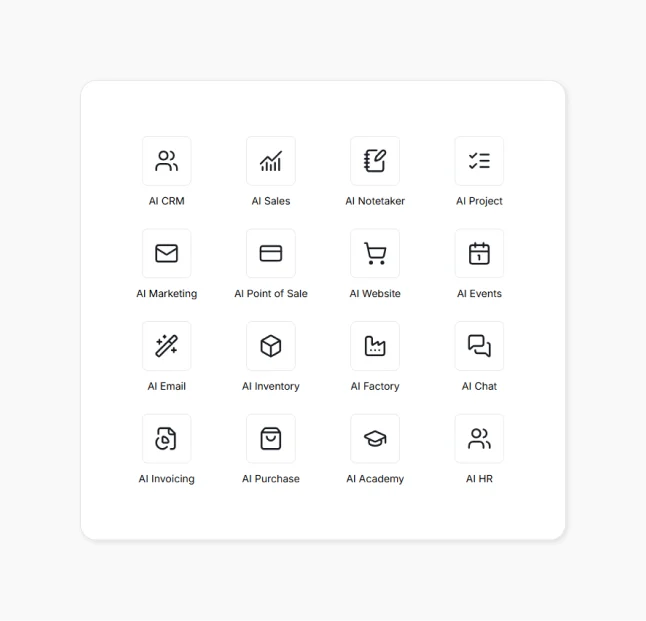
All the apps are connected through the AI Teammate, a suite of AI agents that understands the full context of operations and helps execute work across departments.
It keeps your data, conversations, and workflows in one place and executes next steps automatically, such as:
- Adding new requests to project trackers
- Assigning follow-up tasks
- Updating deal or project stages based on meetings
- Keeping timelines moving without manual effort
Despite robust automation, you remain in charge because the AI Teammate waits for your approval on important decisions before taking action.
Also, you can adjust the Knowlix workspace to fit your needs by turning the apps on or off with just one click, so you only use the features relevant to your team. As your business changes or grows, you can easily scale the platform by adding new tools without burdening the system.
The AI Teammate also adapts to how you work over time, learning your terminology, processes, and priorities so it can carry out tasks more accurately and stay aligned with your workflows.
Our built-in smart CRM automates much of the manual work in managing customer relationships by capturing leads, organizing them into a visual sales pipeline, and handling routine tasks.
All data stays synchronized across CRM, calendar, support, and task tools, so teams always work with updated, connected information without extra manual coordination.
- While HubSpot focuses on CRM and marketing automation, Knowlix executes sales workflows automatically across CRM, invoicing, and operations.
- HubSpot AI supports content and insights, while Knowlix AI executes real business actions, such as creating deals, sending invoices, and managing workflows.
Where Knowlix beats monday.com:
- Monday focuses on task and workflow management, while Knowlix offers a full business platform with AI teammates that execute work automatically across CRM, sales, operations, and more.
- Monday AI supports content and automation, but Knowlix AI understands conversations, updates CRM data, and executes tasks automatically.
Want to learn more?
Sign up for Knowlix to see how you can unify your business in one system.


Frequently asked questions


Monday is better if your primary need is coordinating projects, tasks, and cross‑team workflows, and you only need a lightweight CRM for tracking deals and client work.
On the other hand, HubSpot is better if your focus is on attracting, nurturing, and converting leads, tracking revenue performance, and aligning marketing and sales.
Some of the best HubSpot alternatives include Knowlix, Nutshell, Freshsales, Capsule CRM, Zoho CRM, and more.
They offer tools to automate and streamline daily operations, with the majority focusing on sales and marketing automation.
The best monday.com alternatives are Knowlix, Asana, Airtable, Zoho Projects, ClickUp, and more.
Their product range includes centralized project management, built-in communication tools, native time-tracking, and workflow management.
Subscribe for Our Newsletter
Book your call below.


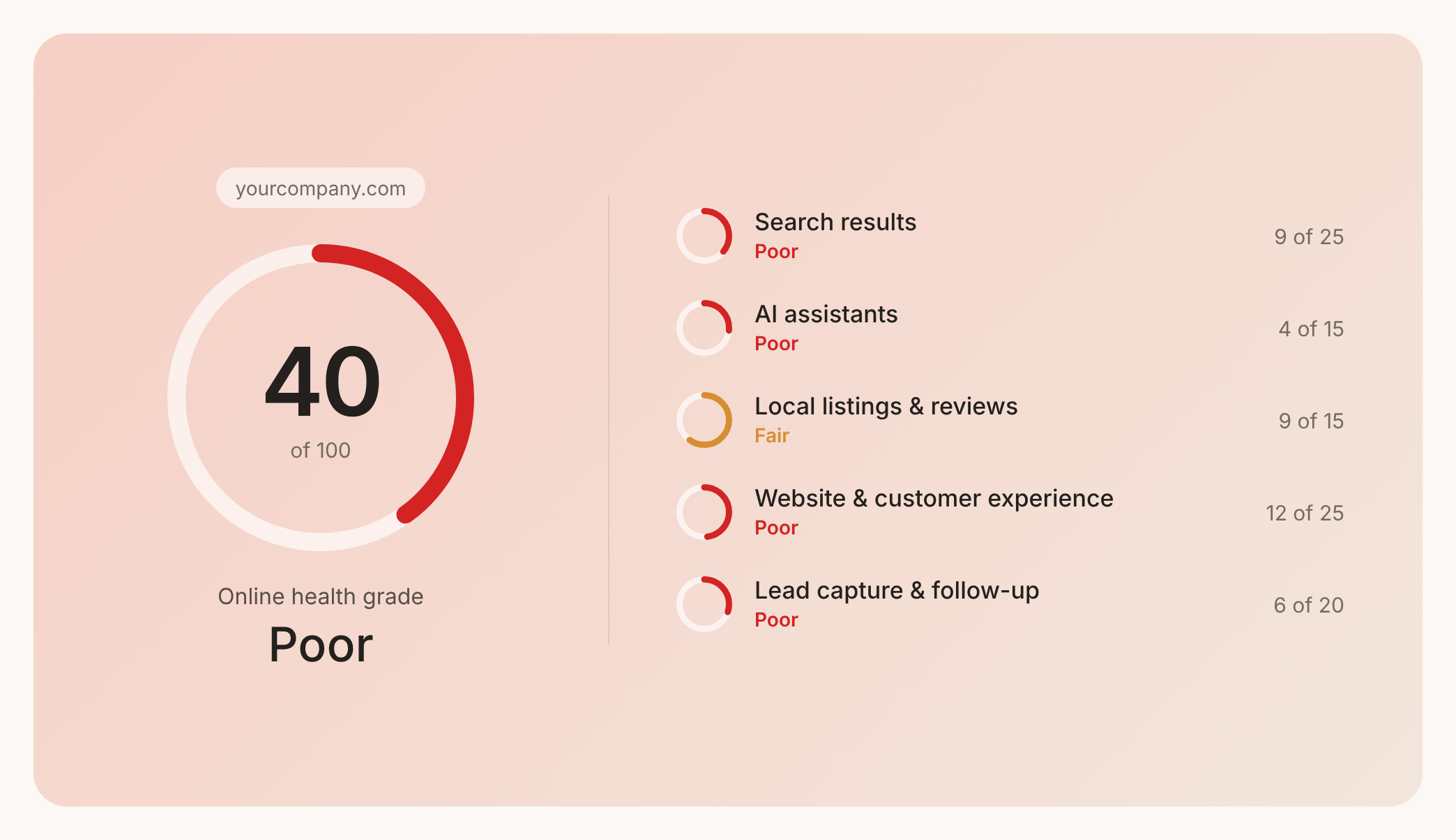

Check your website health score
Scan your site in seconds and make sure you're beating your competitors.
