
ERP Reporting Strategy: Build Real-Time, Actionable Insights

ERP reporting strategy is an approach that enables instant, actionable insights across every part of your business.
It addresses a common problem of small businesses: a struggle to make sense of data in time to act. That’s why ERP systems combine real-time data, role-based dashboards, and AI-driven analytics to help teams respond quickly.
Read on to learn more about a real-time ERP reporting strategy so you can make well-informed and faster decisions.
Key takeaways:
- An ERP reporting strategy turns data into decisions
It defines what data matters, who needs it, and how it should be delivered so teams can act quickly. Instead of just generating reports, it ensures insights are timely, relevant, and directly tied to business outcomes. - Real-time data is what makes reporting truly actionable
Live data pipelines and low latency allow businesses to respond instantly to changes in sales, inventory, or cash flow. Without real-time reporting, insights quickly become outdated and limit decision-making. - A single source of truth eliminates confusion and errors
Unifying data across finance, sales, and operations ensures everyone works with consistent, accurate information. This reduces manual reconciliation, improves trust in reports, and keeps teams aligned. - Role-based dashboards and automation drive adoption
When users see only the metrics relevant to their role and receive alerts for critical changes, reporting becomes easier to use and more impactful. Automation reduces manual work and ensures important insights are never missed. - Knowlix makes advanced reporting accessible
Knowlix combines real-time data and AI insights in one workspace to help with proactive decision-making. By centralizing data and automating workflows, it simplifies reporting and turns insights into immediate action.
What is an ERP reporting strategy?
An ERP reporting strategy is the structured approach businesses use to collect, organize, analyze, and deliver data from their ERP system to support decision-making.
Besides creating reports, ERP reporting helps you decide what data matters, how often it should be updated, who needs to see it, how it should be presented, and what actions it should trigger.
ERP reporting strategy typically defines:
- Key metrics (KPIs): Show which numbers actually drive the business
- Reporting frequency: Includes real-time, live dashboards, daily and weekly summaries, and monthly performance reports
- Report formats: Provides dashboards, automated reports, alerts, and notifications
- Audience: Tailors the view based on the role
- Data sources and integration: Ensures all departments feed into one system
- Tools and technology: Includes an ERP platform, analytics tools, AI features, and automation
4 core components of ERP reporting strategy
An ERP reporting strategy transforms raw data into clear, timely insights that directly improve business performance and decision-making, thanks to these key components:
1. Real-time data infrastructure
Real-time data infrastructure is the foundation that determines how fast, accurate, and actionable your ERP reports actually are.
It’s usually powered by cloud-based ERP systems and continuous data pipelines, and it enables instant access to operational metrics as they change. This way, sales figures, inventory levels, cash flow, and customer activity are updated dynamically, which allows businesses to respond immediately.
A key factor that impacts infrastructure is the choice between embedded analytics and external business intelligence (BI) tools.
Embedded analytics integrates reports directly into the ERP interface, which allows you to view insights within daily workflows.
For example, a sales manager can see live performance metrics while reviewing orders without switching systems.
External BI tools, while often more customizable, can introduce latency and data synchronization challenges if not properly integrated.
The option you choose directly affects latency, one of the most important factors in reporting effectiveness:
- High-latency systems produce reports that are useful for historical analysis but limited for operational decisions.
- Low-latency, real-time systems enable actionable reporting, where insights can immediately trigger decisions or automated responses.
For example, a real-time inventory report can prompt instant replenishment, while a delayed report may result in missed sales opportunities.
Good to know:
Your goal shouldn’t be just to generate reports, but to ensure those reports are timely, accessible, and embedded in the workflow so that every insight can lead to action.
2. Unified data model
One of the biggest challenges small businesses face is fragmented data spread across multiple systems, accounting software, CRM tools, inventory platforms, and operational apps.
A unified data model eliminates inconsistencies and ensures that everyone in the organization works from the same accurate dataset.
Without a unified data model, reporting becomes inconsistent and unreliable, with different departments often presenting conflicting numbers.
A robust ERP reporting strategy manages this inconsistency by consolidating all critical data into a single, centralized system. This integration unifies finance, customer data, inventory, and operations into one cohesive structure.
For example, when a sale is recorded, it simultaneously updates revenue figures, inventory levels, and customer records.
This interconnection ensures that reports are always aligned and reflect the true state of the business. In addition, it eliminates manual data reconciliation, which is both time-consuming and error-prone.
3. Live role-based dashboards
Live role-based dashboards enable the right insights to reach the right people at the right time.
A one-size-fits-all reporting approach often leads to cluttered dashboards and low adoption, with users either ignoring reports or struggling to extract meaningful insights.
Live role-based dashboards solve this by structuring reporting around responsibilities. This ensures that each employee sees only the metrics that directly inform their decisions.
For example, a CEO might focus on high-level metrics such as revenue growth, profit margins, and overall performance trends, while an operations manager needs real-time visibility into inventory levels and order fulfillment rates.
ERP systems allow employees to drill down from summary dashboards into detailed transactional reports without leaving the interface.
So, instead of relying on static reports or separate analysis tools, teams can investigate issues and make decisions within a single environment.
When you run a small business with limited resources, live role-based dashboards provide a practical way to democratize data and enable faster, more informed decisions across the organization.
4. Automated alerts and exception reporting
Automated alerts continuously monitor key metrics and trigger notifications when predefined thresholds are crossed.
For example, a sudden drop in revenue, a stockout risk, or an overdue payment can trigger an instant alert that prompts immediate attention from the relevant team.
Instead of reviewing dashboards throughout the day, the relevant team gets notifications only when something requires intervention.
This is especially valuable for small businesses, where employees often juggle multiple responsibilities and can’t dedicate much time to monitoring reports.
Exception reporting helps prioritize what matters most and focuses on deviations from expected performance. As a result, businesses can quickly identify and address problems without getting lost in routine data.
How to build a real-time ERP reporting strategy: 6 efficient steps
Creating a real-time ERP reporting strategy requires aligning business needs, technology, and processes to ensure data consistently drives informed decisions.
Below are the key steps:
1. Evaluate your business needs
This phase defines what should be reported, how often, and to whom.
Start by identifying what your business actually needs from reporting before choosing tools or building dashboards. This involves mapping core processes, such as finance, sales, operations, and HR, and identifying where reporting directly impacts outcomes.
Gathering feedback from teams helps identify where reporting fails, whether it’s slow access, inconsistent numbers, or manual work.
2. Select ERP platform
Small businesses benefit most from cloud-based ERP systems with built-in analytics, as they provide continuous updates, remote access, and faster implementation.
Cloud platforms also simplify scalability and maintenance, which allows reporting to grow with the business.
When evaluating options, prioritize systems that offer embedded dashboards, customizable reports, and seamless integrations. The right platform will reduce friction, improve data accuracy, and enable real-time insights.
3. Design dashboards
Design dashboards that prioritize decision-making by focusing on clarity, relevance, and consistency. Effective dashboards highlight high-impact metrics tailored to each role to ensure employees can quickly understand performance and act on it.
Avoid overloading dashboards with unnecessary data, as it reduces usability and slows decision-making.
Visual features are also an important aspect: charts, trends, and comparisons help teams interpret data quickly, while drill-down capabilities enable deeper analysis when necessary.
4. Enable real-time pipelines
ERP systems should use real-time pipelines that update data instantly as events occur, which makes insights current, too.
The way to do it is by connecting systems such as CRM, eCommerce, and finance tools. For example, a completed sale should immediately update revenue and inventory reports.
Real-time pipelines also minimize latency so teams can act without delay.
5. Incorporate AI and automation
Traditional ERP reporting has focused on describing past performance: what happened and, in some cases, why.
While useful, this type of reporting is limited because it supports reactive decision-making and lacks predictive and prescriptive capabilities.
However, with AI, reporting becomes more proactive.
You don’t need to manually analyze trends and interpret data. Instead, employees receive reports enriched with AI-driven forecasts, anomaly detection, and automated insights.
For example, an AI-driven sales report can:
- Include projected revenue for the next quarter
- Highlight unusual drops in performance
- Spot patterns that indicate emerging risks
- Recommend next steps
As a result, it reduces employees’ cognitive load and ensures they haven’t overlooked key insights.
Predictive analytics, a key element of AI, enhances scenario-based reporting.
Businesses can generate reports that model different future outcomes based on varying assumptions, such as changes in demand, pricing, or supply chain conditions.
These scenario reports allow you to evaluate potential strategies before taking action.
Automation further enhances reporting by reducing manual effort.
It can generate, update, and distribute reports automatically, while alerts notify teams of significant changes or exceptions.
For example, a sudden drop in sales or an unusual spike in expenses can trigger immediate notifications and prompt timely action.
6. Measure ROI
You can evaluate the effectiveness of your reporting strategy by measuring its impact on decisions and performance.
This includes tracking improvements in decision speed, reductions in manual work, and overall data accuracy.
In addition, cost savings contribute to ROI, as automation reduces time spent on reporting tasks and prevents costly errors such as stockouts or cash flow issues.
How to build real-time actionable insights with Knowlix?
Knowlix is an all-in-one AI platform that combines business data and tools for project management, sales, marketing, and finance in one place.
By consolidating these functions into a single workspace, it eliminates constant switching between different applications, which makes collaboration smoother.
The platform features an integrated AI Teammate that acts as a proactive assistant, working alongside your team to simplify workflows and handle routine tasks so people can focus on higher-value work.
Instead of using multiple separate AI tools, it combines capabilities, such as chatbots, sales support, email drafting, and customer interactions into one integrated system.
Because it operates directly within your workspace, it:
- Connects with your business data
- Understands context
- Updates records
- Prepares next steps
At the same time, you can either grant your AI Teammate full autonomy to complete the task end-to-end or have it wait for your approval before the next action.
For example, after a meeting, it can summarize notes, update CRM data, draft follow-ups, generate quotes, and move deals through the pipeline. It can schedule performance reviews based on your cycle, distribute forms to the right employees, and collect feedback from managers, peers, and employees.
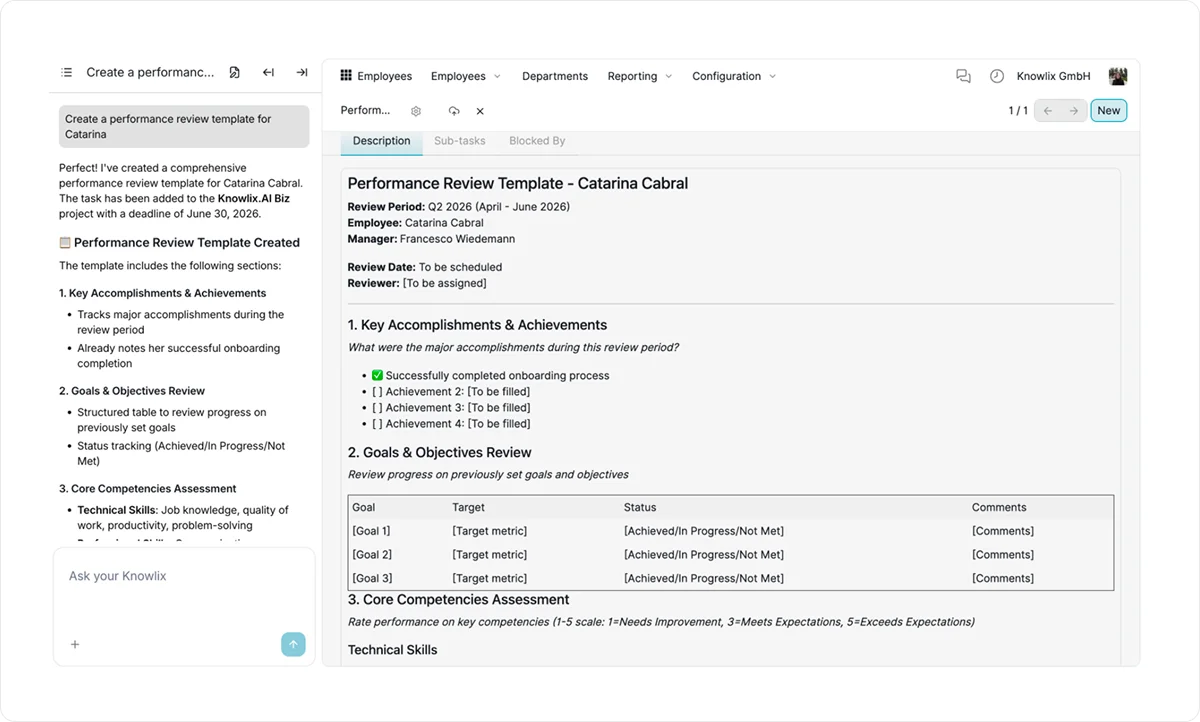
By combining documentation with execution, it:
- Reduces manual work
- Speeds up workflows
- Keeps teams aligned
The AI Teammate is always aware of your company's specific processes and terminology, ensuring full alignment with how your business works.
Knowlix also includes an intelligent CRM that automatically captures leads, updates pipelines, and handles scheduling, note-taking, and invoicing.
AI-driven insights suggest next actions, such as follow-ups or churn risks, while keeping data synchronized across sales, customer service, and task management tools.
Want to know more?
Sign up for Knowlix today to see how you can turn your ERP data into timely, useful decisions across the business.
FAQ:
1. What are the benefits of an ERP reporting strategy for small businesses?
An ERP reporting strategy helps small businesses turn data into real-time, actionable insights to enable faster and more confident decision-making.
It improves data accuracy and alignment across departments by creating a single source of truth.
As a result, it reduces manual work, increases efficiency, and gives small businesses better visibility into performance.
2. What are the common challenges in ERP reporting?
Common challenges include relying on manual processes, using inconsistent data definitions, and creating too many reports that overwhelm employees instead of guiding decisions.
Many businesses also struggle with poor adoption because dashboards aren’t tailored to their needs.
Without a clear strategy, reporting often becomes slow, fragmented, and underused.
3. What are the best ways to improve ERP data quality in small businesses?
Improving ERP data quality starts with establishing clear data standards and consistent definitions across all departments to ensure everyone works from the same source of truth.
Automating data entry and integrations reduces manual errors, while regular data audits help you identify and fix inconsistencies early.


Subscribe for Our Newsletter
Book your call below.


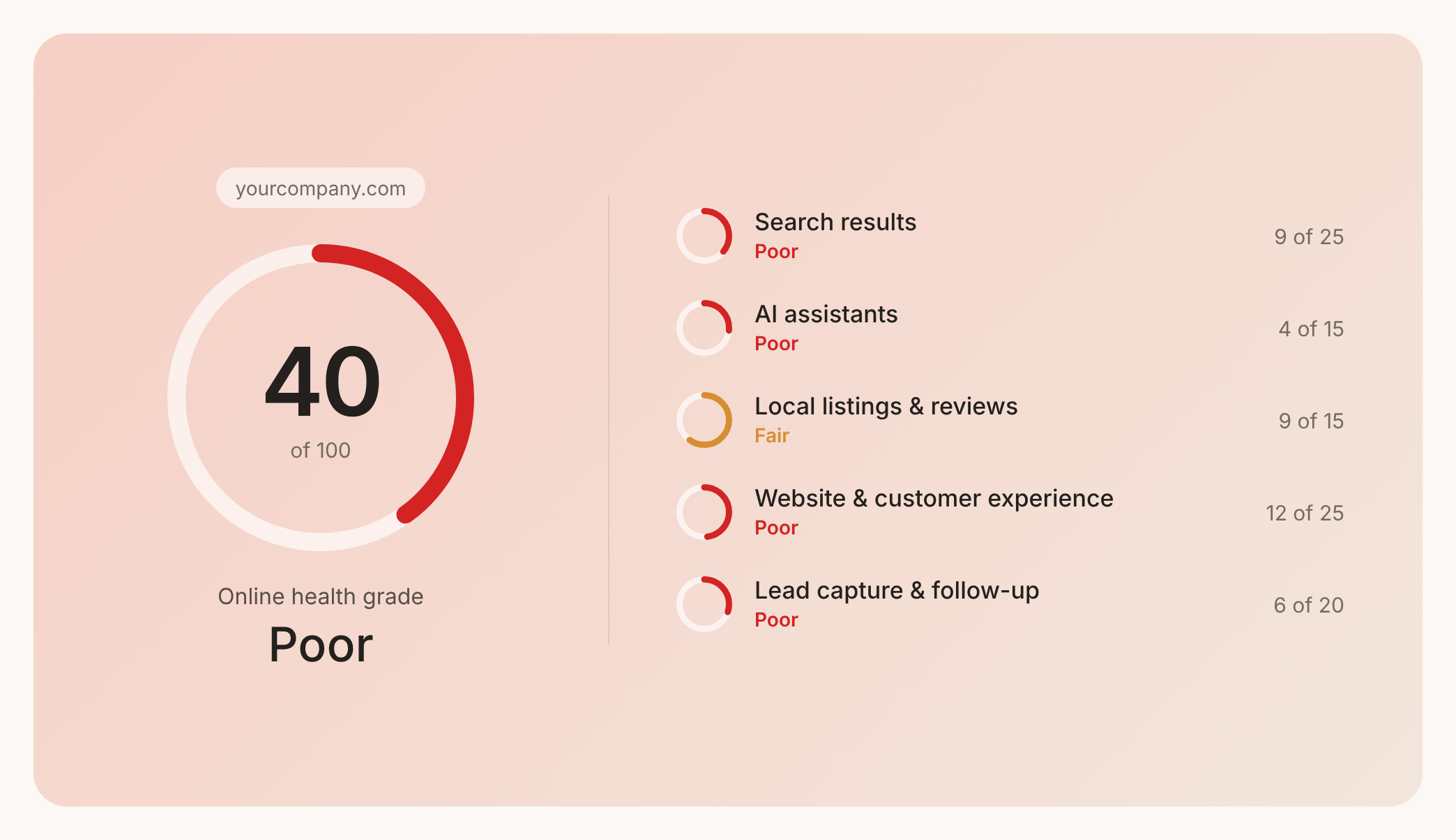

Prüfen Sie Ihren Website-Health-Score
Scannen Sie Ihre Website in Sekunden und stellen Sie sicher, dass Sie Ihrer Konkurrenz voraus sind.
