
7 AI Project Management Best Practices: Improve Your Workflow


AI in project management is the use of artificial intelligence systems to support planning, coordination, execution, and monitoring of projects by analyzing data, automating routine work, and improving decision-making.
The global AI in project management market size is projected to reach $16.2 billion by 2035, at a 16.5% CAGR from 2026 to 2035.
AI enables project management to become a more predictive, data-driven approach, allowing teams to focus less on coordination overhead and more on delivering meaningful outcomes.
Read on to learn more about AI project management best practices that can help you improve your workflows.
Key takeaways
- Start with repetitive, high-volume tasks to unlock quick gains
Automating routine work such as updates, reminders, and summaries delivers immediate time savings and helps teams build trust in AI without disrupting core workflows. - Use AI to improve planning, scheduling, and resource allocation
AI strengthens project execution by analyzing capacity, dependencies, and deadlines to create more realistic plans and balance workloads across teams. - Shift from reactive to predictive project management with AI
Continuous monitoring helps detect risks early, prioritize issues by impact, and prevent delays before they escalate into bigger project failures. - Keep humans in control through clear oversight and governance
Human-in-the-loop decision-making and structured AI governance ensure that sensitive actions, strategic choices, and approvals remain transparent and safe. - Measure impact and scale with Knowlix
Knowlix, an all-in-one AI business platform, unifies workflows, automates updates, and keeps projects aligned in real time so teams can scale efficiently without tool fragmentation.
7 AI project management best practices to optimize your workflows
Here are the best AI practices for faster and more efficient project delivery:
| AI project management best practices | What it does | Why it’s important | How to implement it |
|---|---|---|---|
| Repetitive workflow automation | Automates status updates, summaries, reminders, and task tracking | Reduces admin load and delivers quick, visible value | Start with high-volume, low-value, repeatable tasks to build momentum safely |
| Smarter planning & scheduling | Analyzes capacity, dependencies, and deadlines to build realistic plans | Improves schedule accuracy and resource balance in complex projects | Use AI to resolve conflicts and optimize across multiple projects and constraints |
| Predictive risk detection | Identifies delays, overloads, and dependency issues in real time | Helps prevent problems before they escalate into delays | Ensure clean, consistent data and pair AI with human review for accuracy |
| Reporting & status automation | Converts project data into summaries, updates, and reports | Improves communication speed and consistency across stakeholders | Generate tailored reports for different audiences |
| Human-in-the-loop (HITL) principle | Keeps humans responsible for final judgment and approvals | Ensures AI recommendations are applied safely and contextually | Define non-automatable decisions like budgets, scope changes, and escalations |
| AI governance | Sets rules for data use, access, and AI decision boundaries | Reduces security, privacy, and compliance risks | Regularly update governance as tools and workflows grow |
| Workflow impact measurement | Tracks cycle time, accuracy, and efficiency improvements | Confirms whether AI is actually improving performance | Measure both quantitative speed and qualitative coordination quality outcomes |
1. Repetitive workflow automation
Repetitive workflows are activities that happen often, follow predictable patterns, and consume time without requiring much strategic judgment.
For example, status updates, meeting summaries, reminders, task assignment, and routine progress tracking fit the description.
The easiest way to get value from AI in project management is to begin with these repetitive tasks. Using AI for simple tasks first lowers implementation risk, since you are testing AI in areas where mistakes are easier to catch and correct.
Starting with repetitive work also helps build momentum. Teams are more likely to adopt AI when they see immediate relief from admin work.
Good to know:
Don’t try to automate a broken workflow. If the process itself is unclear, AI will only create more confusion.
Clean, repeatable processes are the best place to begin because they make it easier to measure whether AI is helping.
2. Smarter planning and scheduling
AI is valuable in planning and scheduling because these are areas where project managers often deal with too many variables at once.
Product launches, client implementations, software releases, and cross-functional initiatives all benefit from better schedule visibility.
AI can balance deadlines with available resources by analyzing past project data, team capacity, deadlines, dependencies, and task complexity. For that reason, it’s easier to build schedules that are more likely to hold up in real execution.
It’s also useful when managers are handling multiple projects at once. AI can help them compare priorities across workloads and make better compromises.
3. Predictive risk detection
AI analyzes patterns such as delayed tasks, overloaded team members, recurring dependency issues, and scope changes to identify projects that are off track. It makes risk monitoring more continuous by scanning project data in real time.
This way, project managers have more time to respond before a small issue becomes a major delay.
Predictive risk detection also helps teams prioritize attention.
Not every issue deserves the same response, and AI can rank risks by likelihood and potential impact. It can compare current project behavior against historical patterns and spot changes that could lead to more serious problems.
For example, if approval times are getting longer, AI can create an alert. This allows teams to focus on the few risks that are most likely to affect delivery.
Good to know:
AI works best when the underlying data is clean and consistent. If task statuses are inaccurate or updates are missing, the model may miss a risk or raise the wrong one.
That is why you should pair risk detection with good workflow discipline and regular human review.
4. Reporting and status updates automation
AI is effective for reporting because it can turn project data into clear summaries without manual writing every time.
It consolidates what was completed, what is in progress, what is blocked, and what needs attention next.
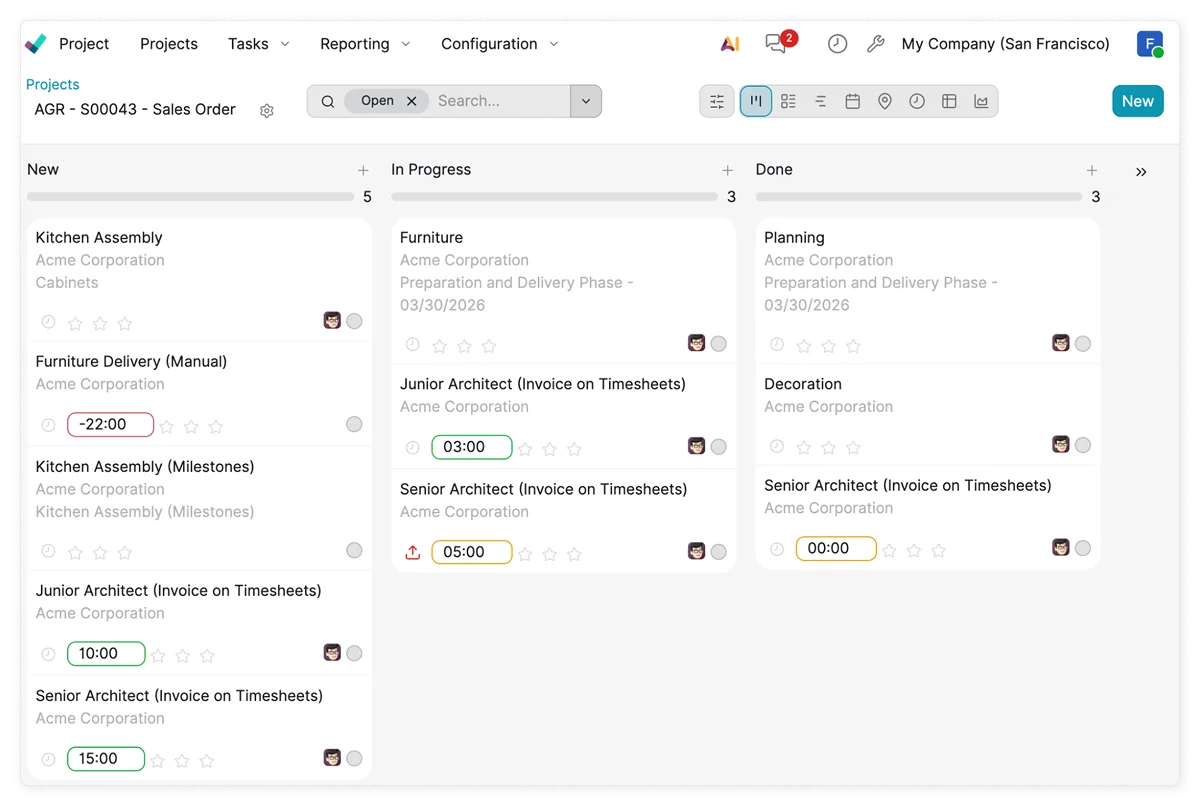
It drafts status updates, generates progress reports, and pulls together key points from tasks, meetings, and dashboards. This way, teams can share updates more often, which enables better visibility.
AI can also create different versions of the same update for different audiences, such as executives, team members, or clients.
Did you know?
Knowlix provides real-time visibility across projects by automatically updating tasks, deadlines, and progress through AI-powered automation, which helps teams stay aligned without increasing manual workload.

5. Keeping humans in the loop principle
AI works best when humans stay responsible for judgment and approval.
The technology can suggest actions, summarize information, and identify risks, but it shouldn’t replace the project manager’s decision-making role.
Some decisions require context that AI can’t fully understand, such as client politics, organizational change, or strategic timing. Human oversight ensures that AI recommendations are applied appropriately.
It’s this balance that makes AI useful without making it risky.
For example, Knowlix’s AI Teammate agent automates routine task management, but you are still in control by approving important or sensitive actions before execution. This ensures the right ratio between automation and human oversight.
Good to know:
Project managers should define which decisions are never fully automated. High-stakes items such as budget and scope changes, or client escalations, should remain under human control.
Also, too much automation can create blind spots.
If teams stop thoroughly reviewing AI output, small errors can spread through the workflow. For this reason, regular checks and review routines are a must.
6. Clear AI governance building
Project data often includes sensitive information, operational details, and internal decisions, making AI governance necessary. Governance defines how AI tools are used, what data they can access, who approves outputs, and where the limits are.
Teams may share too much data with tools, rely on unapproved outputs, or use AI in ways that conflict with company policy.
Governance prevents that by setting clear rules from the start and ensuring that AI is used in a controlled way.
Without this structure, AI adoption can create privacy, security, and consistency problems.
Good to know:
You should revisit governance regularly. AI tools and workplace needs change over time, so the rules should adapt as usage expands.
7. Workflow impact measurement
If AI adoption doesn’t improve workflow speed, accuracy, or productivity, it isn’t delivering enough value.
Tracking the right metrics will show whether AI is actually improving project management and where it’s helping most.
Some workflows may improve a lot, while others might barely change, and this insight helps you focus on the highest-value use cases.
What to track:
You should establish a baseline before implementation.
If you know what the workflow looked like before AI, you can compare it afterward to see what changed, giving you a much clearer picture of the value it provides.
Valuable metrics include:
- Cycle time
- On-time delivery rate
- Admin hours saved
- Forecast accuracy
- Workload balance
You can also track fewer missed deadlines, faster reporting, and better issue resolution. These measures show whether AI is improving efficiency and delivery quality.
Good to know:
Not every improvement will show up immediately. Some gains come from reduced stress, fewer interruptions, or better coordination, which are harder to measure but just as important.
A mix of quantitative and qualitative feedback usually gives the best view.
Also, teams should avoid measuring only activity.
More reports, more alerts, or more automated messages don’t necessarily mean better performance.
How small service teams improve project workflow with the Knowlix AI agent
Knowlix is an all-in-one business AI platform that combines more than 50 AI business tools into a single workspace and eliminates multiple disconnected systems across project management, sales, marketing, operations, and other business functions.
With one-click app activation and deactivation, teams can easily customize the platform to match their workflows and business needs.
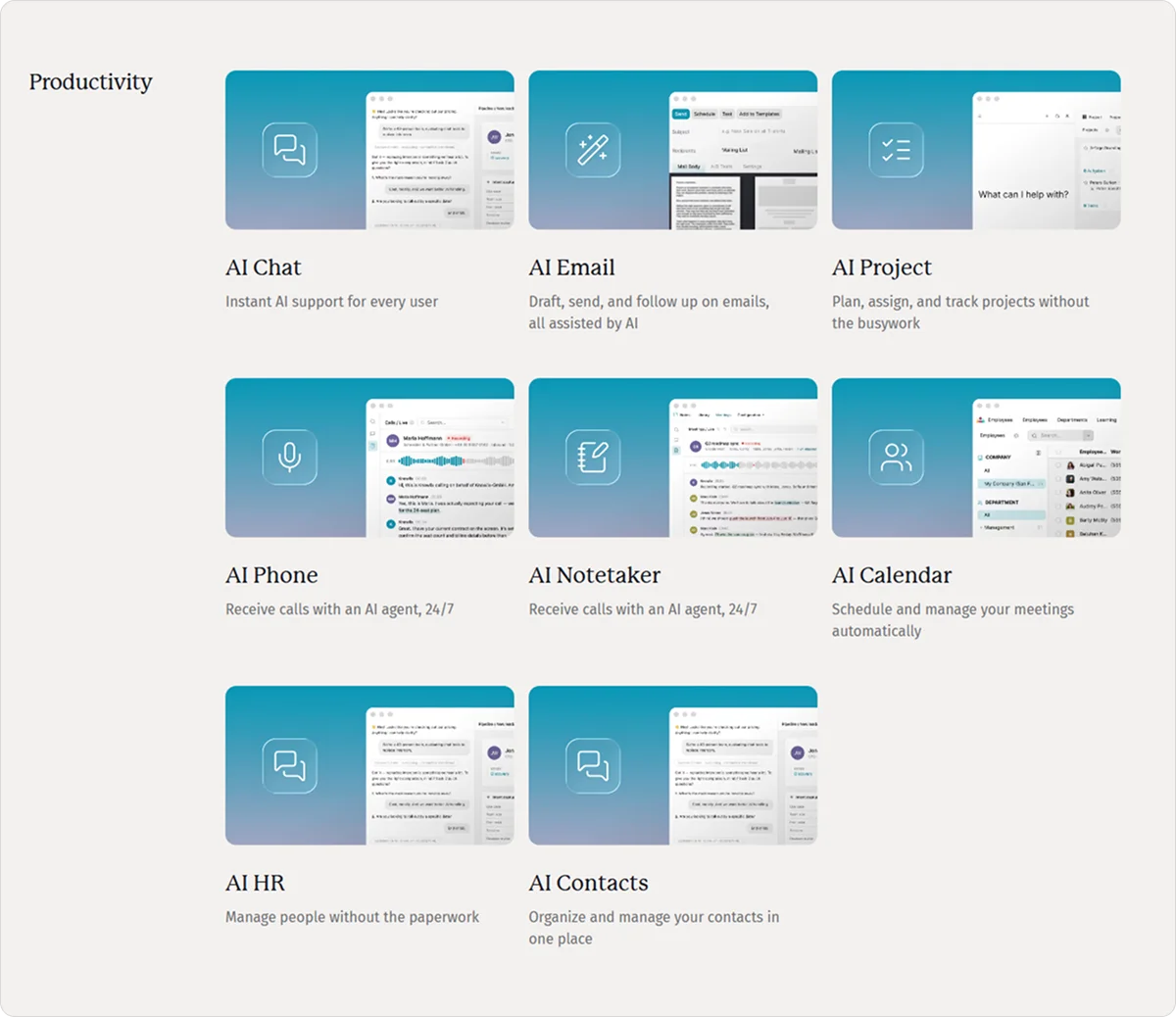
All the tools are connected through the AI Teammate, which is fully integrated with your business and project data and aware of contextual details to keep all workflows updated in real time.
It automatically syncs conversations, updates, and decisions across your system, allowing you to:
- Add new requests to project trackers
- Assign follow-ups
- Update deal or project stages after meetings
- Keep timelines progressing without manual input
Here’s what our agentic AI project management tool enables:
- AI-powered task management: Knowlix automatically creates, updates, and organizes tasks using plain input instead of manual setup.
- Real-time project visibility: The platform continuously updates deadlines, progress, and priorities so teams always know what is happening.
- Automatic workflow structuring: Conversations, meeting notes, and requests are instantly transformed into structured tasks, milestones, and project workflows.
- AI-assisted team coordination: Knowlix helps you assign ownership, track responsibilities, and spot blockers automatically to keep projects moving efficiently.
- Automated reporting and updates: The system generates project summaries and status updates directly from real-time project data, reducing administrative work.
- Minimal setup complexity: Teams can start managing projects without complicated onboarding, PM certifications, or advanced workflow configuration.
Knowlix is designed for small businesses that need simplicity without losing operational visibility and that look for scalable solutions that adapt to their growth.
Sign up for Knowlix today to keep your projects on track within one robust, unified system.


Frequently asked questions


The best metrics for measuring AI impact in project management focus on outcomes more than on activities.
Key indicators include cycle time, forecast accuracy, and reduction in rework or delays.
Teams can also track delivery predictability to understand whether AI is actually improving decision quality and project outcomes.
AI in project management helps plan, execute, and monitor projects more efficiently.
It supports project managers by automating routine tasks such as scheduling, reporting, and risk tracking, while also improving decision-making through data-driven insights.
The first project management tasks to automate are the repetitive, rule-based ones, such as status reporting, meeting notes, task updates, and schedule tracking.
These are high-volume and low-decision tasks where AI can quickly reduce manual effort and errors.
Subscribe for Our Newsletter
Book your call below.


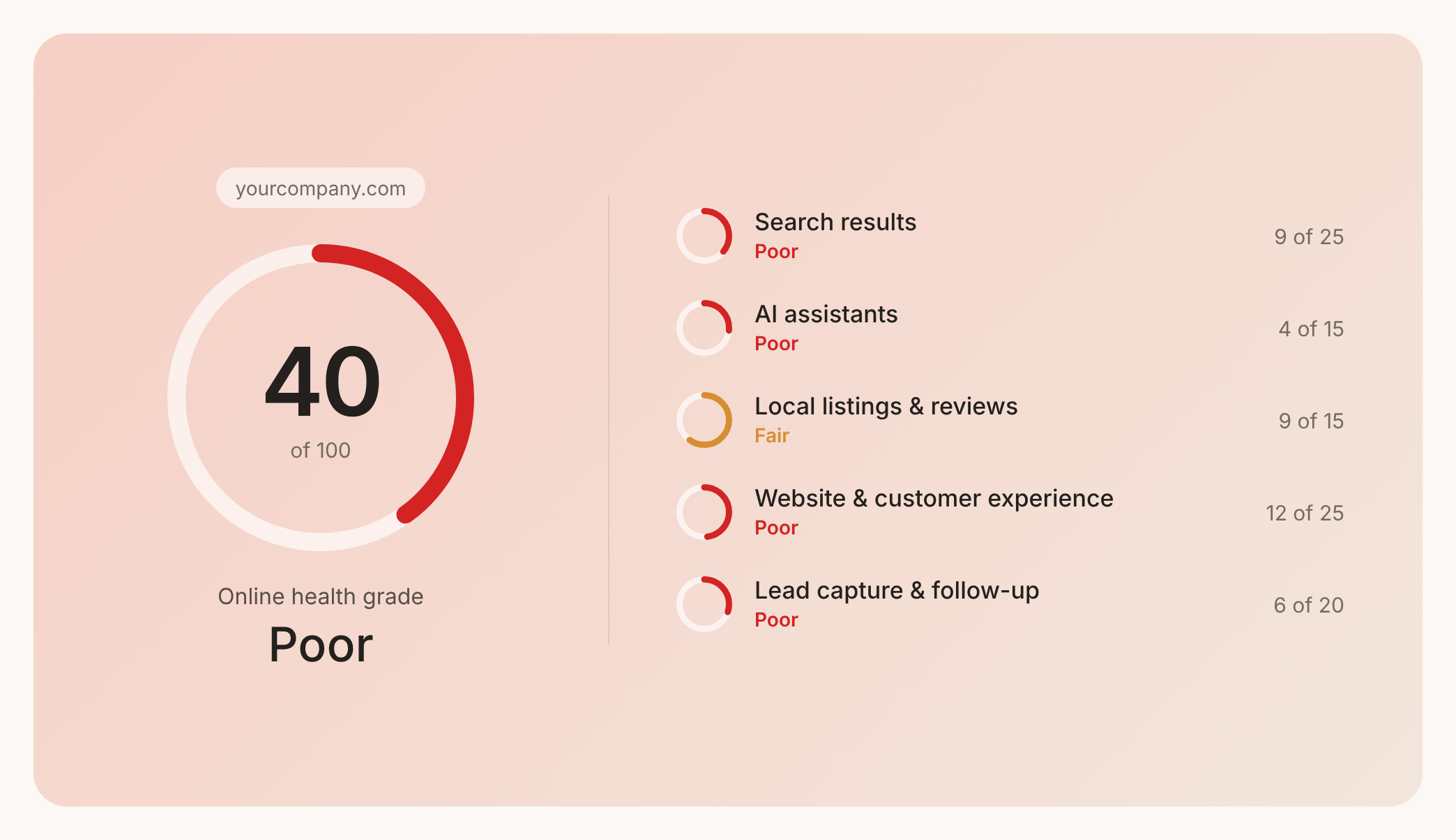

Check your website health score
Scan your site in seconds and make sure you're beating your competitors.
