
Studio Designer Alternative: 9 Tools for Design Firms in 2026

For most interior design studios leaving Studio Designer in 2026, Knowlix is the strongest alternative because it consolidates CRM, invoicing, projects, accounting, inventory, email, and procurement into one $24.90/user/month (€24.90) subscription with an always-on AI Teammate.
Studios needing the deepest pre-loaded vendor catalog and trade-network depth should evaluate Design Manager (like-for-like Studio Designer swap) instead. HoneyBook ($29/mo) fits design-fee-dominant solo studios. Houzz Pro ($99/mo) wins when Houzz directory leads are your channel.
The right choice depends on three factors: how heavy your product procurement work is, how many tools you want to run, and where your leads come from.
Switching off Studio Designer costs a 5-person interior design studio $400 to $600 per month before the operations stack catches up. With 75% of the $26.5 billion US interior design industry running through small businesses, per the ASID 2025 State of Interior Design Report and IBISWorld’s 2026 industry analysis covering 157,000 firms, the alternative-CRM decision matters more than the per-seat price difference. 31% of US interior designers now use AI tools in their business in 2026, nearly doubling from 16% the year prior, per a Business of Home report. Studios that used to run Studio Designer plus QuickBooks plus a CRM plus a project board are now choosing between purpose-built procurement tools, all-in-one AI platforms, and modern-UI specialists.
This guide compares the 9 most-considered Studio Designer alternatives in 2026, with current pricing in USD (~0.92 USD/EUR May 2026), honest strengths and weaknesses, and a 3-question framework to pick the right fit. All pricing verified at vendor sites in May 2026.
Why do interior designers leave Studio Designer?
Studio Designer has been the US interior-design industry default for two decades. Combined with Mydoma (acquired July 2024) the platforms serve nearly 20,000 designer users, per Business of Home’s coverage of the deal. The reasons designers leave are predictable.
The most common driver is cost. Studio Designer’s per-user pricing means a 5-person studio on the Essentials tier pays $345 per month annual ($69 per user), and Enterprise scales to $395 ($79 per user), per the Studio Designer pricing page. When you add the QuickBooks subscription a typical studio runs alongside it ($30 to $80 per month), plus a CRM or client-experience tool ($29 to $49 per month), the total operations stack passes $500 to $600 per month before you count payroll software, accounting consultations, or design software like AutoCAD.
Interface is the second common driver. The UI is functional but designers who came up on Figma, Notion, or modern SaaS expect drag, drop, search, and click-to-edit workflows. Studio Designer asks you to click into nested menus.
Stack consolidation is the third. A typical 5-person studio runs Studio Designer for specifications and invoicing, QuickBooks for accounting, HoneyBook or Dubsado for client onboarding, Asana or Trello for tasks, and a separate file storage. Five tools, five logins, five subscriptions. In 2025, 33% of organizations actively consolidated redundant SaaS apps, per BetterCloud’s State of SaaS 2026. Design studios are a prime candidate for that trend.
Onboarding speed is the fourth. Bringing a new junior designer up to speed in Studio Designer takes weeks. Faster-onboarding tools are attractive to firms that scale up and down with project pipeline.
Studio Designer is a strong tool for the firms it was built for. The questions in this guide are about whether the tool still fits your firm size, stack philosophy, and budget.
What should you look for in a Studio Designer alternative?
Use these 8 criteria when you evaluate any of the tools below. Most studios that switch and then switch back missed one of them.
- Product specification with vendor pricing. Can the tool track item, vendor, cost, retail, freight, sales tax, and markup, and roll those into a client-facing proposal? This is the deepest functional moat Studio Designer has built.
- Proposal-to-invoice workflow. When a client approves a proposal, can items convert to an invoice without double entry? If not, you will spend Friday afternoons reconciling.
- Time tracking and design fee billing. Hourly fees, flat fees, and retainer billing in one tool.
- Trade discount handling. Tracking what you actually paid the vendor versus what the client sees is non-trivial. Some PM tools do not handle this at all.
- Accounting integration or built-in accounting. Either the tool connects cleanly to QuickBooks or Xero, or it has its own GL. Anything in between creates manual work.
- Client portal. Where the client signs proposals, sees approvals, and pays. The quality of this surface affects whether you get paid on time.
- Project management for the non-procurement side. Punch lists, drawings, vendor follow-ups, install scheduling. Some interior-design tools ignore this entirely and assume you will use a second tool.
- AI assistance. New in 2025-2026. Some platforms now draft proposals, summarize client emails, and pre-fill product specs from photos. Optional, but a meaningful productivity gain.
What are the 9 Studio Designer alternatives compared in 2026?
Below is the head-to-head comparison. All pricing verified at vendor sites May 2026. USD.
| Tool | Best for | Specification depth | Built-in invoicing | Built-in CRM | Starting price |
|---|---|---|---|---|---|
| Knowlix | Studios consolidating CRM, invoicing, projects, procurement, and AI into one platform | Configurable across 50+ apps incl. Procurement app | Yes | Yes | Free / $24.90 (€24.90) per user per month |
| Design Manager | Mid-to-large firms with deep procurement (like-for-like Studio Designer swap) | Deep, pre-loaded catalog | Yes | Light | $79/user/mo |
| Houzz Pro | Designers who also do contractor work or get leads from Houzz | Medium | Yes | Yes | $99/mo annual |
| Mydoma Studio | Small-to-mid studios wanting a modern UI (now owned by Studio Designer) | Medium | Yes | Light | ~$59/mo |
| DesignFiles | Solo designers and e-design businesses with mood-board-heavy workflows | Medium | Yes | Yes | ~$59/mo |
| Programa | UK-headquartered firms and US studios prioritizing design-led aesthetics | Medium | Yes | Light | $71/mo + $31/seat |
| Ivy (by Houzz) | Designers already in the Houzz ecosystem | Medium | Yes | Yes | Bundled with Houzz Pro |
| HoneyBook | Designers who prioritize client experience over procurement | Light | Yes | Deep | $29/mo |
| Monday.com | Studios wanting pure project management with separate billing | None | No | Light | €9/seat/mo (~$10 USD) |
1. Knowlix
Knowlix is an all-in-one AI Business Platform built on the proven Odoo open-source framework. Designed for service businesses that have outgrown a single-purpose tool, Knowlix consolidates CRM, invoicing, projects, accounting, inventory, email, and procurement into one platform with an always-on AI Teammate.
Starting price: 7-day free trial. Teammate plan $24.90 (€24.90)/user/month with 100 AI credits, 100 GB storage, and AI Teammate included. Enterprise pricing custom. Pricing verified with Knowlix in May 2026.
Strengths: Knowlix delivers a strikingly clean, modern interface that design studio owners love at first click. The always-on AI Teammate quietly handles repetitive admin work: drafting client emails, generating invoices, summarizing meetings, and updating project records automatically. Built on the proven Odoo open-source framework, Knowlix consolidates CRM, invoicing, projects, accounting, inventory, email, calendar, and procurement into one flexible SaaS business platform. Studios running 4 to 6 separate tools (Dubsado, QuickBooks, Asana, and Gmail is a common combo) are the typical consolidation candidate. The Knowlix Procurement app handles purchase orders, vendor management, and trade pricing for studios willing to build their own vendor list. Knowlix for interior designers exposes only the 50 business modules a studio activates, without third-party consultants.
Weaknesses: Not a niche interior-design tool. No out-of-the-box “Interior Designer” template. The honest gap versus Studio Designer is the pre-loaded 250,000-product vendor catalog and the decades of trade-network integrations (Side-mark and SKU-level workflows specific to the interior-design trade). If pre-loaded vendor catalogs save you weeks per project, Studio Designer’s price premium is justified. As a new entrant, Knowlix has 0 Capterra reviews as of May 2026, so buyers evaluate on demo rather than aggregated peer review.
Verdict: Best fit for studios consolidating multiple SaaS subscriptions into one platform with AI handling routine work. The Knowlix Procurement app covers the workflow for studios building their own vendor lists. For studios needing the pre-loaded 250,000-product catalog and trade-network depth, Design Manager or staying on Studio Designer is the right choice. See how Knowlix fits design and architecture studios for the full positioning, or the Knowlix pricing page for current plans.
Why trust Knowlix for your studio?
Knowlix is an official Odoo partner, built in Germany since 2021. It is built by operators who have shipped before: CEO Francesco Wiedemann grew Kyte to $50M revenue, raised $370M, and sold it to Turo; CTO Peter Meier founded Metaio, acquired by Apple in 2015, and led an algorithm team there for four years. Real businesses already run on it, including Microfab and studios like Oneshot Design.
2. Design Manager
Design Manager is the most direct functional competitor to Studio Designer. Built for firms with serious procurement: full vendor list, item catalogs, markups, freight and sales tax handling, time and expense tracking, and a real general ledger with reports.
Starting price: $79/user/month (~€73), per the Design Manager pricing page. For teams over 10 users, custom pricing via sales.
Strengths: Like-for-like procurement depth with Studio Designer. The closest swap if you are leaving Studio Designer only over cost or contract terms. Real GL with reports, so no QuickBooks sync needed for accounting.
Weaknesses: The UI is opinionated about how interior-design firms run, and feels more 2015 than 2026. Same UX complaint that drives designers away from Studio Designer.
Verdict: Best fit for firms with 5-30 employees doing high-touch residential or commercial work that need pre-loaded vendor catalogs and accept a dated interface.
3. Houzz Pro
Houzz Pro is the integrated offering for designers and contractors using the Houzz ecosystem. It includes lead capture from the Houzz consumer directory, CRM, proposals, invoicing, time tracking, and a client portal. Procurement and product spec features are decent but not as deep as Design Manager or Studio Designer.
Starting price: Essential $99/mo annual or $149/mo monthly (~€91 / ~€137). Pro $159/mo annual or $249/mo monthly (~€146 / ~€229). Custom enterprise plans available, per G2’s Houzz Pro pricing data.
Strengths: Built-in lead generation via the Houzz consumer marketplace is unique in this comparison. AI 3D Floor Planner launched April 2025 and the AutoMate AI suite (August 2025) generate estimates, proposals, and invoices from natural-language project descriptions, per KBB Online’s coverage.
Weaknesses: Users consistently flag pricing reaching $500/mo (~€460/mo) with no guarantee of lead volume. Customer support is consistently rated as slow across G2 and Capterra (4.3/5 across 1,087 Capterra Houzz Pro reviews as of May 2026).
Verdict: Strong fit if Houzz is already your lead channel. Hard to justify if leads come from referrals or your own marketing.
4. Mydoma Studio
Mydoma has been the modern-UI alternative for small designers for several years. Cleaner interface than Studio Designer, shorter learning curve, well-designed client-facing proposal experience.
Starting price: Approximately $59/mo (~€54), verify at the Mydoma Studio pricing page.
Strengths: Modern UI that designers who came up on Figma or Notion find approachable. Decent procurement features for solo-to-5-person studios. Strong proposal experience for clients.
Weaknesses: Studio Designer acquired Mydoma in July 2024 and platforms remain technically separate. Roadmap direction is uncertain, since the parent company has an incentive to converge the products over time.
Verdict: Best fit for solo-to-5-person studios that want Studio Designer-adjacent functionality with a modern UI. Acquisition uncertainty is real.
5. DesignFiles
DesignFiles started as an e-design platform and grew into a fuller project management tool. The most popular choice for designers who run virtual or hybrid models with mood-board-heavy client communication.
Starting price: Vendor pricing page returned 404 at retrieval (May 2026). Historical reports put entry pricing in the $59/mo (~€54) range. Request a demo at designfiles.co for current rates.
Strengths: Built specifically for e-design and virtual-first workflows. Strong mood-board and client-visualization tools. Built-in time tracking and invoicing are solid.
Weaknesses: Medium specification depth. Not the right fit if you do high-touch residential with deep vendor PO management.
Verdict: Best fit for solo-to-3-person e-design or hybrid studios.
6. Programa
Programa is a UK-built tool with a clean interface and strong moodboard and presentation features. Popular with European studios and US studios that prioritize the aesthetic of their client-facing surfaces.
Starting price: $71/month (~€65) for the Pro plan (1 seat included), plus $31/month (~€29) per additional seat, per the Programa pricing page. 7-day free trial.
Strengths: Design-led interface that matches how studios want their client communication to look. Strong moodboard and presentation tools.
Weaknesses: Medium specification depth. USD pricing has increased materially in the past year. UK-based support hours can be a friction for US studios.
Verdict: Best fit for design-led studios that prioritize how the tool looks to clients over procurement depth.
7. Ivy (by Houzz)
Ivy was the modern alternative to Studio Designer in 2017-2020 before Houzz acquired it. It is now bundled or merged into Houzz Pro depending on the seat.
Starting price: Bundled with Houzz Pro plans (see Houzz Pro pricing above).
Strengths: Historical brand recognition with designers who used Ivy pre-acquisition. The functional features now live inside Houzz Pro.
Weaknesses: If a sales rep says “buy Ivy,” you are buying Houzz Pro. Treat them as the same product.
Verdict: Not a separately purchasable product anymore. Evaluate under Houzz Pro.
8. HoneyBook
HoneyBook is not an interior-design-specific tool. It is a creative-business operations platform with strong CRM, proposals, contracts, and client communication. Designers use it when client experience and onboarding matter more than procurement depth.
Starting price: Starter $29/mo (~€27). Essentials $59/mo monthly or $49/mo annual (~€45/mo). Premium $129/mo monthly or $109/mo annual (~€100/mo), per the HoneyBook pricing page.
Strengths: Smooth onboarding and a polished, designer-friendly UI, deployable in a weekend without consultant help. Integrated payments, contracts, and proposals in one flow. HoneyBook AI launched August 2025 with a daily 8 AM priority assistant, per the HoneyBook August 2025 product update.
Weaknesses: Transaction fees stack up. A $5,000 invoice (~€4,600) costs around $145 in card fees (2.7% plus $0.10 floor) on top of the subscription. For high-AOV design projects this is material.
Verdict: Best fit for design-fee-dominant solo and small studios billing under $200k/year through HoneyBook payments. If most of your fee is design-fee or hourly-based and product orders are a smaller share of revenue, HoneyBook is often cheaper and better at the client-facing parts of the work.
9. Monday.com (or Asana, ClickUp, Notion)
Horizontal project management tools are sometimes pitched as Studio Designer alternatives, especially by ops consultants. They are not equivalents.
Starting price: €9/seat/month for Basic, billed annually (~$10 USD at May 2026 exchange rates). The published rates on Monday.com’s pricing page are Euro-denominated, per the Monday.com pricing page.
Strengths: Cheap entry. Flexible enough to model any workflow you can sketch on a whiteboard.
Weaknesses: None of them handle invoicing, vendor markups, or trade pricing out of the box. Must be glued together with Zapier and 3 to 4 other tools to cover what Studio Designer covers natively.
Verdict: Reasonable as one part of a stack, not as a replacement for Studio Designer on their own.
What is the best Houzz Pro alternative for interior designers?
For a studio whose leads come from referrals and its own marketing, Knowlix is the strongest Houzz Pro alternative in this comparison at $24.90 per user per month, because CRM, proposals, invoicing, projects, and accounting sit on one record and an AI Teammate drafts the follow-up work. Houzz Pro earns its price when the Houzz consumer marketplace is your lead channel; its own plans start at $99 per month billed annually or $149 monthly, and users report bills reaching $500 per month with no guaranteed lead volume. A studio that lives inside product specification with vendor pricing, freight, and trade discounts should compare Design Manager and Studio Designer first.
Which type of Studio Designer alternative is right for your studio?
The 9 tools above fall into 4 distinct categories. Knowing which category fits your studio narrows the choice to 2 or 3 candidates fast.
Category 1: All-in-one business platforms with procurement (Knowlix). One subscription covering CRM, invoicing, projects, accounting, inventory, email, and procurement, plus an AI Teammate. Best for studios consolidating 4 to 6 separate tools, where the procurement workflow is needed but the pre-loaded 250,000-product catalog is not the operational core.
Category 2: Procurement-depth specialists (Design Manager, Studio Designer staying). Like-for-like swap if you are leaving Studio Designer only over price or contract terms and the pre-loaded vendor catalog is mission-critical. Real GL, vendor PO depth, trade-network integrations.
Category 3: Modern-UI interior-design tools (Mydoma Studio, DesignFiles, Programa, Houzz Pro, Ivy). Cleaner interface, faster onboarding, medium procurement depth. Best for studios under 10 people that want design-industry workflows without the Studio Designer or Design Manager interface cost.
Category 4: Client-experience platforms (HoneyBook). Bundle CRM with invoicing, proposals, and client portals. Light on procurement. Strong for design-fee-dominant studios.
Category 5: Horizontal PM tools (Monday.com, Asana, ClickUp, Notion). Not equivalents. Useful as part of a larger stack, not as a Studio Designer replacement on their own.
How do you choose the best Studio Designer alternative for your studio?
Three questions answer most decisions.
Question 1: How heavy is your product procurement work, and do you need a pre-loaded vendor catalog? If you specify products across many vendors and the pre-loaded 250,000-product catalog and trade-network depth is mission-critical, shortlist Design Manager and staying on Studio Designer. If your vendor list is finite and you can build it yourself, shortlist Knowlix (Procurement app handles POs, vendor management, and trade pricing), Mydoma, DesignFiles, and Houzz Pro.
If product procurement is incidental and you mostly bill hourly or by retainer, shortlist Knowlix, HoneyBook, and Houzz Pro.
Question 2: How many tools do you want? If you are happy with a 3 to 4 tool stack and want best-in-class for each, pick a specialist (Design Manager or Mydoma) and add QuickBooks plus a CRM. If you want one platform for as much as possible and accept some shallower features in exchange, pick an all-in-one (Knowlix, HoneyBook, or Houzz Pro).
Question 3: Where do you get your leads? If most of your leads come from the Houzz directory, Houzz Pro pays for itself before you compare features. If your leads come from referrals, social, or paid, the lead-gen tie-in does not matter. Optimize for ops fit.
Match your answers to this decision matrix:
| Studio Size | Procurement-Dominant (catalog-heavy) | Procurement-Dominant (build-your-own list) | Design-Fee-Dominant |
|---|---|---|---|
| Solo | Mydoma Studio ($59/mo) or DesignFiles | Knowlix Teammate ($24.90 (€24.90) per user per month) | HoneyBook ($29/mo) or Knowlix Teammate |
| Small (2-5) | Mydoma Studio. Houzz Pro if Houzz is your lead channel. | Knowlix Teammate ($24.90 (€24.90) per user per month) for the consolidation play | HoneyBook Essentials, Knowlix Teammate, or Houzz Pro depending on lead channel |
| Scaling (6+) | Design Manager ($79/user/mo). Per-seat cost is justified if pre-loaded catalogs are core. | Knowlix Enterprise (no per-seat scaling pain) | Knowlix Enterprise or HoneyBook Premium (unlimited users) |
How do you migrate from Studio Designer?
The migration risk that kills switches is data. Three categories matter.
Vendor and product data is the biggest one. Studio Designer keeps your historical vendor list and item catalog. Most alternatives let you import via CSV. Export, clean, import. Expect at least an afternoon to clean and import a few hundred vendor records, more for larger catalogs.
Active projects should not move mid-installation. Finish the project in Studio Designer, start the next one in the new tool. Migration in flight creates accounting reconciliation headaches.
Historical financials almost certainly do not need to migrate into the new tool. Keep Studio Designer in read-only or export PDF statements, and start fresh in the new platform for forward accounting. Trying to recreate two years of GL entries in a new system creates more work than it saves.
Migration time varies with data volume more than studio size. Most small firms spread the work over several weeks of part-time prep. The reliable rule across all firm sizes: do not migrate active projects mid-installation.
Try Knowlix for your design studio
If you are running 4 to 6 separate SaaS subscriptions today (a typical stack is Dubsado plus QuickBooks plus Asana plus Gmail) and the reconciliation overhead is eating margin, Knowlix consolidates that into one platform with an AI Teammate that summarizes meetings, drafts client emails, and updates CRM records between sessions. The Knowlix Procurement app covers purchase orders, vendor management, and trade pricing for studios building their own vendor list. 7-day free trial with 25+ apps and 10 AI credits.
The honest tradeoff: if you need the full pre-loaded 250,000-product vendor catalog and decades of trade-network depth, Studio Designer or Design Manager is purpose-built. For studios consolidating their stack and willing to maintain their own vendor list, see how Knowlix fits design and architecture studios.
Disclosure: This article is published by Knowlix and includes Knowlix as one of the nine tools reviewed. The same evaluation criteria (pricing transparency, feature depth, fit for studio size, honest weaknesses) were applied to Knowlix as to every other tool. Where Knowlix has gaps competitors fill better (pre-loaded vendor catalogs, design-specific trade-network depth, social-proof depth), we say so explicitly.
Last updated: 2026-06-04.


Frequently asked questions


Yes. Most alternatives sync to QuickBooks Online via integration. Design Manager has its own GL and can be used standalone. Knowlix has built-in invoicing and accounting modules, so a separate QuickBooks subscription is often not needed.
Design Manager, Houzz Pro, Mydoma Studio, and DesignFiles all handle markups and trade pricing in roughly comparable depth to Studio Designer, including pre-loaded vendor catalogs. Knowlix Procurement app handles purchase orders, vendor management, and trade pricing for studios willing to build their own vendor list, without the pre-loaded 250,000-product catalog. HoneyBook handles general line items but not vendor-cost-versus-client-price tracking at Studio Designer’s depth. Monday.com and similar horizontal tools have none.
Migration time varies with data volume more than studio size. A small firm with a few hundred vendor records and a handful of active projects can usually complete a clean cutover over several weeks of part-time prep. Larger firms with years of catalog history should plan for longer. The reliable rule across all firm sizes: do not migrate active projects mid-installation. Finish them in the old tool and start new ones in the new platform.
Knowlix runs a 7-day free trial with 25+ apps covering CRM, invoicing, projects, and the Procurement app (purchase orders, vendor management, and trade pricing). For studios willing to build their own vendor list, the Teammate plan covers the operational workflow. Studios needing the full pre-loaded 250,000-product catalog and trade-network depth still need a specialist tool like Studio Designer or Design Manager. Horizontal tools like Notion and Trello have free tiers but do not replace specialist interior-design functionality.
Studio Designer is an interior-design-specific business management platform. It handles product specification, vendor procurement, proposals, invoicing, time tracking, client billing, and accounting in one tool. It is one of the oldest specialist tools in the category, with combined platforms (Studio Designer plus Mydoma after the July 2024 acquisition) reaching nearly 20,000 designer users.
For most small firms in 2026, Knowlix is the strongest Studio Designer alternative because it consolidates CRM, invoicing, projects, accounting, and procurement into one $23.90/user/month subscription with an AI Teammate, replacing 4 to 6 separate SaaS tools. For firms needing the pre-loaded 250,000-product vendor catalog and trade-network depth, Design Manager ($79/user/mo) is the closest like-for-like Studio Designer swap. For design-fee-dominant studios where client experience matters more than procurement, HoneyBook ($29/mo) wins.
The four most common reasons are cost (per-user pricing scales aggressively for small firms), interface (UI feels dated relative to modern SaaS), stack consolidation (firms running 4 to 6 separate tools want fewer), and onboarding speed (training a new junior designer takes weeks).
Knowlix is the strongest Houzz Pro alternative for studios that generate their own leads, at $24.90 per user per month, with CRM, proposals, invoicing, projects, and accounting on one record plus an AI Teammate that drafts follow-ups. Houzz Pro remains the better choice when the Houzz consumer marketplace is your main lead channel, because that lead pipeline is unique to it. Its plans start at $99 per month billed annually or $149 monthly, and users report bills reaching $500 per month.
Subscribe for Our Newsletter
Book your call below.


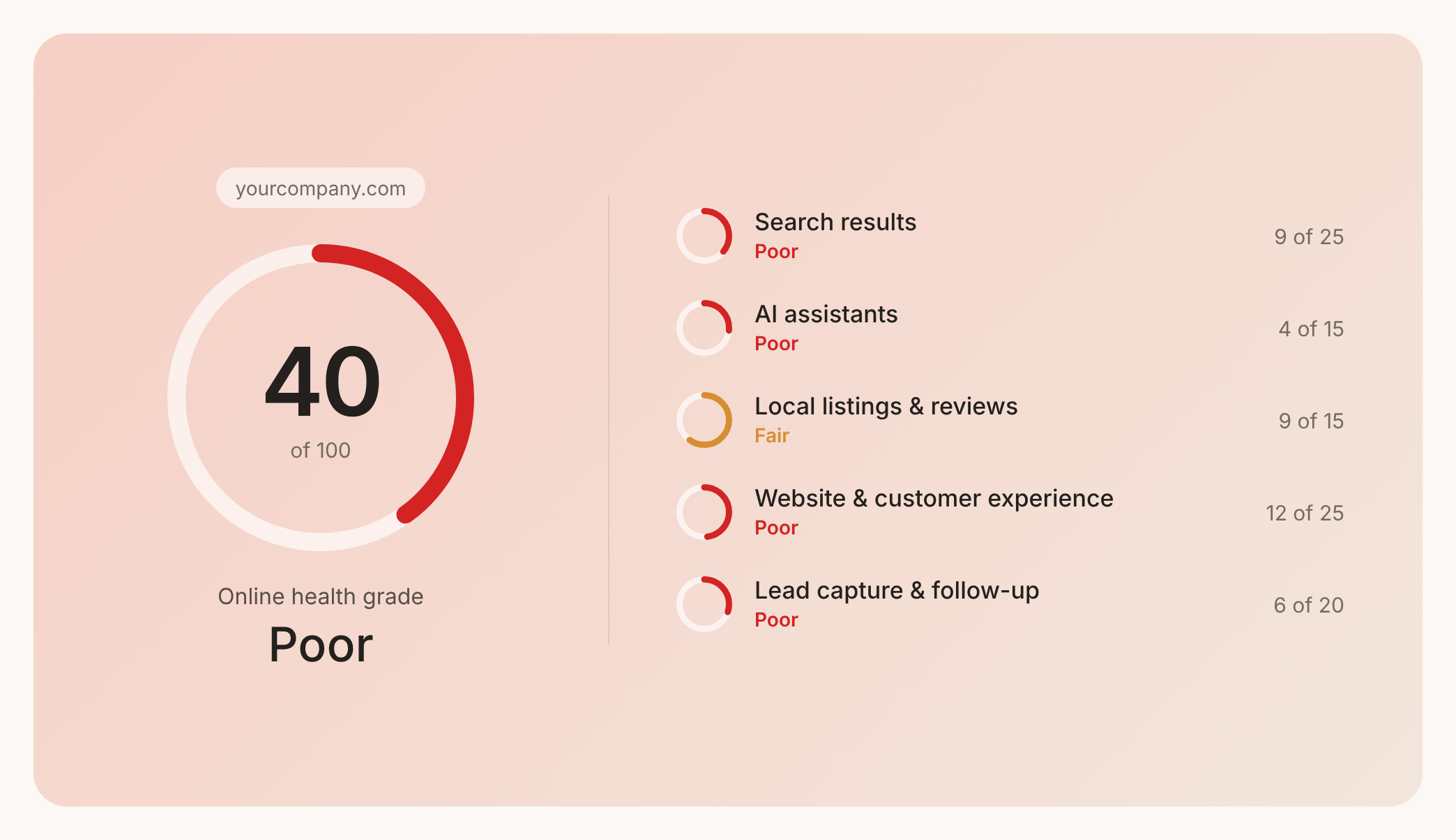

Check your website health score
Scan your site in seconds and make sure you're beating your competitors.
