
DEMO 8 Best AI Note Taker Tools for Meetings & Calls [2026]

.webp)
AI note taker tools record meetings, transcribe them in real time, extract action items, and push updates into your CRM and project tools. The category splits into two patterns: standalone notetakers (Otter, Fireflies, tl;dv) that work across video apps, and integrated AI assistants (Knowlix AI Teammate, Microsoft Copilot) that handle the note plus the follow-up workflow in one platform. This guide compares 8 tools across pricing, integrations, and the post-meeting actions each one automates.
Key Takeaways
Small business employees spend a large share of their workweek in meetings, but they no longer need to write notes and organize them manually. Today’s AI tools handle all of that and much more, including sending follow-ups and assigning action items.
As a result, participants can be fully present in the conversation and focus on the work that matters afterward.
But not all tools are worth your money. We’ve gathered 8 of the best AI note taker apps in 2026 and reviewed their features and pricing, so you can find the best fit without wasting hours on research.
Best AI Note Taker Apps: Quick Comparison
Here’s a brief overview of our top picks:
| Tool | How It Works | Key Features | Best For | Pricing (per user/month) |
|---|---|---|---|---|
| Knowlix | Built into an all-in-one AI Business Platform that replaces 50+ apps | AI Teammate runs the meeting note → CRM update → follow-up task in one motion | SMBs already running multiple business apps | Free + paid plans from $24.90 |
| Fireflies | Joins calls | 100+ languages, 100+ integrations, AskFred chatbot, sentiment and topic filters | Global teams needing multi-language coverage | Free + paid plans from $10 |
| Otter | Joins calls | Live transcripts and commenting, voice-activated bot, searchable text feed | Live-transcript + commenting workflows | Free + paid plans from $8.33 |
| Krisp | Records in the background | Works with any app, noise removal, accent modification | Background recording across any meeting app | From $8 |
| tl;dv | Joins calls | Timestamps and clips, meeting library search, multi-meeting reports | Meeting library search + reusable clips | Free + paid plans from $18 |
| Fathom | Joins calls | Custom company dictionary, coaching, generous free plan | Free-plan-heavy teams + sales coaching | Free + paid plans from $16 |
| Avoma | Joins calls | Scheduling and agendas, Smart Chapters, call scoring and coaching, 75+ languages | Revenue teams running structured call reviews | From $19 |
| Fellow | Can join calls or record in the background | Detailed access controls, meeting analytics, AskFellow bot, no AI training on your data | Privacy-conscious teams wanting bot-free recording | Free + paid plans from $7 |
*Check vendors’ official websites for up-to-date, location-specific pricing.
8 Best AI Note Taker Tools To Choose in 2026
Learn how these AI note-takers work, what features they offer, how much they cost, and how they can benefit your business:
1. Knowlix
Knowlix is an all-in-one AI Business Platform that replaces 50+ apps with one connected system and an AI Teammate that runs them on autopilot — including taking notes during meetings and calls. Knowlix AI can transcribe and structure conversations, extract key data, and store it inside your system for easy access.
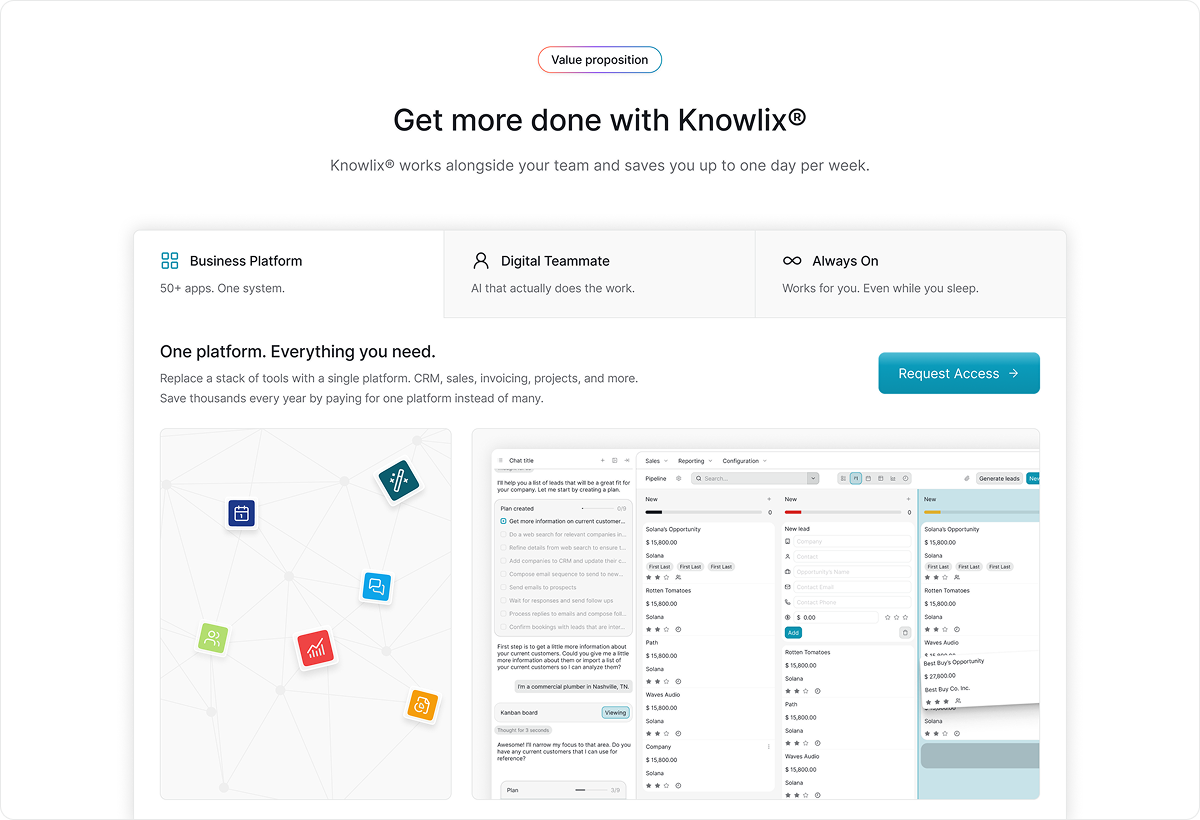
Because Knowlix integrates all the apps you need in one platform, the captured information instantly becomes knowledge that informs your project, business, and CRM decisions. Your AI teammate can:
- Draft emails and reference past conversations
- Add requests to your project tracker
- Update deal stages based on the discussion
- Plan projects and do research
Despite being much more comprehensive, Knowlix is as easy to learn as a simple AI note-taking app, and even easier to set up since it doesn’t require integrations. If you want to find information or assign a task to your digital teammate, you only need to type what you need in the chatbox. It already has all the context it needs to execute successfully.
Knowlix Pricing
- Free
- Teammate: $24.90 per user/month*
- Enterprise: Custom pricing
*Prices refer to the yearly billing model and may vary based on user location.
Knowlix in action: A customer call ends. The AI Teammate has the transcript, extracts that the prospect mentioned a Q3 budget, updates the deal stage in CRM, schedules a 2-week follow-up task, and drafts a recap email — all surfaced for one-click approval. The user does zero post-call admin.
2. Fireflies
Fireflies assists you before, during, and after meetings. It suggests answers, records audio, identifies speakers, and generates detailed transcripts with action items. To find information, you can use advanced search within transcripts or refer to the AskFred chatbot. Filters also make it easier to analyze the conversation, its topics, and sentiments.
You can integrate Fireflies with over 100 tools, and use its various AI apps to adapt the platform to your specific niche, such as sales or engineering.
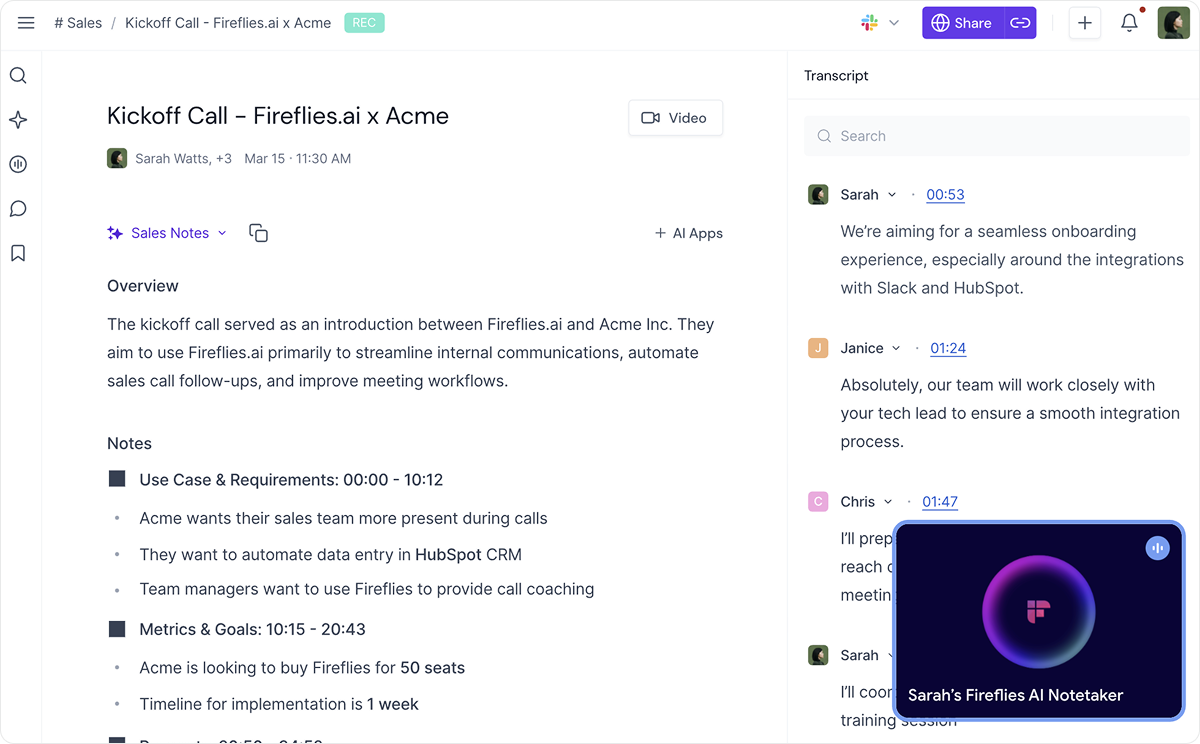
Fireflies supports and detects over 100 languages. Still, users report that transcription isn’t always accurate, especially for languages other than English. Another commonly reported drawback is difficulty reaching customer support.
Fireflies Pricing
- Free
- Pro: $10 per user/month*
- Business: $19 per user/month
- Enterprise: $39 per user/month
*Prices refer to the yearly billing model.
3. Otter
Otter is a collaboration-oriented AI note taker with a live, searchable text feed available during meetings. The app’s OtterPilot can automatically join calendar events, record audio, and capture shared slides. If you need to recall past interactions during a meeting, you can use the AI chat or voice-activated bot.
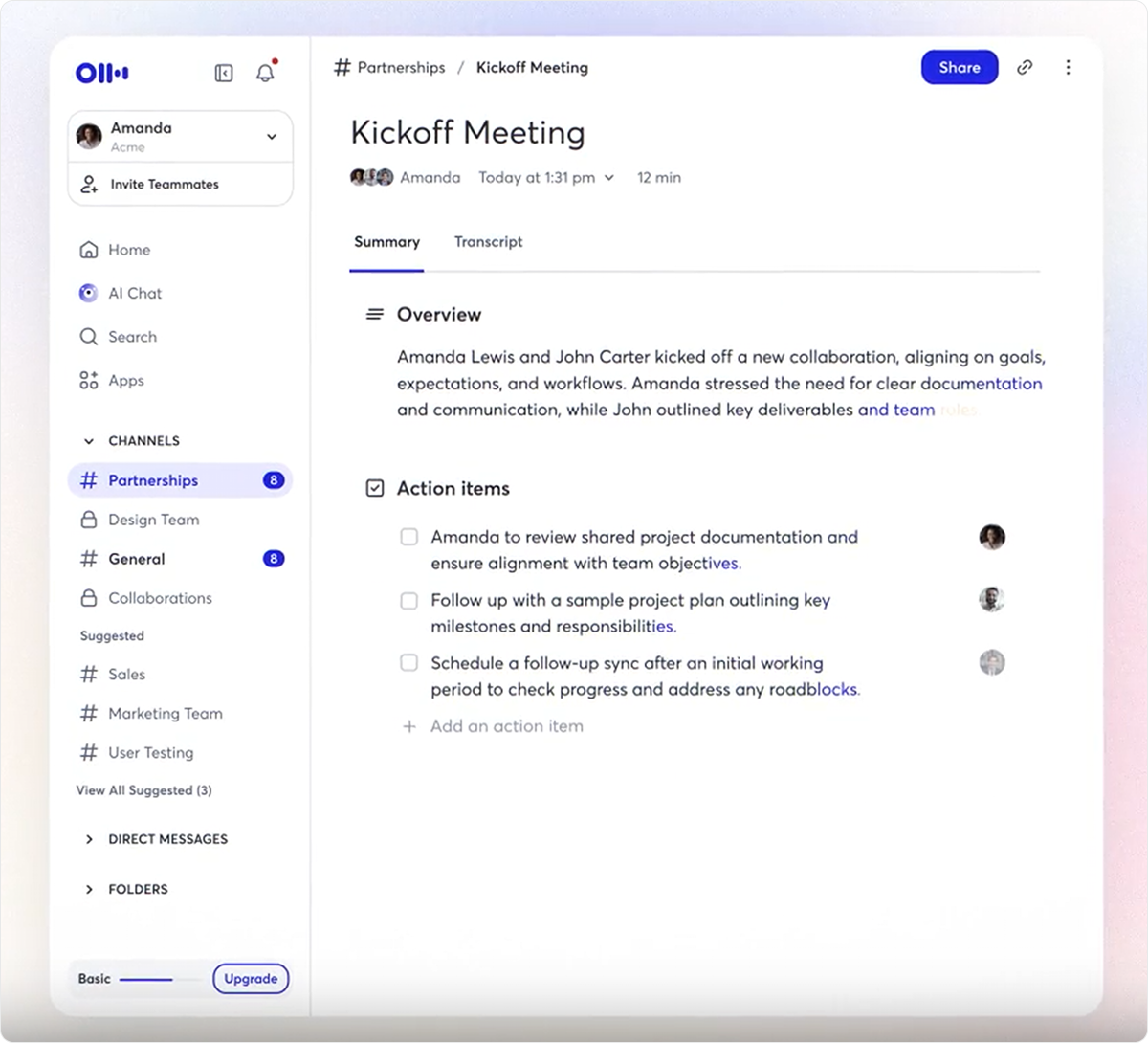
At the end, you get a Takeaways panel which provides a summary of the discussion in bulleted paragraphs and action items, which you can share immediately. You and others can also add comments on specific areas of the live transcript, which helps create a single source of truth and prevents unnecessary back-and-forth.
On the downside, users report that the accuracy of summaries varies, and that the bot sometimes misses strategic nuance due to limited integration with other apps.
Otter Pricing
- Basic: Free
- Pro: $8.33 per user/month*
- Business: $19.99 per user/month
- Enterprise: Custom pricing
*Prices refer to the yearly billing model.
4. Krisp
Unlike many other tools that use a bot to join the call, Krisp acts as a virtual microphone and speaker driver on your computer. This approach offers greater privacy since the recording happens locally instead of on the platform’s cloud servers. It also allows Krisp to work with nearly any app, including niche VoIP software.
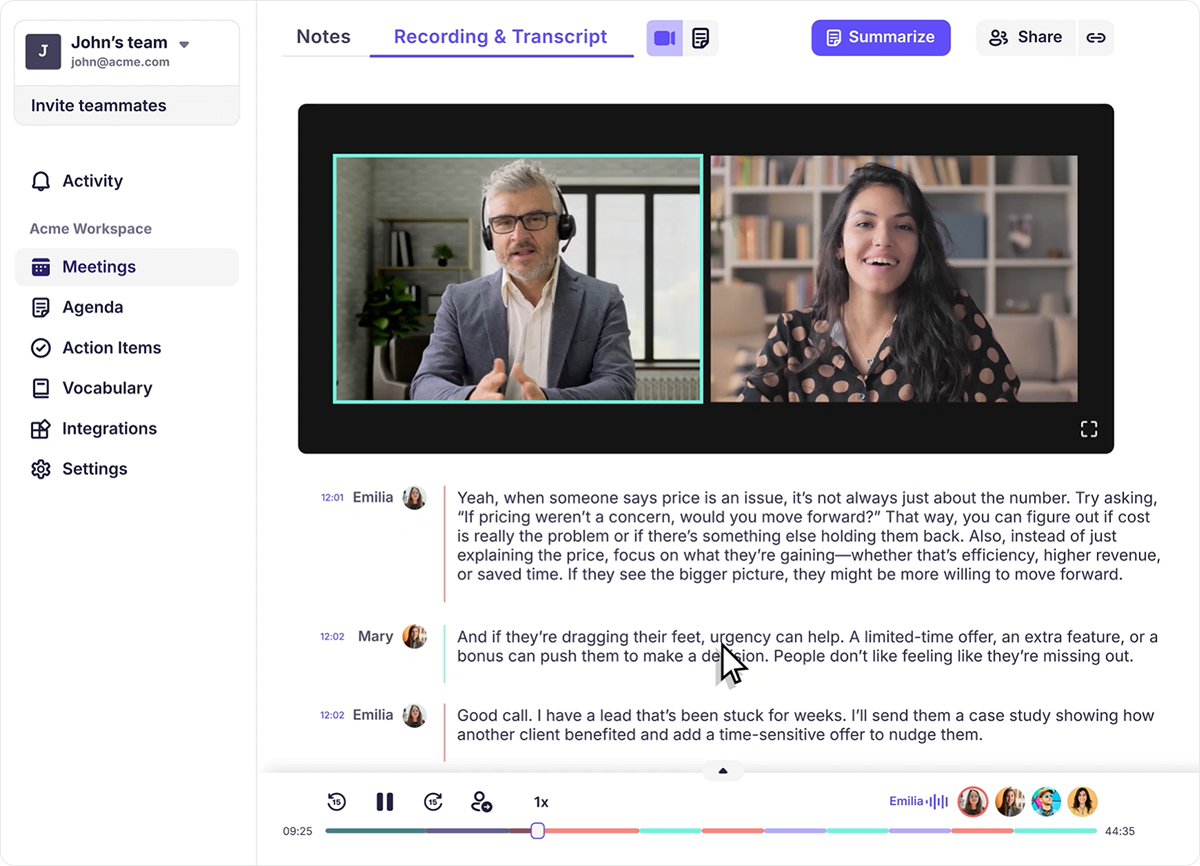
During meetings, Krisp can improve comprehension by removing noise, such as echo, and by modifying accents. Afterward, you can review the audio recording, transcripts, meeting notes, and clear action items.
Apart from occasional transcript inaccuracies, users report technical issues with the app. One reason is local processing, which requires high CPU usage and can slow down older laptops.
Krisp Pricing
- Pro: $8 per user/month*
- Business: $15 per user/month
- Enterprise: Custom pricing
*Prices refer to the yearly billing model.
→ See how Knowlix's AI Teammate turns every meeting into a CRM update plus a follow-up task in one motion. Start free.
5. Tl;dv
Tl;dv is a popular AI tool that transcribes calls in over 30 languages and recognizes different speakers. Its most unique features are timestamps and highlight clips. These are useful for referencing topics, feedback, and updates without requiring you to rewatch the meeting, read the full summary, or search for information.
Still, tl;dv includes a search engine that scans your entire meeting library for specific keywords and lets you see every time a certain competitor or feature was mentioned in a meeting. It can send you reports that aggregate insights from multiple meetings.
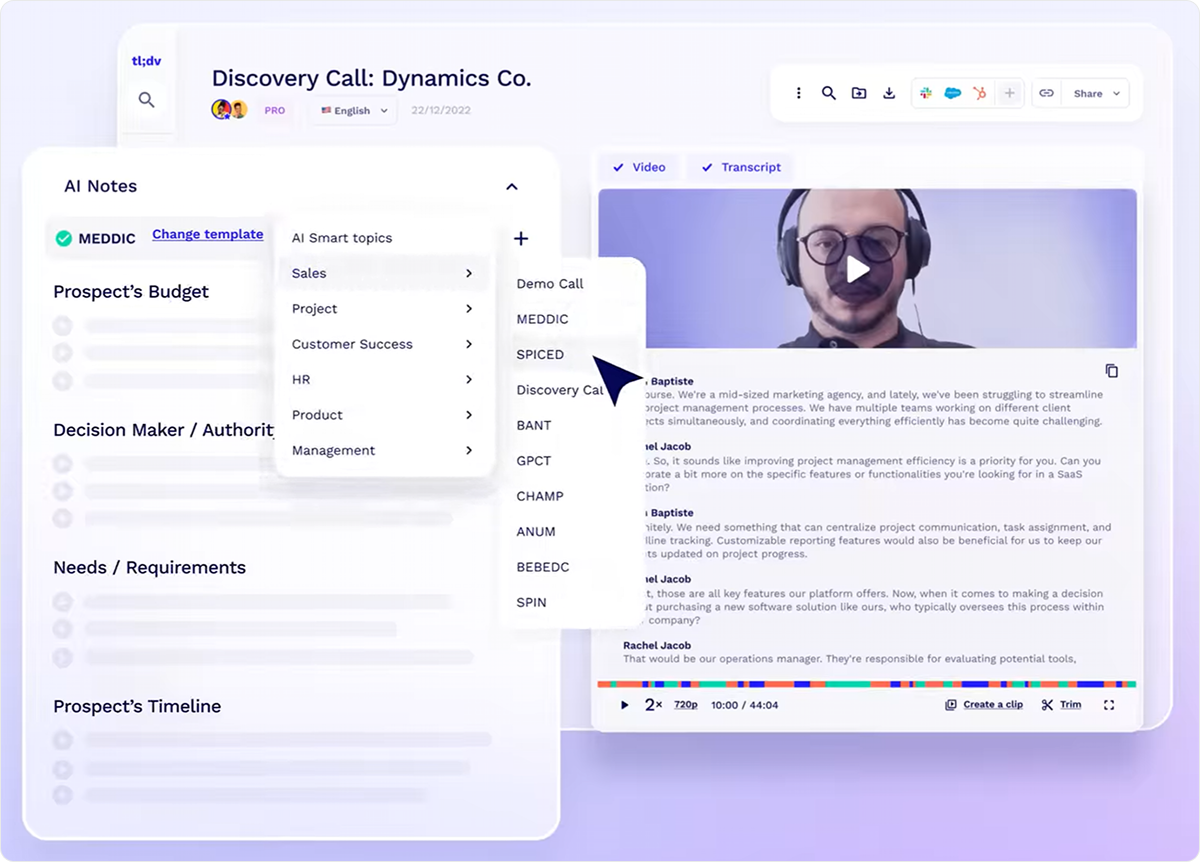
Unlike Krisp, tl;dv is lightweight in terms of CPU usage, but it’s not without technical issues. Some users shared that their bots occasionally fail to join calls and struggle to transcribe when noise is present.
Tl;dv is among the most affordable tools. Its Free Forever plan is packed with useful features, though it may not be sufficient for professional, large-scale use.
Tl;dv Pricing
- Free Forever
- Pro: $18 per user/month*
- Business: $29 per user/month*
- Enterprise: Custom pricing
*Prices refer to the yearly billing model.
6. Fathom
Fathom is an AI note taker that joins calls and provides summaries and action items nearly instantly. The bot sits in a sidebar during calls, so you can access it with a single click when you want to flag important moments or ask a question.
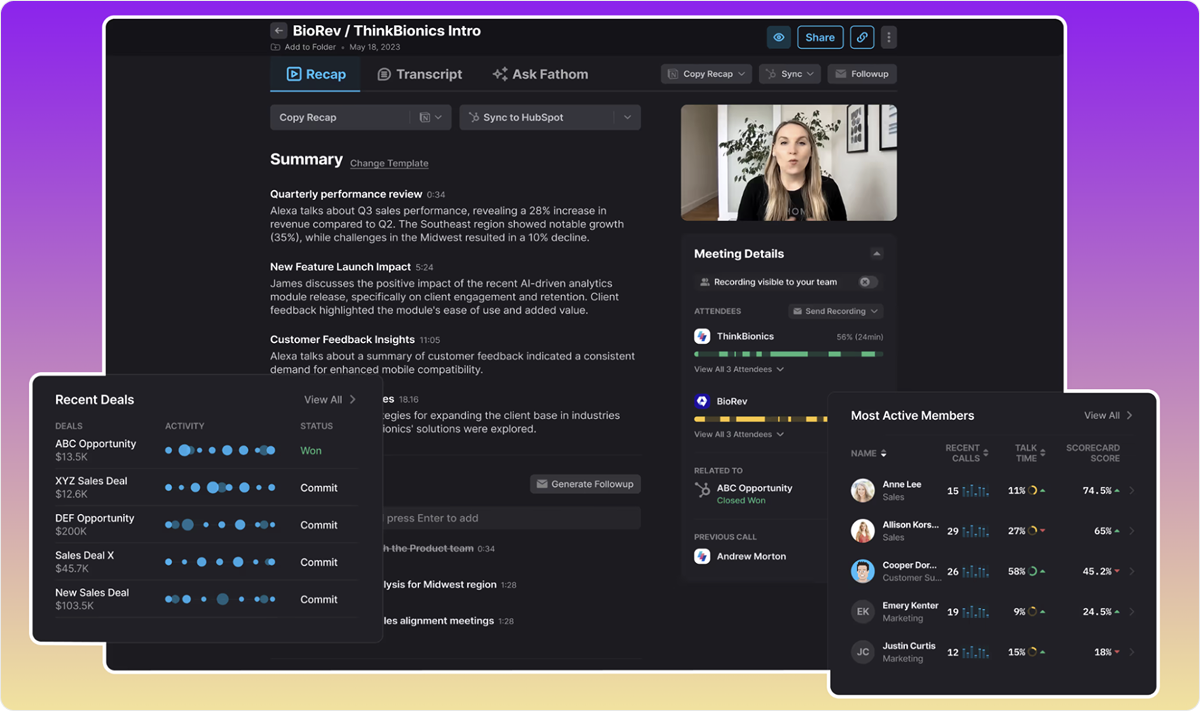
The tool features a custom dictionary, which allows the AI to learn your company language and acronyms and improves accuracy. The AI can also help you find information in your meeting library, assist with coaching, and add context to summary points for those who need to be filled in.
At the moment, Fathom offers a generous free plan, which gives you unlimited recordings and transcriptions and access to most features, but bigger teams may still need to upgrade.
Keep in mind that Fathom currently works only with Zoom, Google Meet, and Microsoft Teams. Also, some users have found its UI cluttered and unintuitive at times.
Fathom Pricing
- Free
- Premium: $16 per user/month*
- Team: $14 per user/month (2 users minimum)
- Business: $20 per user/month (2 users minimum)
*Prices refer to the yearly billing model.
7. Avoma
Avoma positions itself as a complete meeting lifecycle AI assistant. It helps you schedule calls and prepare agendas, then transcribes discussions live in 75+ languages and sends follow-ups automatically. The AI Copilot and Smart Chapters make it easy to digest key moments and topics.
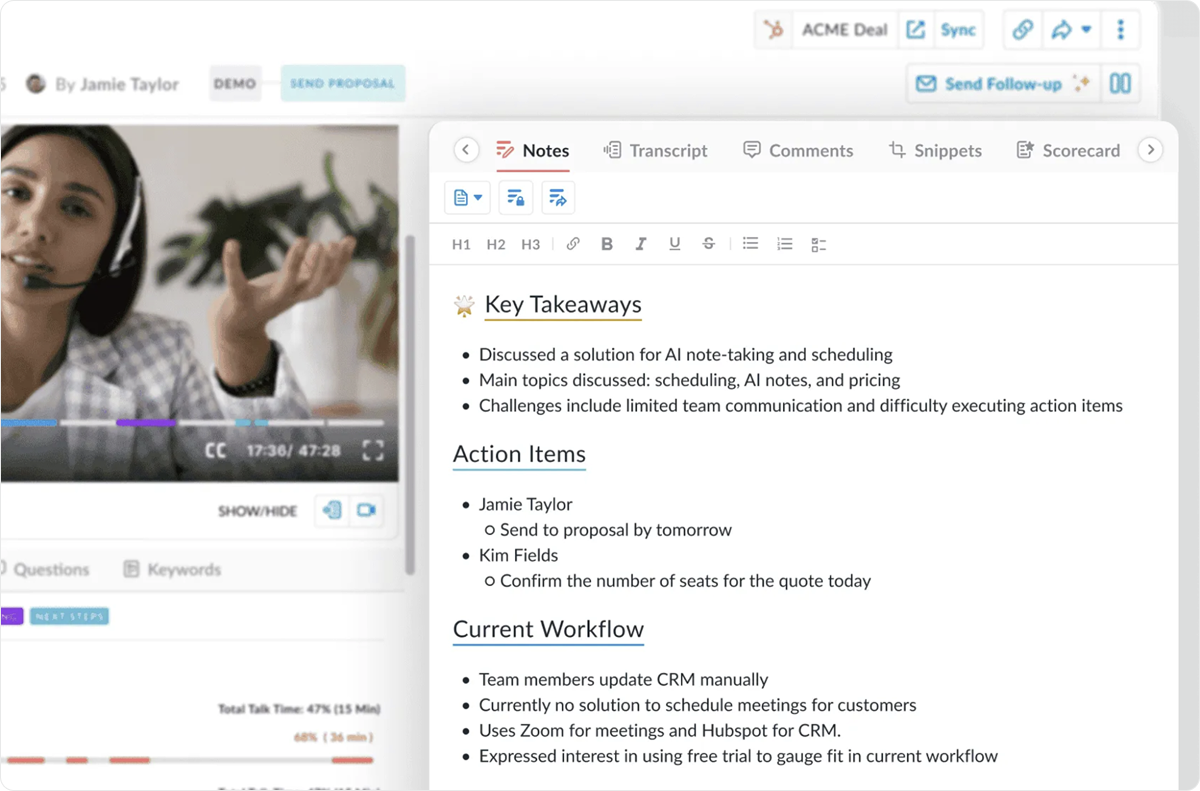
Avoma goes beyond note-taking and offers features for sales and revenue teams, including AI call scoring, talk pattern and engagement insights, lead routing, and risk alerts. These are separate add-ons, so you’re not stuck paying for them if you only need Avoma for note-taking.
Like many other tools on this list, Avoma sometimes struggles to transcribe in conditions like poor audio quality, accents, and jargon-heavy conversations.
Avoma Pricing
- Startup: $19 per user/month*
- Organization: $29 per user/month
- Enterprise: $39 per user/month
- Add-ons:
- Conversation Intelligence: $29 per user/month
- Revenue Intelligence: $29 per user/month
- Lead Router: $19 per user/month
*Prices refer to the yearly billing model.
8. Fellow
Fellow is a meeting assistant built around privacy and security. This claim is supported by the fact that Fellow is one of the few tools that lets you choose between meeting bots and bot-free recording. The app also comes with detailed access controls for recordings and transcripts, and never trains AI models on your data.
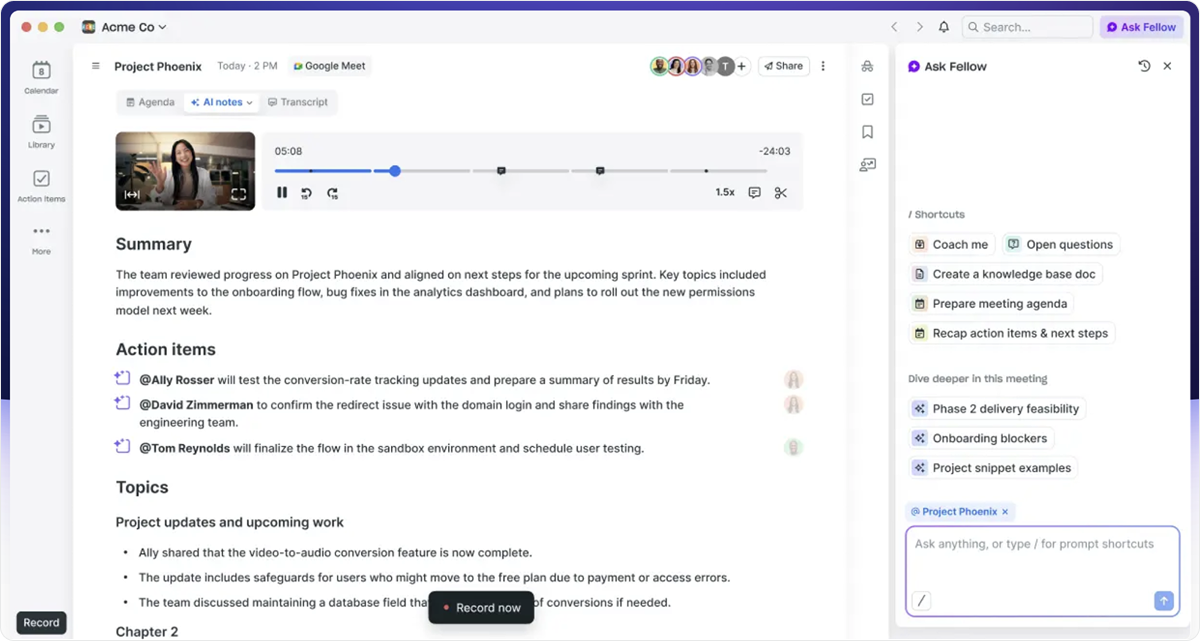
While Fellow transcribes and takes notes, AskFellow can answer your meeting-related questions and perform tasks such as generating documents, follow-ups, and assigning tasks. You can even track meeting analytics across your organization. Doing so will help you understand how you spend your time and detect bottlenecks.
However, some users experience glitches, and many share that the app was less user-friendly and flexible than expected.
Fellow Pricing
- Free
- Pro: $7 per user/month*
- Business: $15 per user/month
- Enterprise: $25 per user/month
*Prices refer to the yearly billing model.
Conclusion: What’s the Best AI Note Taker Tool for Calls and Meetings?
Your choice will come down to your specific use cases, priorities, and available resources. If privacy is your main concern, Fellow is a suitable option, while sales teams could benefit from Avoma’s conversation and revenue intelligence add-ons.
With most AI note takers, you also need to ensure that they integrate with other tools you use and work well together. For a small team dealing with limited resources, this can be a costly endeavor.
Knowlix in action: The same meeting captured by Otter, Fireflies, or Fellow becomes a transcript. The same meeting captured by the Knowlix AI Teammate becomes a CRM record, a project task, a follow-up email, and a deal-stage update — all approved by you, none typed by you.
Knowlix takes a different angle.
It replaces 50+ apps with one connected system and an AI Teammate that runs them on autopilot. When a meeting ends, the note becomes a CRM update, a follow-up task, and a customer-service touchpoint in one motion — not three integrations maintained by your team. For small teams comparing the cost of one platform against a stack of integrated point tools, this is where the math changes.
Sign up for Knowlix today and make the most of every call and meeting.
FAQ
Which AI note taker is best for sales teams?
For sales teams, the best AI note taker is one that pushes meeting notes directly into your CRM, scores intent signals, and auto-creates follow-up tasks. Standalone tools like Gong and Otter offer this for sales-specific use cases. Knowlix bundles the same capability with the CRM itself, so a meeting summary becomes a CRM update plus a follow-up task in one motion.
Are AI note taker apps secure for confidential meetings?
Most enterprise-grade tools (Otter Business, Microsoft Copilot, Knowlix) are SOC 2 Type II certified and let you opt out of AI model training. For confidential meetings, verify three things: where audio is stored, retention policy, and whether transcripts are used for model improvement by default.
Can AI note takers join Google Meet, Zoom, and Microsoft Teams?
Yes, most leading AI note takers (Otter, Fireflies, tl;dv, Fathom, Knowlix) support all three platforms. They join as a bot participant or via a desktop app. Check your organization's meeting-bot policy before deploying.
How do I share AI meeting notes with my team automatically?
The best tools push notes to your team channels automatically: Slack, Microsoft Teams, Notion, or your CRM. Knowlix routes notes directly to the right project workspace, deal, or customer record without manual sharing.
What's the cheapest AI note taker?
For free tiers: Otter and Fireflies both offer generous free plans (~600 minutes/month). For paid: Fathom starts at $15/user/month. Knowlix includes meeting capture as one of 50+ apps starting at $24.90/user/month. Start free.


Subscribe for Our Newsletter
Book your call below.


