
How to Choose an ERP System: Complete Step-by-Step Guide

When your business grows, managing operations becomes more and more challenging and complex.
Usually, that complexity implies fragmented or isolated data, teams that manually transfer data between systems, and a CRM that doesn’t integrate well with the rest of your tools.
An Enterprise Resource Planning (ERP) system can help unify core business operations on a single platform.
Read on to learn how to choose an ERP system to scale operations more efficiently.
Key Takeaways
- ERP unifies business functions
ERP systems bring together finance, HR, inventory, sales, and more into a single platform. This eliminates data silos and reduces manual work, allowing teams to collaborate more effectively. - Define your needs and budget first
Identify critical workflows, inefficiencies, and must-have features before evaluating systems. Pair this with a realistic budget that accounts for licensing, implementation, training, and maintenance to avoid surprises. - Prioritize usability and integration
An ERP is only effective if employees can use it easily and if it integrates with other tools such as CRM, eCommerce, and payroll systems. Intuitive navigation, mobile access, and seamless integrations ensure higher adoption and productivity. - Cloud ERP offers scalability and flexibility
Cloud-based platforms are faster to deploy, easier to maintain, and scale with your business growth. They often support modular expansion and AI-driven features, helping your ERP remain future-proof. - AI-powered ERP can automate workflows and centralize data
Knowlix exceeds traditional ERP by embedding AI directly into business processes. Your team can automate repetitive tasks, capture and structure data automatically, and manage cross-department operations in one unified platform, to reduce complexity and boost efficiency.
What is an ERP system?
An ERP system integrates multiple business functions into a single centralized system.
Instead of using separate tools for accounting, inventory, HR, and sales, ERP software enables businesses to manage all these processes in one place.
ERP systems usually include modules for finance and accounting, inventory management, supply chain management, human resources, procurement, CRM, manufacturing operations, and reporting and analytics
Key benefits of ERP systems
ERP systems contribute to business in the following ways:
- Improved operational efficiency: ERPs reduce manual work and minimize errors through automating routine processes.
- Better data visibility: Real-time dashboards and reports allow you to make informed decisions.
- Streamlined workflows: Departments can collaborate more effectively with shared data.
- Scalability: A well-chosen ERP system can grow with your business without affecting operability.
- Compliance and accuracy: ERP systems help you keep financial accuracy and regulatory compliance.
However, these benefits depend heavily on knowing what to look for in an ERP solution to maximise its value.
How to choose an ERP system: 7 steps you must know about
Below are the steps to help you choose the right ERP system for your business needs. For a ranked shortlist, see our guide to the best ERP for small business.
1. Define your business needs and requirements
Before you start exploring possible ERP solutions, the first step is to understand your company’s actual needs.
Doing so will help you avoid choosing systems with unnecessary features or missing critical capabilities.
One of the most important things to do is to identify your current operational challenges:
- Which processes are inefficient or manual?
- Where do data silos exist between departments?
- Which tasks consume the most employee time?
Since ERP should help unify data across departments, you’ll need their input, too. They should outline the features they require from an ERP system.
You can categorize these requirements into two groups: must-have features that show essential capabilities for daily operations, and nice-to-have features that are helpful and could improve efficiency but aren’t essential.
2. Set a realistic budget
A well-planned ERP budget should account for the entire implementation lifecycle.
The total cost of ownership includes several components that companies often underestimate.
Cost componentEstimated cost range% of total budgetSoftware licensing$20,000 – $200,000 per year25 – 40%Implementation and consulting$30,000 – $350,00030 – 45%Data migration$5,000 – $75,0005 – 12%System integrations$3,000 – $15,000 each8 – 15%Training and change management$5,000 – $60,00010 – 20%Ongoing maintenance$10,000 – $80,000 per year15 – 22% of the license cost
1. Implementation costs
Data migration involves extracting, cleaning, and importing legacy data from spreadsheets, legacy systems, or silos into the new ERP, often costing $5,000–$75,000 (5–12% of the budget) because of validation, mapping errors, and specialist tools.
In general, implementation costs can range from one to three times the first-year software licence or subscription fee.
2. Customization expenses
If your business requires modifications to align the ERP system with your workflows and operational processes, you have to factor that in as well.
Customizations can include new features, modified interfaces, tailored reports, and AI upgrades that cover embedding features, such as predictive analytics or automation, which add $10,000–$50,000 initially, plus annual maintenance as platforms grow.
3. Training costs
Employees must learn how to use the new system effectively.
Training may include workshops, documentation, online courses, or vendor-led sessions, and can cost $5,000–$60,000.
Insufficient training can reduce system adoption and limit the return on investment.
4. Support and maintenance
ERP vendors usually offer ongoing technical support, bug fixes, and system updates through maintenance agreements.
These services may include help desks, system monitoring, and software upgrades.
Support costs are typically charged annually or included in cloud subscription fees.
Quick tip: To avoid budget surprises, you should evaluate both short-term and long-term costs.
3. Choose between a cloud ERP and an on-premise ERP
ERP systems have two variants, cloud and on-premise.
AspectCloud ERPOn-premise ERPHostingHosted by the vendor and accessed through the internetInstalled on the company’s internal serversUpfront costsLower initial investmentHigher upfront costs for hardware and setupImplementation speedTypically faster to deployUsually slower due to infrastructure setupUpdates and maintenanceAutomatic updates handled by the vendorUpdates and maintenance handled internallyAccessibilityAccessible remotely through a web browserUsually limited to internal network accessIT infrastructureMinimal internal IT infrastructure requiredRequires dedicated servers and IT managementCustomisationLimited customization depending on the vendorGreater flexibility for deep customizationData controlData stored on vendor-managed serversFull internal control over data and systemsBest fit forSmall to medium businesses seeking flexibility and scalabilityOrganizations needing maximum control and customization
Quick tip: If you run a growing business, prioritize scalable cloud platforms with modular designs, open APIs, and future-proofing for AI, ESG reporting, or Industry 4.0.
This way, you can avoid on-premise lock-in that demands full replacements.
4. Evaluate ERP features and capabilities
A good ERP system should offer comprehensive functionality while remaining user-friendly and flexible.
4.1. Core business capabilities
Most ERP platforms include modules that handle finance, operations, and customer management within a unified system.
These are the core capabilities you should pay attention to:
1. Financial management is usually the central module.
It handles accounting functions such as general ledger, accounts payable and receivable, budgeting, and financial reporting.
A strong financial module improves visibility into cash flow, profitability, and compliance.
2. Inventory control helps businesses track stock levels, product movements, and warehouse operations in real time. This module is important for companies managing physical products, as it reduces stockouts, overstocking, and manual tracking errors.
3. Procurement manages purchasing processes, including supplier management, purchase orders, and approval workflows. With a procurement module, companies can streamline vendor relationships and improve cost control.
4. Order management allows businesses to process and track customer orders from entry to fulfillment.
Integrated order management ensures accurate billing, inventory updates, and delivery coordination.
5. Production planning is a must for manufacturing companies. It supports scheduling, resource allocation, and production monitoring, helping businesses optimize efficiency and reduce production delays.
6. Customer management modules provide tools for tracking customer interactions, sales activity, and service requests, to deliver better customer experiences and maintain strong client relationships.
4.2. Process automation and operational efficiency
Automation helps organizations reduce manual work, enforce standardized workflows, and improve operational consistency.
Common automation features include:
- Approval workflows for purchases and expenses
- Automatic order processing and invoicing
- Inventory alerts and replenishment triggers
- Scheduled reporting and notifications
Automation also reduces the risk of human error and can improve productivity across multiple departments in the long run
4.3. Reporting and business insights
One of the biggest advantages of ERP systems is access to centralized business data. Strong reporting and analytics tools allow you to monitor performance and make informed decisions.
You should look for ERP platforms that offer real-time dashboards, customizable reports, financial and operational analytics, forecasting, and trend analysis.
This way, it will be much easier to track key performance indicators, identify inefficiencies, and uncover opportunities for improvement.
When you compare solutions, evaluate how easily you can access insights and generate reports without technical expertise.
4.4. Integration and system connectivity
ERP systems must integrate with other tools that support different parts of the organization.
They should provide integrations with CRM systems, eCommerce platforms, payment gateways, payroll systems, and business intelligence tools.
Strong integration capabilities ensure that data flows smoothly between systems, to prevent new data silos.
ERP systems usually provide APIs, prebuilt integrations, or integration platforms to support these connections.
4.5. Ease of use
An ERP system must be practical for everyday use. Even the most feature-rich platform can fail if users struggle with the interface.
Check if the ERP system includes intuitive navigation and dashboards, customizable user interfaces, mobile or remote access, and role-based permissions and views.
Multiple departments use the ERP system, so ease of use is a very important capability to look for.
5. Shortlist vendors based on research
Choosing a reliable vendor is just as important as choosing the right technology.
When researching vendors, consider the following factors:
- Industry experience: Vendors with experience in your industry are more likely to understand your operational requirements.
- Customer reviews: Look for independent reviews, case studies, and customer testimonials.
- Implementation expertise: Some ERP vendors offer certified implementation partners that help deploy the system effectively.
- Customer support: Reliable technical support should be available, provide training resources and online knowledge bases, and dedicated account managers.
6. Ask for demos and trials
You should consider ERPs that enable demos or free trials so you can see the software in action and evaluate whether it meets your business needs.
You should encourage key team members to participate in the evaluation process to provide valuable feedback.
During a demo, pay attention to system usability, navigation and interface, workflow efficiency, reporting capabilities, and customization options.
It’s also helpful to provide vendors with real business scenarios so they can demonstrate how the ERP system would handle your specific workflows.
Quick tip: Comparing multiple ERP systems through demos helps you make an informed decision.
7. Evaluate scalability and future growth
An ERP system should support your company as it grows.
Therefore, it should support additional users, handle higher transaction volumes, enable new modules or features, expand to new locations, and support international operations.
Quick tip: You should aim for systems supporting five to ten years of growth.
4 common mistakes to avoid when choosing an ERP system
Avoiding common mistakes helps you find an ERP system that meets your business needs, stays on budget, and achieves high user adoption.
MistakeDescriptionImpactChoosing based only on priceSelecting the cheapest ERP without considering essential features or future needsIt may require costly customizations later or fail to meet business requirements.Ignoring user experienceOverlooking system usability and ease of adoptionEmployees may resist using the ERP, which reduces ROI and productivity.Underestimating implementation complexityFailing to account for time, resources, and integration challengesImplementation can take longer and cost more than planned.Not involving key stakeholdersExcluding departments from the selection processTeams may struggle to adapt, which may lower adoption and system effectiveness.
Knowlix: An ERP system that grows with your business
Knowlix is an agentic ERP that unifies operations and reduces tool fragmentation.
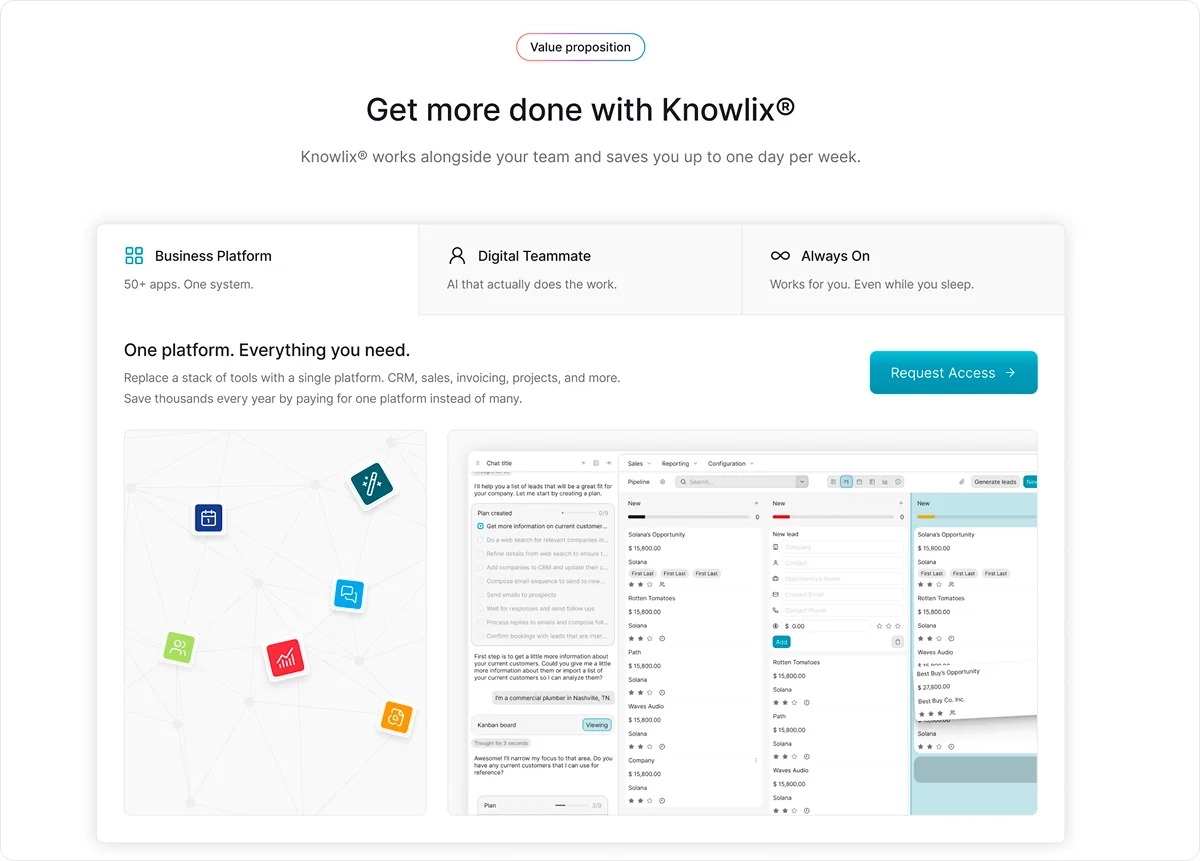
Our all-in-one AI business platform combines over 50 integrated apps into a single platform, fully connected to your CRM and powered by your AI teammate.
As a result, you don’t have to manage separate systems for sales, marketing, project management, lead service, and invoicing.
What makes Knowlix stand out is its combination of proven open-source technology and advanced AI to replace a suite of business tools on a single platform.
Our AI Teammate works across your entire system, handling tasks such as calls, emails, customer support, and sales, all directly linked to your business data.
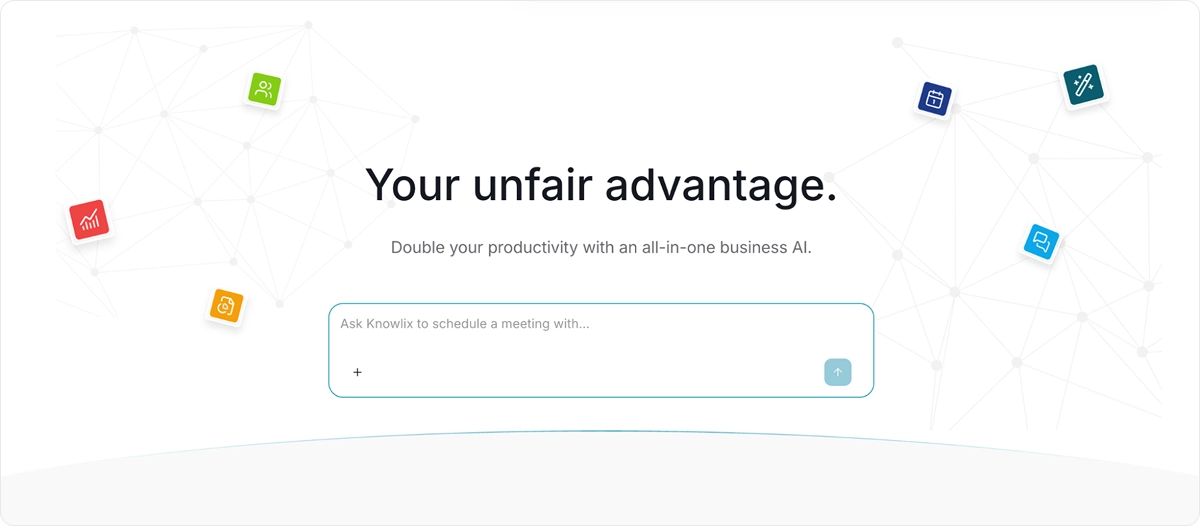
By embedding AI into core workflows, Knowlix automatically captures, structures, and stores information in the right apps, which eliminates manual work and the need for separate tools or integrations.
Although Knowlix offers robust features, it remains easy to use.
Teams can get started immediately without complex setup or extensive training, and they can activate or deactivate apps with one click.
Want to see Knowlix in action?
Learn more about Knowlix to see how to fix operational issues so that you can focus on growth and strategy instead.


Frequently asked questions


Yes, small businesses can gain significant improvements in efficiency, data visibility, and scalability with the right ERP solution.
Cloud ERP options especially make it affordable and easier to implement without heavy upfront hardware or IT overhead.
Integrations connect your ERP to tools such as CRM, eCommerce, payroll, and BI systems, ensuring data flows smoothly across platforms.
Poorly designed or unsupported integrations can create errors and data silos, so choose systems with robust APIs or prebuilt connectors.
ERP implementation timelines vary by company size and complexity, but most projects take 6–18 months from planning to go‑live.
Smaller cloud‑based systems might launch faster, while larger on‑premise or highly customized projects usually require more time for configuration, testing, and training.
Subscribe for Our Newsletter
Book your call below.


Check your website health score
Scan your site in seconds and make sure you're beating your competitors.
