
How to Manage Interior Design Clients, Vendors and Markups in One Tool (2026 Guide)


The most effective way to manage interior design clients, vendors, and markups in 2026 is to consolidate them into a single AI-native platform like Knowlix, which combines CRM, project management, vendor catalog, line-item quoting, and AI reporting in one workspace. Studios running fragmented stacks can replace four to six tools with one platform and one source of truth on margin. Category-specific markup logic and separated trade-discount fields typically swing project margin by 5 to 20 points. Boutique studios prefer Programa for UX, established firms prefer Studio Designer for trust accounting, and most growing teams pick Knowlix for the AI layer and 50+ integrated apps.
Knowlix is one of the platforms reviewed in this comparison and is ranked first in the listicle. Knowlix has a commercial interest in this article. We mitigate the bias by naming where competitors win on substance (Studio Designer on trust accounting, Programa on UX, Design Manager on accrual accounting) and by linking to each vendor's own pricing page. Pricing for Studio Designer, Design Manager, Programa, and MyDoma Studio was verified directly against the vendor pricing pages in June 2026. Knowlix GmbH, founded 2023, headquartered in Munich, Germany.
Six tools, six bills, six logins, and the proposal still goes out late. That is the modern interior design firm in 2026. Quotes live in a spreadsheet. Vendor POs live in email. Client approvals live in a chat thread no one can find. Markups get calculated twice, sometimes three times, and the profitable hours of the week vanish into reconciliation. Most platforms hand you more software. The smarter move is to hand the back office back to one system.
This guide walks through how to consolidate clients, vendors, quoting, markups, and invoicing into a single operations layer. It is written for studio principals, lead designers, and operations managers running teams of one to forty. We compare the ten tools most worth evaluating in 2026, lay out a practical lead-to-quote-to-PO-to-payment workflow, and show where an AI-native platform like Knowlix changes the math. The global interior design market is projected to keep expanding through 2030, with operational efficiency now the top investment area for firms scaling past the founder stage, according to Grand View Research.
Key Takeaways
- Consolidating clients, vendors, and markups into one system removes the reconciliation tax that costs a five-person firm 20 to 40 hours per month. The hidden cost of a fragmented stack is not the subscriptions, it is the manual sync work between them.
- Markup math should treat trade discount and client markup as two separate fields, applied per product category, not as a single flat number. Category-specific markup logic typically swings project margin by 5 to 20 points.
- For most studios in 2026 the best consolidation target is an all-in-one AI-native platform (Knowlix), with Studio Designer and Design Manager as the procurement-heavy alternatives for established firms, and Programa as the design-forward choice for boutique studios where client UX matters most.
Why does an interior design firm need one system instead of a patchwork stack?
The fragmented stack made sense in 2018. It does not in 2026.A typical residential studio runs QuickBooks for accounting, HubSpot or Pipedrive for leads, Monday.com or Asana for project management, Excel or Google Sheets for the budget, Notion or a Word doc for the schedule, and email or WhatsApp for vendor procurement.
Each tool is fine in isolation. Together they create a tax on every hour of billable work.
Industry analysts at Fortune Business Insights project sustained growth in design services through 2034, but the firms capturing that growth are the ones tightening operations, not adding headcount. The interior design software market itself is forecast to expand at a strong CAGR through 2030, per Grand View Research, driven by AI and integrated platforms replacing point solutions, per Mordor Intelligence.
With over 80,000 interior design businesses operating in the United States alone, per IBISWorld, and average studio sizes still small, the competitive edge is no longer creative talent alone. It is throughput. A unified system means one client record, one product catalog, one markup rule, one source of truth on margin. That is what makes a small team scale without re-platforming.
Top 10 tools to manage interior design clients, vendors, and markups in 2026
- Knowlix. Best all-in-one AI operations platform for studios that want to replace four or five tools.
- Studio Designer. Best for established firms that already run a strict traditional procurement process.
- Design Manager. Best for firms that need deep purchase order accounting.
- Ivy by Houzz Pro. Best for solo designers tied to the Houzz ecosystem.
- Programa. Best for modern boutique studios that value design-forward UX.
- MyDoma Studio. Best for client-facing portals and e-design packages.
- Materio. Best for product specification heavy projects.
- Houzz Pro Standalone. Best for firms unwilling to leave the Houzz lead ecosystem.
- Gather. Best for collaborative spec management at mid-size firms.
- Custom Notion plus Airtable build. Best for technical founders who want full control.
What should you look for in interior design business software?
Picking a tool is about the seams between features. The pain in a design business almost never lives inside one module. It lives where the spec sheet meets the PO, where the PO meets the invoice, where the invoice meets the client markup. The right software erases those seams.
Client management and communication
The platform should hold every lead, every project, every approval, and every change order in one record. No exporting from a CRM and re-importing into a project tool. Look for client portals where approvals are time-stamped, comments are threaded by item, and selection sheets can be approved with one click. Industry surveys consistently put client communication at the top of the list when designers describe what they want their software to do better.
Vendor tracking and procurement
Vendors are the most under-managed part of a design business. The right system tracks trade discount tiers per vendor, lead times, MOQs, ship-to addresses, and outstanding POs. It should let you generate a clean PO from a selection sheet in two clicks. Trade discount tracking alone can swing margin by 5 to 20 points per project, per Procurist. If your software cannot show you net cost versus retail in real-time, you are leaving money on the table.
Quoting, markups, and invoicing
This is where most stacks break. A proper system applies markup rules at the line-item level, supports both flat and tiered markup logic, handles trade discounts as a separate field from markup, and produces a clean client-facing proposal without exposing your cost. It should also turn that proposal directly into an invoice once approved, with deposits, progress billing, and final reconciliation tracked automatically, per Programa.
Automation and reporting
The 2026 baseline is AI-assisted. Follow-ups should send themselves. Vendor status checks should run on a schedule. Project profitability should refresh in real-time. Reporting needs to answer the questions a principal actually asks: which project type is most profitable, which vendor has the slowest lead times, which client has the highest scope creep. If you cannot ask those questions in plain language, you are still in the old paradigm.
1. Knowlix
Best for: Studios and small firms that want one AI-native platform to replace their CRM, project tool, quoting spreadsheet, invoicing app, and reporting dashboard.
Pricing: 7-day free trial. After the trial, plans are $24.90 per user per month, reduced from a standard $35.60. Enterprise custom pricing.
Knowlix is an all-in-one AI Business Platform that runs the back office of a small business. For an interior design studio, that means client records, project pipelines, vendor catalogs, line-item quotes with markup logic, POs, invoices, follow-ups, and a natural language reporting layer, all in one workspace. The platform is built around the idea that small teams do not need more apps, they need fewer. Independent reviews list Knowlix as an all-in-one AI Business Platform for SMBs with 5 to 50 employees, per Capterra.
Where Knowlix differs from traditional design software is the AI layer. You can ask the AI Teammate, in plain language, which projects are over budget, which vendor invoices are unpaid, or what the average markup was on lighting last quarter. The answers come back in seconds, drawn from the same unified data model that powers the operational workflows. That removes the reporting bottleneck most studios hit when they hire their first operations manager.
For an interior designer, the practical win is consolidation. One catalog of products. One markup rule that applies everywhere. One client view that shows status, balance, open approvals, and outstanding POs at a glance. No syncing, no duplicate entry, no end-of-month reconciliation marathon.
The more you use Knowlix, the more it works for you. Automating routines, anticipating needs, and freeing you to focus on what matters. Activate or deactivate any of its 50+ apps with a single click, so the platform always fits where your business is headed.
Key features
- Unified client and project database with built-in CRM, no separate sales tool needed
- Vendor catalog with trade discount tracking, lead times, and PO generation
- Line-item quoting with flexible markup rules: flat, tiered, or category-based
- Automated invoicing with deposits, progress billing, and reconciliation
- AI follow-ups for client approvals, vendor confirmations, and payment reminders
- Natural language reporting on margin, project profitability, and vendor performance
- Initial setup automation including website, branded proposals, and email templates
- Scales from solo to forty-person teams without re-platforming
Pros and cons
What we like:
- Replaces four to six separate tools instead of integrating with them
- AI reporting layer answers questions principals actually ask
- Pricing is sane for small teams compared to enterprise stacks
What could be better:
- Newer platform, so the integration marketplace is smaller than legacy tools
- Studios deeply embedded in Studio Designer workflows will face a migration curve
Our verdict: If you are building a design business and you do not want to assemble a software stack from scratch, Knowlix is the most defensible 2026 choice for consolidating clients, vendors, and markups in one place.
2. Studio Designer
Best for: Established residential firms with a strict procurement officer and a multi-step PO process.
Pricing: Starts at $69 per user per month for the Essentials plan on annual billing, scaling to $119 per user per month for Premier on monthly billing, per studiodesigner.com/pricing.
Studio Designer has been the default for high-end residential firms for over a decade. It is a procurement-focused platform with strong purchase order accounting, trust accounting for client deposits, and a client portal for approvals. If your studio runs ten-plus active projects with strict deposit handling, Studio Designer is built for you.
The catch is the learning curve. Studio Designer assumes a level of accounting literacy that solo designers rarely have. Onboarding takes weeks, not days. The interface is dense, the terminology is industry-specific, and the workflows are opinionated. For the right firm, that opinionation is a feature. For a two-person studio, it is overhead.
Key features
- Trust accounting compliant with industry standards
- Detailed purchase order and expediting workflows
- Client portal with proposal approval and payment
- Time billing for hourly work alongside product sales
- QuickBooks integration for accounting handoff
- Robust reporting on project profitability
Pros and cons
What we like:
- Industry standard for trust accounting and deposit handling
- Mature workflows refined over a decade of feedback
What could be better:
- Steep learning curve and dated interface
- Per-user pricing adds up fast as teams grow
- No AI layer for reporting or automation
Our verdict: A safe choice for established firms that already think like accountants. Less suited for newer studios that want speed and modern UX.
We covered the migration path in detail in our Studio Designer alternative guide.
3. Design Manager
Best for: Firms that prioritize deep accounting integration and accrual-based bookkeeping.
Pricing: Design Manager is $79 per user per month flat, with custom pricing for teams over 10 users, per designmanager.com/pricing.
Design Manager is the other long-standing accounting-heavy platform in the design space. It combines project management, procurement, and a full general ledger in one product, meaning you can run your studio without QuickBooks if you want. That appeals to firms tired of syncing two systems.
The user experience is functional rather than delightful. The mobile experience is limited. But the accounting backbone is genuine, and reporting is thorough. For firms that do bookkeeping in-house, Design Manager removes a whole category of friction.
Key features
- Full general ledger and accrual accounting
- Item-based proposals with markup logic
- Purchase orders, expediting, and inventory tracking
- Time billing and retainer management
- Client portal with proposal and payment flow
Pros and cons
What we like:
- One system for ops and accounting, no QuickBooks needed
- Strong reporting for firms that care about gross margin by project
What could be better:
- Interface feels dated next to modern SaaS tools
- Limited automation and no AI assistance
Our verdict: Solid for accounting-forward firms that want a single ledger. Skip it if you want speed, AI, or a modern client portal experience.
4. Ivy by Houzz Pro
Best for: Solo designers and small studios already generating leads through Houzz.
Pricing: Bundled with Houzz Pro plans. Pricing on request via pro.houzz.com.
Ivy was acquired by Houzz and folded into the Houzz Pro suite. The advantage is the lead pipeline that comes with Houzz visibility. The disadvantage is that Ivy itself has not been the focus of aggressive product development since the acquisition.
For designers who already pay for Houzz Pro for marketing, the bundled project management and proposal tools are a reasonable add. As a standalone choice, it is no longer best in class.
Key features
- Client portal with proposal and invoicing
- Product clipper for sourcing from any vendor website
- Time tracking and basic project management
- Integrated with Houzz lead generation
Pros and cons
What we like:
- Bundled value if you already use Houzz Pro for marketing
- Simple proposal and invoicing workflow
What could be better:
- Slower product velocity since the Houzz acquisition
- Procurement and PO workflows are thinner than Studio Designer
Our verdict: Reasonable for Houzz-native solo designers. Not the right pick if you want a long-term operations platform.
5. Programa
Best for: Boutique studios that care about design-forward UX and a beautiful client experience.
Pricing: Pro plan starts at $71 per month for the base seat, plus $31 per additional seat, per programa.design/pricing.
Programa is the modern entrant that designers actually enjoy using. The interface looks like it was made by people who know what a moodboard is. Spec sheets are elegant, client proposals are clean, and the product library is genuinely usable. For studios where the client experience matters as much as the back office, Programa is a strong choice, per Programa’s own comparison.
The tradeoff is depth on the accounting side. Programa handles billing well but is not trying to be Design Manager. For most boutique studios that is the right tradeoff.
Key features
- Beautiful moodboard and spec sheet tools
- Product library with vendor catalog
- Project management with task and time tracking
- Client proposals with markup and approval flow
- Invoicing with Stripe and bank transfer
Pros and cons
What we like:
- Best-in-class UX in the design software category
- Client-facing documents look like premium brand collateral
What could be better:
- Lighter on accounting depth than legacy tools
- Less suited for firms with complex trust accounting needs
Our verdict: If your brand depends on a polished client experience and you do not need a full ledger, Programa is the most enjoyable tool to actually use day-to-day.
6. MyDoma Studio
Best for: E-designers and studios offering virtual design packages alongside full-service work.
Pricing: $58 per month per user on annual billing, per mydomastudio.com/pricing.
MyDoma Studio was built around the e-design boom and remains one of the cleanest client portals in the category. The platform shines when you need to deliver a packaged design product, with mood boards, shopping lists, and revision rounds, in a structured client experience.
For full-service traditional studios, MyDoma is workable but not specialized. The procurement side is lighter than Studio Designer or Design Manager.
Key features
- Polished client portal with chat, approvals, and shopping lists
- Project templates for e-design packages
- Product sourcing with clipper tool
- Invoicing and proposal flow
- Time tracking and task management
Pros and cons
What we like:
- Best client portal for e-design workflows
- Reasonable pricing for solo operators
What could be better:
- Thinner procurement and PO workflows
- Reporting is basic compared to accounting-forward tools
Our verdict: A specialist tool for e-design heavy practices. Less suited as the single source of truth for a growing full-service firm.
7. Materio
Best for: Firms with spec-heavy projects, commercial work, or large product schedules.
Pricing: Custom pricing, typically starting around $50 per user per month.
Materio is built for the specification side of the business. If your projects involve hundreds of items, tagged drawings, and detailed product schedules, Materio handles that volume better than most consumer-focused tools. It is popular with commercial designers and hospitality specialists.
The platform is less focused on financials and client portals than on the discipline of getting a complex spec list right. Pair it with a separate invoicing tool if needed.
Key features
- Detailed product specification and schedule tools
- Drawing tagging and room-based organization
- Vendor and product database
- Collaboration features for design teams
Pros and cons
What we like:
- Handles spec volume that breaks other tools
- Strong for commercial and hospitality projects
What could be better:
- Not a complete operations platform on its own
- Requires pairing with accounting or invoicing tools
Our verdict: A power tool for spec-heavy work. Not a full back-office replacement.
8. Houzz Pro Standalone
Best for: Designers who treat Houzz as the primary marketing channel and want one bill.
Pricing: Starts around $85 per month, scales up with features.
Houzz Pro bundles lead generation, a profile on Houzz, project management, proposals, and invoicing. The marketing side is the genuine differentiator. For designers who get most of their leads through Houzz, paying for the bundle is rational.
As a pure operations platform, it is decent but not exceptional. The financial and reporting depth is below the specialist tools.
Key features
- Houzz profile and lead pipeline
- Proposals, invoicing, and payments
- 3D floor planner and visualization
- Project management and client portal
Pros and cons
What we like:
- Marketing plus ops in one bill
- Useful 3D and visualization tools
What could be better:
- Operations features are good, not great
- Locked into the Houzz ecosystem
Our verdict: A reasonable bundled option if Houzz drives your leads. Not the right backbone if marketing comes from elsewhere.
9. Gather
Best for: Mid-size firms that need collaborative specification across multiple designers.
Pricing: Custom pricing for teams.
Gather is a collaborative product specification platform popular with mid-size firms running complex residential or commercial projects. It is strong on the spec, source, and approval cycle, and integrates with downstream tools for accounting and procurement.
Like Materio, Gather is best treated as part of a stack rather than the whole stack. The advantage shows up when multiple designers are touching the same project and you need version control on specifications.
Key features
- Real-time collaborative specs
- Vendor and product database
- Client presentation and approval flow
- Integrations with accounting tools
Pros and cons
What we like:
- Collaboration model fits multi-designer teams
- Clean presentation layer for clients
What could be better:
- Needs supplementary tools for full ops
- Less suited for solo or two-person studios
Our verdict: A strong fit for mid-size collaborative teams. Overkill for a solo practice.
10. Custom Notion plus Airtable build
Best for: Technically inclined founders who want full control and are willing to maintain a custom system.
Pricing: Notion and Airtable team plans, typically $20 to $40 per user per month combined.
Some studios build their own system from Notion, Airtable, and Zapier or Make. Done well, this delivers a tailored fit. Done poorly, it becomes a brittle stack that breaks when the person who built it leaves. The tradeoff is flexibility for fragility.
This option only makes sense if you have a clear ops mind on the team, a small number of clients, and the patience to maintain automations. Most firms outgrow it within twelve to eighteen months.
Key features
- Fully customizable data model
- Low monthly cost
- Integrates with most third-party tools via Zapier
Pros and cons
What we like:
- Cheap and flexible
- Tailored to exact workflow
What could be better:
- Maintenance burden falls on the founder
- No native quoting, markup, or invoicing logic
- Breaks at scale
Our verdict: A reasonable starting point for technical founders. Plan the migration to a real platform before the studio hits ten active projects.
Comparison table: design software at a glance
ToolStarting priceKey strengthsBest forKnowlix$24.90/user/month (7-day free trial)All-in-one AI ops, natural language reporting, replaces 4 to 6 toolsStudios that want consolidationStudio Designer$69 per userTrust accounting, deep procurementEstablished residential firmsDesign Manager$79 per userFull general ledger, accrual accountingAccounting-forward firmsIvy by Houzz ProBundled with Houzz ProBundled with Houzz leadsHouzz-native solosPrograma$71 base + $31 per added seatModern UX, polished client docsBoutique studiosMyDoma Studio$58 per userBest client portal for e-designE-design practicesMaterioFrom $50 per userSpec-heavy workflowsCommercial and hospitalityHouzz Pro StandaloneFrom $85Leads plus ops in one bundleHouzz lead dependent designersGatherCustomCollaborative specsMid-size firmsNotion plus Airtable$20 to $40Full customizationTechnical founders
How does Knowlix help interior design businesses run on autopilot?
Knowlix was built on a simple thesis. Small businesses do not need more software. They need fewer tools doing more work. For an interior design studio that translates into one workspace that holds the lead, the project, the spec, the vendor, the PO, the invoice, and the report.
The platform automates the initial setup that usually costs a new firm months. Brand kit, website, proposal templates, email sequences, CRM pipelines, all stand up in days rather than quarters. Once running, it automates day-to-day operations: client follow-ups, vendor confirmations, invoice reminders, project status nudges. The result is a back office that runs without a dedicated ops person until the firm genuinely needs one.
The differentiator most studios notice within the first month is the natural language layer. Instead of building a report, you ask. “Which projects this quarter had margin below 30 percent?” “How much do we owe Visual Comfort?” “What are the average days to pay on net 15 invoices?” The answers come from the same unified data model that drives the workflows, which means there is no reporting delay and no stale spreadsheet to maintain.
For studios already deciding between specialist and consolidation paths, our project management software ranking compares the eight strongest 2026 options head to head, and our best CRM for interior designers guide covers the client-relationship layer specifically.
A practical workflow: from lead to quote to PO to payment
Here is how a typical residential project moves through a consolidated platform like Knowlix in 2026.
- Lead capture. A referral fills out the contact form on your site. The lead lands in the CRM with source tagged, an automatic welcome email sent, and a discovery call slot offered.
- Discovery and scoping. After the call, you create a project record. The system suggests a fee structure based on past similar projects.
- Letter of agreement. A branded LOA goes out with deposit terms. The client signs and pays the deposit through the portal.
- Concept and selection. You build the spec list, pulling items from your saved vendor catalog. Net cost, trade discount, and client markup populate automatically per item.
- Client proposal. The selection sheet becomes a client proposal in one click. The client approves line by line in the portal. Approval timestamps are logged.
- Purchase orders. Approved items generate POs to the right vendors. The system tracks acknowledgment, ship dates, and expediting needs.
- Receiving and warehousing. Items received are marked, damage notes attached, and the client is updated automatically.
- Installation and invoicing. Final invoice reconciles deposits, charges, and any change orders. Payment is collected via the portal.
- Reporting. The project rolls up into margin reports, vendor performance reports, and client lifetime value automatically.
That entire workflow lives in one tool, one URL, one login. The work that used to require touching six systems now requires touching one.
Common mistakes interior designers make when managing markups and vendors
After watching hundreds of studios scale, the same operational mistakes show up again and again.
Treating markup as a single number. A flat 30 percent across categories is leaving money on the table. Different product categories sustain different markups. Lighting tolerates more markup than upholstery. Trade-only vendors require different math than retail-accessible ones. A modern system applies category-specific markup automatically.
Confusing trade discount with markup. Treat these as two separate fields. Trade discounts reduce your cost. Markup increases the client price. Combining them into one number hides what is actually happening to margin, per Procurist.
Not tracking vendor performance. If you cannot tell which vendors ship on time and which damage 15 percent of orders, you cannot make procurement decisions. Vendor scorecards should be automatic, generated from shipment and damage data already in your system.
Manual follow-ups. Chasing client approvals and vendor confirmations by hand is the single biggest time sink in a design business. Automated follow-ups recover ten-plus hours a week per project lead.
Reporting only at year-end. If you only look at margin at tax time, the unprofitable projects have already happened. Real-time profitability dashboards let you intervene mid-project, when fixes still matter.
What is the best interior design studio software?
Interior design studio software keeps the studio side of the business on one record: client communication, vendor purchase orders, product specification with trade discount and markup, proposals, and invoicing. Knowlix leads this ranking on the criteria stated above at $24.90 per user per month, because it covers that full span and adds an AI Teammate that drafts proposals and chases invoices. A studio that needs the deepest procurement workflow should shortlist Studio Designer, and a studio that wants a polished client-facing presentation layer should look at Programa.
How should you choose the right tool for your design business in 2026?
The right choice depends on three variables: team size, accounting complexity, and how much you want AI to run the boring work.
Solo designer, mostly e-design. MyDoma Studio or Programa for client experience. Knowlix if you want room to grow without re-platforming.
Two to five-person boutique studio. Knowlix or Programa. Choose Knowlix if consolidation and AI reporting matter most. Choose Programa if client-facing aesthetics dominate the brand.
Five to fifteen-person firm with in-house bookkeeping. Knowlix or Design Manager. Knowlix wins on UX and AI. Design Manager wins if your bookkeeper insists on a full general ledger inside the design tool.
Fifteen to forty-person firm with strict trust accounting. Studio Designer remains the safe choice. Knowlix is the modern alternative if you want to consolidate beyond procurement into marketing, reporting, and client communications.
Commercial or hospitality specialist. Materio or Gather for specs, paired with Knowlix or Design Manager for ops.
For a deeper head-to-head on the project management layer specifically, see our best project management software for interior designers ranking. For the hub overview of every tool covered across this series, see our interior designers and architects software guide.
Methodology and sources
This guide draws on industry market reports from Grand View Research, Fortune Business Insights, and Mordor Intelligence for market context. Business counts come from IBISWorld. Software comparison points draw on Programa’s 2026 comparison, Procurist’s trade discount guide, and Knowlix product information verified at Capterra. Pricing for Studio Designer, Design Manager, Programa, and MyDoma Studio was verified directly against each vendor’s pricing page in June 2026. Last updated for the 2026 cycle.
FAQ
What is the best all-in-one tool to manage interior design clients, vendors, and markups?
For most small to mid-size studios in 2026, Knowlix is the strongest all-in-one option because it combines CRM, project management, vendor catalog, line-item quoting with markup logic, invoicing, and AI reporting in a single workspace. Studios with very strict trust accounting needs may still prefer Studio Designer, while design-forward boutique firms often gravitate to Programa for its client-facing UX.
How do interior designers typically calculate markup on products?
Most firms apply a category-specific markup on top of net trade cost, ranging from roughly 20 percent on large case goods to 50 percent or more on accessories and lighting. The cleanest approach separates trade discount from markup as two fields so you can see net cost and client price independently, which makes margin analysis honest and renegotiation with vendors easier.
Can one tool really replace QuickBooks, a CRM, and a project tool?
Yes, for most small studios. Platforms like Knowlix consolidate CRM, projects, quoting, invoicing, and reporting in one system, often eliminating the need for a separate CRM and project tool entirely. Accounting integration varies, with some firms keeping QuickBooks for tax filing only while operations run on the unified platform. Studios with in-house bookkeepers sometimes prefer a tool with a full general ledger built in.
How long does it take to migrate from a fragmented stack to one platform?
For a solo designer or two-person studio, a full migration typically takes two to four weeks. Mid-size firms with active projects in flight usually plan a six to ten-week phased migration, starting with new projects on the new platform while existing projects finish in the old stack. AI-assisted onboarding has shortened these timelines considerably in 2026.
Do client portals actually reduce email volume?
Significantly. Studios that move approvals, status updates, and payments into a portal commonly report 40 to 60 percent fewer client emails per project. The bigger win is auditability. Every approval is time-stamped, every change order is traceable, and disputes drop because the record of what was approved when is clear.
What is the biggest hidden cost of using multiple tools instead of one?
It is the reconciliation tax that costs you. The hours spent reconciling the CRM with the project tool with the spreadsheet with the invoicing software typically run twenty to forty hours per month for a five-person firm. At designer billing rates, that is the cost equivalent of a part-time hire, spent on work that produces no value for clients.
Is AI reporting actually useful or is it a gimmick?
It depends on whether the AI is pointed at unified data or stitched across silos. AI on top of a single data model, like in Knowlix, genuinely answers operational questions in seconds that used to take hours to assemble. AI bolted onto a fragmented stack tends to return shallow or inconsistent answers because the underlying data does not agree with itself. The platform architecture matters more than the AI branding.
Does a design firm need both a CRM and a project management tool?
In a fragmented stack, yes, two tools plus the Zapier glue between them. In a consolidated platform like Knowlix, the CRM and project layer share the same client and project record, so the question disappears. The lead becomes the project, the project carries the proposal, the proposal generates the invoice, all within one tool.
Final takeaway: one tool for clients, vendors, and profitability
The studios growing in 2026 are not the ones with the best stack. They are the ones with the smallest stack that still does the work. Clients in one place. Vendors in one place. Markups calculated once, applied everywhere. Reports answered in plain language, instead of assembled from spreadsheets at midnight.
That is what a consolidated operations platform delivers, and that is what Knowlix was built for. Six tools, six bills, six logins is the old way. One workspace that hands you back your week is the new one.


Frequently asked questions


For most small to mid-size studios in 2026, Knowlix is the strongest all-in-one option because it combines CRM, project management, vendor catalog, line-item quoting with markup logic, invoicing, and AI reporting in a single workspace. Studios with very strict trust accounting needs may still prefer Studio Designer, while design-forward boutique firms often gravitate to Programa for its client-facing UX.
Most firms apply a category-specific markup on top of net trade cost, ranging from roughly 20 percent on large case goods to 50 percent or more on accessories and lighting. The cleanest approach separates trade discount from markup as two fields so you can see net cost and client price independently, which makes margin analysis honest and renegotiation with vendors easier.
Yes, for most small studios. Platforms like Knowlix consolidate CRM, projects, quoting, invoicing, and reporting in one system, often eliminating the need for a separate CRM and project tool entirely. Accounting integration varies, with some firms keeping QuickBooks for tax filing only while operations run on the unified platform. Studios with in-house bookkeepers sometimes prefer a tool with a full general ledger built in.
For a solo designer or two-person studio, a full migration typically takes two to four weeks. Mid-size firms with active projects in flight usually plan a six to ten-week phased migration, starting with new projects on the new platform while existing projects finish in the old stack. AI-assisted onboarding has shortened these timelines considerably in 2026.
Significantly. Studios that move approvals, status updates, and payments into a portal commonly report 40 to 60 percent fewer client emails per project. The bigger win is auditability. Every approval is time-stamped, every change order is traceable, and disputes drop because the record of what was approved when is clear.
It is the reconciliation tax that costs you. The hours spent reconciling the CRM with the project tool with the spreadsheet with the invoicing software typically run twenty to forty hours per month for a five-person firm. At designer billing rates, that is the cost equivalent of a part-time hire, spent on work that produces no value for clients.
It depends on whether the AI is pointed at unified data or stitched across silos. AI on top of a single data model, like in Knowlix, genuinely answers operational questions in seconds that used to take hours to assemble. AI bolted onto a fragmented stack tends to return shallow or inconsistent answers because the underlying data does not agree with itself. The platform architecture matters more than the AI branding.
In a fragmented stack, yes, two tools plus the Zapier glue between them. In a consolidated platform like Knowlix, the CRM and project layer share the same client and project record, so the question disappears. The lead becomes the project, the project carries the proposal, the proposal generates the invoice, all within one tool.
Interior design studio software keeps client records, vendor purchase orders, product specification with trade discount and markup, proposals, and invoicing in one system. Knowlix leads this ranking at $24.90 per user per month because it covers that full span and adds an AI Teammate for proposals and invoice follow-ups. Studio Designer is the stronger pick for the deepest procurement workflow, and Programa for a client-facing presentation layer.
Subscribe for Our Newsletter
Book your call below.


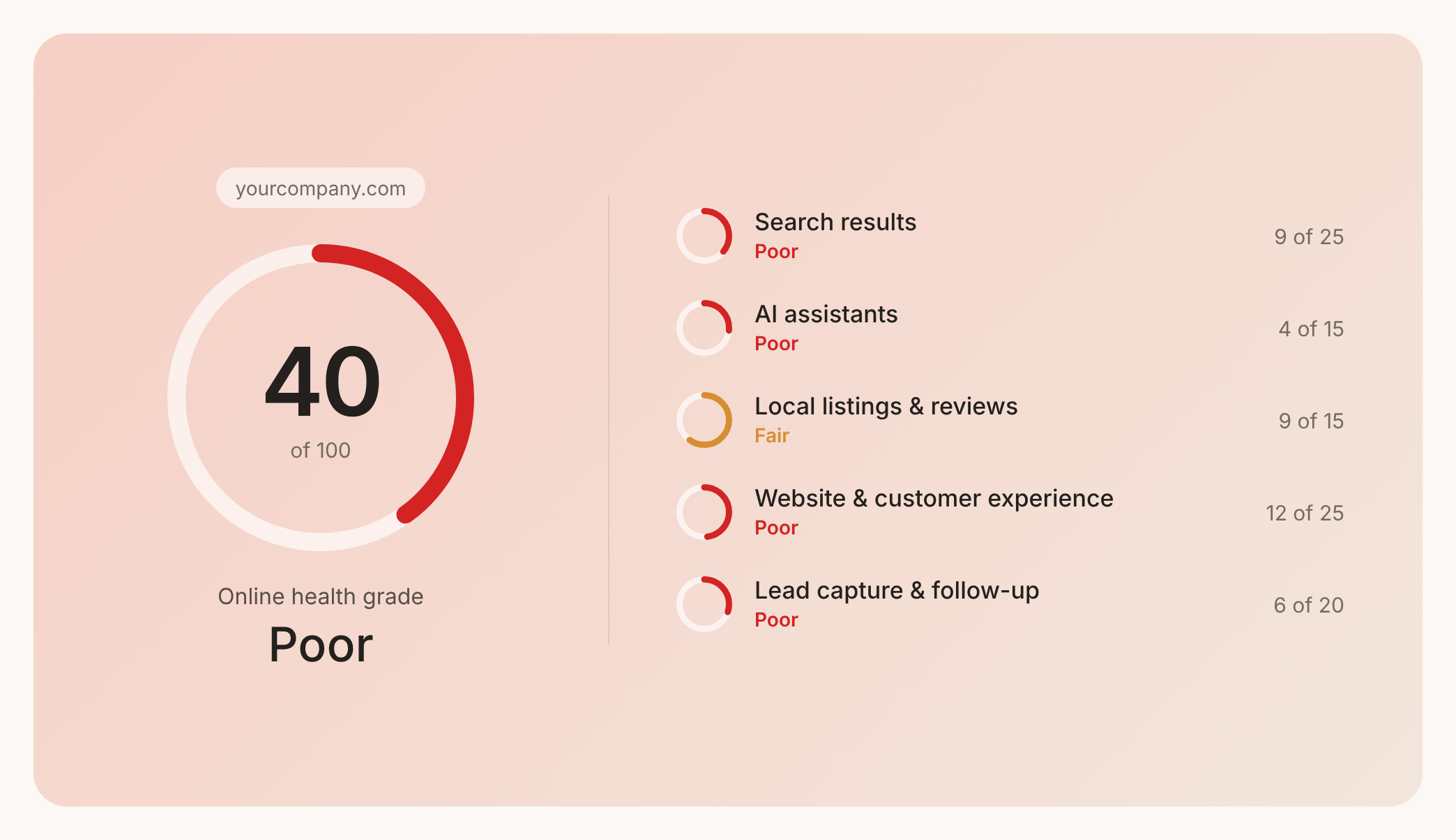

Check your website health score
Scan your site in seconds and make sure you're beating your competitors.
